Cavalry
Administrators
-
Joined
-
Last visited
Files posted by Cavalry
-
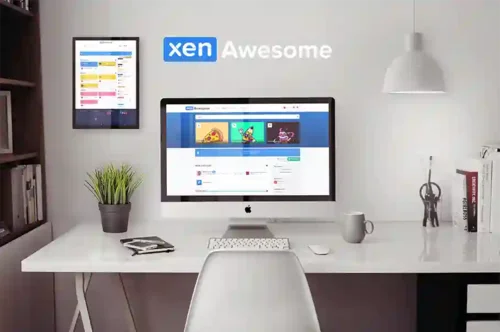
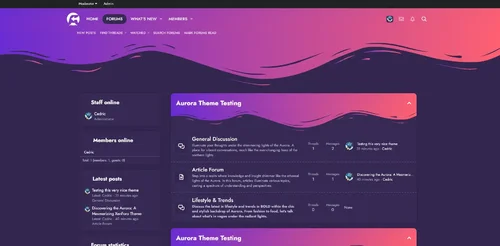
Inspired by FontAwsome, XenAwsome brings a modern and unique design to XenForo 2. It can be a breeze to customize to suit your community and your members.
Features:
Fully Responsive Layout
Clean Retina & HD display Support
Three Different Header Layout
Three Different Nodes Layout
Guest Message
Text Logo
Collapsible Categories
Collapsible Sidebar
First Post Unique Background
Offline status indicator
Extra Footer easily customized
And more.......
- Free
- 5 Downloads
-
A collection of improvements to XF's Enhanced Search and some for XenForo's default MySQL search.
MySQL & Elastic Search features;
range_query search DSL
allows arbitrary range queries for numerical data
Allow users to select the default search order independent for the forum wide setting.
Re-adds the global option for the default search type
Elastic Search Only features:
Add ability to push "can view threads/tickets by other" permission(s) into ElasticSearch query, reducing php-side culling of matching content.
This improves searching forums/tickets where the user lacks these permissions.
This is gated behind the option Push "View X by others" check into XFES', as it requires a full reindex. (Default disabled)
Supports the following add-ons:
View Sticky Threads (free) add-on.
Collaborative Threads (paid) add-on.
@NixFifty's Tickets (paid) add-on.
For best results, use ElasticSearch Essentials add-on, as it simplifies this permission constraint compared to stock XenForo
Per content type weighting
Adds Elastic Search information to the AdminCP home screen.
Adds a debug option to log the search DSL queries to error log for troubleshooting
Option to extend search syntax to permit;
+ signifies AND operation
| signifies OR operation
- negates a single token
" wraps a number of tokens to signify a phrase for searching
* at the end of a term signifies a prefix query
( and ) signify precedence
~N after a word signifies edit distance (fuzziness)
~N after a phrase signifies slop amount
In order to search for any of these special characters, they will need to be escaped with \.
"Specialized index" support
Specialized search index allows generating single-purpose elastic search indexes while re-using as much XF search infrastructure as possible.
Username auto-complete powered by elasticsearch
These are examples of a "specialized index".
The username autocomplete it creates an index with just the user/email and replaces the admin quick search and front-end username autocomplete with an elasticsearch powered version.
The tag autocomplete replaces the front-end tag autocomplete with an elasticsearch powered version.
In both cases this allows non-start-of-string matching, with typo tolerance.
- Free
- 7 Downloads
-
Screenshots are still to be added, XF1 version has similar functionality and the screenshots
This add-on introduces potentially breaking changes to moderation permissions. Please review usergroup permissions carefully to ensure moderators do not lose access to the report center!
A Collection of improvements to XF's reporting system. Fully phrased.
On install, all existing warnings are copied into a new warning change tracking log and associated with reports. This process occurs as a background task, and is non-disruptive.
Note; when reports are sent to a forum, the warning<->report links can not be created!
Feature list:
Improve performance of Report Center by reducing stock XenForo N+1 query behaviour
Permission based access to the report center:
Default permissions set for groups (global/content) for groups with warn or edit basic profile permissions.
New Permissions:
View Report center
Comment on open report
Comment on closed report
Update a report's status
Assign report
View Reporter Username
React to report comments
View User Report
View Profile Post Report
View Conversation Report
Edit own report comment
Time limit on editing/deleting own report comments (minutes)
Edit any report comment
View attachments to report comments
Upload attachments to report comments
Upload videos to report comments
Attachment Size (kb)
Maximum Attachment Count
Sends an Alert to moderators who have commented/reported on a report.
Only sends an alert if the previous alert has not been viewed
Report Alerts link to the actual comments for longer reports
Report Alerts include the title of the report
Alert moderators if a report is assigned to them
Links Warnings to reports.
Visible from the warning itself, and when issuing warnings against content.
Link reply bans to reports
Log reply bans into report system
Optional Issue a reply-ban on issuing a warning (default disabled)
Allow reply-banning through a closed threads for moderators
Link Reports to Warnings.
Logs changes to Warnings (add/edit/delete), and associates them with a report.
Automatically create a report for a warning.
When issuing a Warning, option to resolve any linked report.
Optional ability to log warnings into reports when they expire. This does not disrupt who the report was assigned to, and does not re-open the report.
Report Comment Likes.
Resolved Report Alerts are logged into Report Comments (as an explicit field).
Search report comments
Optional ability to search report comments by associated warning points, and warned user. (Requires Enhanced Search Improvements add-on)
Reverse order of report comments (default disabled)
Optional auto-reject/resolve sufficiently old reports (default disabled)
Show content date when viewing a report
Show forum for post reports in report list
Permission-based ability to join a reported conversation
- Free
- 3 Downloads
-
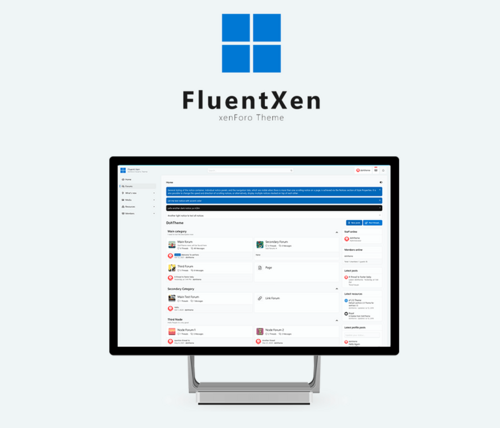
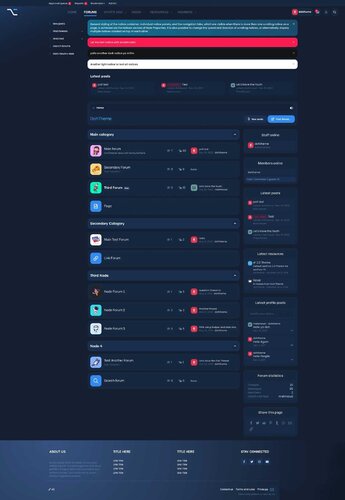
Fluent is our newest premium theme release. This results from Microsoft’s set of guidelines for better design, keeping mobile users in mind. It supports better browsing by enhancing the visual and motion experience. This theme is almost Fluent-based to make a better user experience.
As always, the theme can be easily customized as it comes with many options and properties.
RE-ME Framework Features List
You don’t just get a simple theme; you’ll get settings that will change the default framework into your own. It’s your website; make it yours!
Avatar Shape
Guest Message
Text Logo
Two Login Triggers Styles
Remove Sub-navigation row
Collapsible Categories
Sticky Category Strips
Last Poster Avatar
Simplified Node Statics
"New" Indicator Label
Sidebar Position
Sticky Sidebar
Collapsible Sidebar
Collapsible Sidebar Blocks
Separate Sticky Threads
Show the avatar of who last posted
Online/Offline status indicator in the discussion list
First Post Unique Background
Offline status indicator
Collapsible User Extras
Optional Glyphs (Navigation-Sidebar-Message ActionBar)
And more......
- Free
- 8 Downloads
-
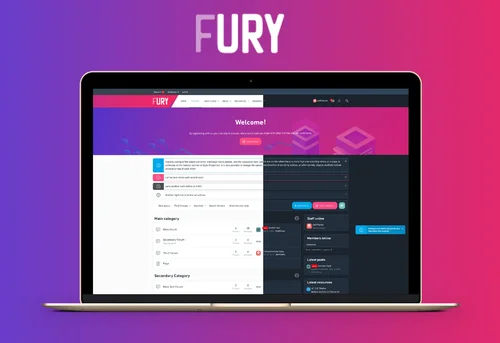
Fury is our newest premium theme for xenForo 2. It's bright, elegant, and subtle look makes it a design that can be used for multiple purposes. Not only is this theme very user-friendly and flexible, but it's also easily customizable to suit your needs.
RE-ME Framework Features List
You don’t just get a simple theme; you’ll get settings that will change the default framework into your own. It’s your website; make it yours!
Google Web font is easily configured
Avatar Shape
Custom Scrollbar
Guest Message
Sticky Staff tools
Text Logo
Two Login Triggers Styles
Remove Sub-navigation row
Collapsible Categories
Sticky Category Strips
Simplified Node Statics
"New" Indicator Label
Sidebar Position
Sticky Sidebar
Collapsible Sidebar
Collapsible Sidebar Blocks
Separate Sticky Threads
Show the avatar of who last posted
Online/Offline status indicator in the discussion list
Three Different Messages Layout
First Post Unique Background
Offline status indicator
Collapsible User Extras
Optional Glyphs (Navigation-Sidebar-Message ActionBar)
Extra Footer is easily customized with 8 different widgets.
And more.....
- Free
- 1 Downloads
-
Introducing Aurora: The Ultimate XenForo Theme for Your Forum
Exclusive Design by DohTheme for Admin Junkies
1. Aurora: The Original Experience
The original Aurora theme sets the standard for elegance and functionality in forum design. It's perfect for forums seeking a vibrant, visually engaging interface. This version boasts all the signature features of Aurora, including customizable node backgrounds, avatar shapes, guest messaging, and more, enveloped in its classic, mesmerizing color palette.
2. Aurora Alternative: Streamlined with a Short Header
For those who prefer a more compact and streamlined look, the Aurora Alternative version is the ideal choice. This variant maintains all the functionality and aesthetic appeal of the original Aurora theme but comes with a shorter header. It’s perfect for forums looking for a sleeker, more modern appearance without sacrificing the capturing appeal of the Aurora theme.
3. Aurora Dark: A Bold and Sophisticated Twist
Embrace the elegance of the night with Aurora Dark. This version takes all the enchanting features of the Aurora theme and reimagines them in a dark color scheme, offering a bold and sophisticated look. Ideal for communities that prefer a darker, more subdued aesthetic, Aurora Dark provides a unique, visually stunning experience while maintaining the user-friendly and feature-rich environment of the original theme.
Features Across All Versions:
Google Web Font Integration
Customizable Node Background
Various Avatar Shapes
Engaging Guest Messages
Text Logo Option
Simplified Navigation Options
Collapsible Categories
Sticky and Simplified Node Statistics
New Post Indicators
Flexible Sidebar Customization
Unique First Post Backgrounds
Offline Status Indicators
Collapsible Elements for a Clean Look
Optional Glyphs for Enhanced Navigation
Customizable Footer with Multiple Widgets
And more...
- Free
- 0 Downloads
-
Alt is a powerful, creative, responsive multi-purpose xenForo Theme, With Alt, you can unleash your creativity in potentially unlimited ways to create the perfect website.
RE-ME Framework Features List
You don’t just get a simple theme; you’ll get settings that will change the default framework into your own. It’s your website; make it yours!
Google Web font is easily configured.
Node Background
Avatar Shape
Guest Message
Text Logo
Remove Sub-navigation row
Collapsible Categories
Sticky Category Strips
Simplified Node Statics
"New" Indicator Label
Sidebar Position
Sticky Sidebar
Collapsible Sidebar
Collapsible Sidebar Blocks
Separate Sticky Threads
Show the avatar of who last posted
Three Different Messages Layout
First Post Unique Background
Offline status indicator
Collapsible User Extras
Optional Glyphs (Navigation-Sidebar-Message ActionBar)
Extra Footer is easily customized with 8 different widgets.
And more...
- 6.00 USD
-
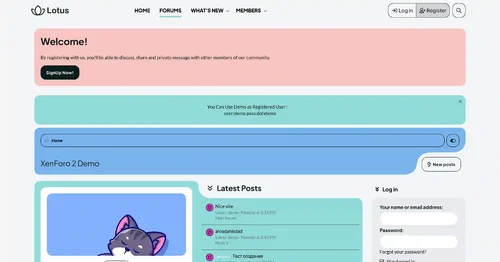
Create a great community with our Lotus XenForo style. This theme is perfect for discussion forums and excellent for shops, stores, news, publishing, or review forums.
RE-MI Framework Features List
You don’t just get a simple theme; you’ll get settings that will change the default framework into your own. It’s your website; make it yours!
Google Web font is easily configured.
Node Background
Avatar Shape
Guest Message
Text Logo
Remove Sub-navigation row
Collapsible Categories
Sticky Category Strips
Simplified Node Statics
"New" Indicator Label
Sidebar Position
Sticky Sidebar
Collapsible Sidebar
Separate Sticky Threads
Three Different Messages Layout
First Post Unique Background
Offline status indicator
Collapsible User Extras
Optional Glyphs (Navigation-Sidebar-Message ActionBar)
Pre-footer is easily customized with 8 different widgets.
And more......
- 5.40 USD
-
DragonByte Credits is a highly advanced credits system for XenForo that offers advanced functionality suitable for casual activity and serious eCommerce engines alike.
Uses
DragonByte Credits allows you to create powerful "Events" that can occur throughout your forum. With advanced features such as charging, random additions and taxation, you can create truly interesting combination of events that allows you an unprecendented amount of control over your credits.
Our Currency Manager allows you to create virtually unlimited different currencies, each with their own set of Events. Want to make a premium currency that can only be earned a certain way? DragonByte Credits gives you the tools to do so.
Backed up by an advanced Transaction Log, you'll know exactly where all your credits come and go.
Major Features
DragonByte Shop Integration: All of your DragonByte Shop purchases will show up in DragonByte Credits, allowing you to fully utilise the power of the Credits mod to support your Shop!
Payment Profile integration: New in v5.5.0, you can now add DragonByte Credits as a payment profile. You can then apply this payment profile to things like user upgrades, DragonByte eCommerce products, and more! This feature will work with any 1st party or 3rd party system that uses XenForo's built-in payment profile system to handle payments.
Powerful Events: You can create events and fine tune their functionality quickly and easily, with support for most XenForo functionality.
Event transaction moderation: You can now optionally moderate each and every transaction for any given event. This is particularly useful if you have, for instance, a Redeem event that's supposed to be secret but you suspect the code has been shared. Events will appear in the Approval Queue where moderators with the appropriate permission will be able to approve or reject it.
Redemption Codes: Via the "Redeem" event, you can create coupon codes your users can apply to instantly earn credits!
[CHARGE=X] BBCodes: Via the "Content" event, users can charge other users to view certain content.
Alerts: Full XenForo Alert support for all 30+ event types (current & upcoming)!
Developer Friendly: Powerful callback support for all Credits actions, as well as full XFCP support for extending virtually every piece of functionality and every action page!
Complete Feature List
Currency Management
Allows you to create different currencies stored in different database tables or columns
Control the rounding applied to the currency
Choose how to handle negative credits (reset to 0, show 0 or allow negatives)
Choose the currency's visibility (show to designated usergroups, show to self and designated usergroups, or show to everyone)
Prefix and Suffix support for display purposes
Advanced settings to control table integration
Event Trigger Management
Review a list of the different events, grouped by category
While in debug mode, settings can be altered if you are creating a new event trigger or you know what each setting does
Event Triggers are grouped under Accounts, Time, Discussions, Networking, Sharing, Behaviour or Options
Inactive event triggers are not yet implemented and will be enabled in a future version
Event Management
Review a list of the different events, grouped by currency
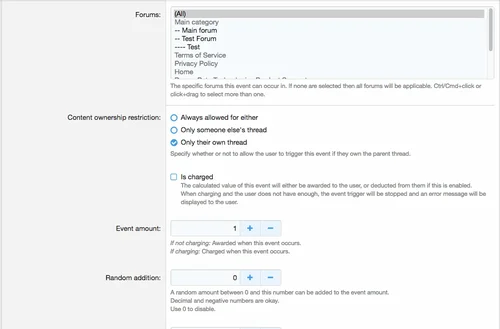
Create new events with powerful options (see screenshots)
Mass update the events from the list view
User Management
Search for users using the same search fields as the normal XF AdminCP user search
View a paginated list of users & their credits values for each of your currencies
Quickly update any user's points, complete with transaction log support (will show as "Adjustment by administrator" in the "Notes" field)
Alerts
Full XenForo Alert system support
Unique phrases for every combination of currency movement for all 30+ event types (current & upcoming)
Can be enabled/disabled per-event
Criteria: Fewer than X Credits
Ability to create trophies etc. using "Fewer than X <currency>" criteria
Criteria: More than X Credits
Ability to create trophies etc. using "More than X <currency>" criteria
Events
Events are how you let members earn credits. You can create as many events from each of the event triggers as you want.
Purchase - Buying internet points with real money via PayPal.
Content - Using [CHARGE=X] BBCode to charge other users to see your post's content.
Redeem - Using a redemption code
Adjust - Manipulating the currency of someone else.
Conversation - Sending a Private Message
Donate - Transferring currency to another user.
Download - Downloading a forum attachment.
Downloaded - Someone else downloading your attachment.
Thread - Posting a new thread
Post - Adding a post to a thread
Reply - Someone else posting in your thread
Post Like - Liking a post
Post Liked - Someone else liked your post.
Post Rate - Rating a post using the "Post Ratings" mod
Post Rated - Someone else rated your post using the "Post Ratings" mod
Profile - Someone else viewing your profile. Events should be limited.
Visit - Viewing a profile. Earning events should be limited. Charged events will lock out guests.
View - Viewing a thread. Charged events will lock out guests.
Viewed - Someone else viewing your thread. Events should be limited.
Upload - Uploading a new attachment.
Tag - Applying a descriptive label to a thread.
Revive - Posting in a dormant thread.
Message - Leaving a message on someone else's profile
Messaged - Someone else leaving a message on your profile
Warning - Receiving a Warning
Daily Activity - Awarded on first login each day
Follow - Following someone
Followed - Someone else following you
Poll - Posting a poll
Vote - Voting in a poll
Sticky - Your thread becoming sticky
XenForo Media Gallery Upload - Uploading new MediaGallery Media.
XenForo Media Gallery Download - Usergroups that can be affected by this event
XenForo Media Gallery Downloaded - Someone else downloading your MediaGallery media.
XenForo Media Gallery Comment - Adding a comment to a MediaGallery media resource.
XenForo Media Gallery Commented - Someone else commenting on your MediaGallery media resource.
XenForo Media Gallery Rate - Rating MediaGallery media.
XenForo Media Gallery Rated - Someone else rated your MediaGallery media.
Transfer - Moving your own currency from one form to another.
XenForo Resource Manager Upload - Uploading a new XenResource resource.
XenForo Resource Manager Update - Adding an update to a XenResource resource.
XenForo Resource Manager Download - Downloading a XenResource resource.
XenForo Resource Manager Downloaded - Someone else downloading your XenResource resource.
XenForo Resource Manager Comment - Adding a comment to a XenResource resource.
XenForo Resource Manager Commented - Someone else commenting on your XenResource resource.
XenForo Resource Manager Rate - Rating a XenResource resource.
XenForo Resource Manager Rated - Someone else rated your XenResource resource.
Interest - Growing the value of your currency over time.
Taxation - Reducing the value of your currency over time. Optionally transfer taxed credits to a certain user.
Paycheck - Occurs at regular intervals.
Trophy - Being awarded a new trophy.
Registration - A new user registers on the forum.
Give Warning - Applying a warning to someone else.
Upload Avatar - Uploading a new avatar.
Report Content - Reporting a piece of content to the moderators.
Reported Content - Your content was reported to the moderators.
Some events can be limited by user group and/or forum. Other settings are available per event.
All events have the following Advanced Settings:
Frequency
Maximum Applications
Limit Period
Alert
- Free
- 2 Downloads
-
Goals
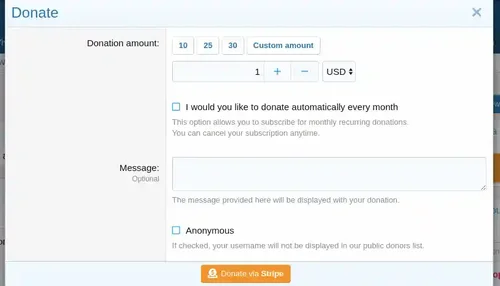
Create multiple goals and receive donations in multiple currencies and convert them to your primary currency.
Display progress bar.
Display expenses list.
Display latest donor.
Display latest donations
Display top donors.
Display donor benefits.
You can automatically add donors to a custom user group and remove from other groups that were added via user promotions.
If no goals are created, a simple widget with a message and a donate button will be displayed.
Donations page.
Top donors widget.
User criteria for donation count and donation amount.
- 5.00 USD
- 9 Downloads
-
Material design is basically a result of Google’s set of guidelines for better designing, keeping in mind mobile users. It supports better browsing by enhancing the visual and motion experience. This theme is almost Material-based to make a better user experience.
RE-ME Framework Features List
You don’t just get a simple theme; you’ll get settings that will change the default framework into your own. It’s your website; make it yours!
Google Web font is easily configured.
Node Background
Avatar Shape
Guest Message
Text Logo
Remove Sub-navigation row
Collapsible Categories
Sticky Category Strips
Simplified Node Statics
"New" Indicator Label
Sidebar Position
Sticky Sidebar
Collapsible Sidebar
Collapsible Sidebar Blocks
Separate Sticky Threads
Three Different Messages Layout
First Post Unique Background
Offline status indicator
Collapsible User Extras
Optional Glyphs (Navigation-Sidebar-Message ActionBar)
Extra Footer is easily customized with 8 different widgets.
And more......
- Free
- 35 Downloads
-
Please welcome "PEACOCK". The inspiration for this theme we've found is the iridescent blue and green plumage of a peacock. Based on these color schemes, we've created this modern, styled, and premium xenForo 2 theme.
RE-ME Framework Features List
You don’t just get a simple theme; you’ll get settings that will change the default framework into your own. It’s your website; make it yours!
Google Web font easily configured
Avatar Shape
Custom Scrollbar
Guest Message
Sticky Staff tools
Text Logo
Two Login Triggers Styles
Remove Sub-navigation row
Collapsible Categories
Sticky Category Strips
Last Poster Avatar
Simplified Node Statics
"New" Indicator Label
Sidebar Position
Sticky Sidebar
Collapsible Sidebar
Collapsible Sidebar Blocks
Separate Sticky Threads
Show avatar of who last posted
Online/Offline status indicator in the discussion list
Three Different Messages Layout
First Post Unique Background
Offline status indicator
Collapsible User Extras
Optional Glyphs (Navigation-Sidebar-Message ActionBar)
Extra Footer is easily customized with 8 different widgets.
And more......
- Free
- 0 Downloads
-
Flow is carefully designed. it is a very modern, trendy, and fresh design for the entire forum, with super flexibility and a fully responsive design. it adapts itself to any device your users are viewing, whether it be a laptop, mobile, or tablet!
It is a perfect fit for Creative Forums, Tech forums, Lifestyle forums, Magazine, SEO forums, News Agencies, Travel & Tour Agencies, Business Magazines, Lifestyle Brands, and Technology News websites. It is also suitable for publishing or reviewing forums requiring a sleek, modern, and clean look.
RE-ME Framework Features List
You don’t just get a simple theme; you’ll get settings that will change the default framework into your own. It’s your website; make it yours!
Google Web font is easily configured.
Node Background
Avatar Shape
Guest Message
Text Logo
Remove Sub-navigation row
Collapsible Categories
Sticky Category Strips
Simplified Node Statics
"New" Indicator Label
Sidebar Position
Sticky Sidebar
Collapsible Sidebar
Collapsible Sidebar Blocks
Separate Sticky Threads
Show the avatar of who last posted
Three Different Messages Layout
First Post Unique Background
Offline status indicator
Collapsible User Extras
Optional Glyphs (Navigation-Sidebar-Message ActionBar)
Extra Footer is easily customized with 8 different widgets.
And more......
- 10.00 USD
- 1 Downloads
-
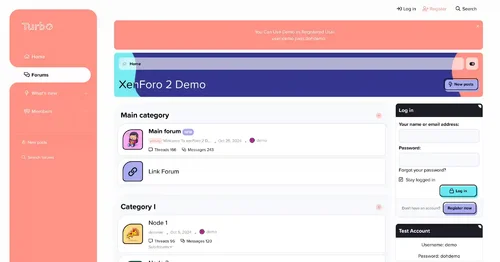
Turbo starts with fresh colors and a gorgeous design. This theme has different layouts, such as the standard layout, a side nav layout, and a boxed layout. It also has a refreshed node layout.
RE-ME Framework Features List
You don’t just get a simple theme; you’ll get settings that will change the default framework into your own. It’s your website; make it yours!
Google Web font is easily configured.
Node Background
Avatar Shape
Custom Scrollbar
Guest Message
Sticky Staff tools
Text Logo
Two Login Triggers Styles
Remove Sub-navigation row
Collapsible Categories
Sticky Category Strips
Simplified Node Statics
"New" Indicator Label
Sidebar Position
Sticky Sidebar
Collapsible Sidebar
Collapsible Sidebar Blocks
Separate Sticky Threads
Show avatar of who last posted
Online/Offline status indicator in the discussion list
Three Different Messages Layout
First Post Unique Background
Offline status indicator
Collapsible User Extras
Optional Glyphs (Navigation-Sidebar-Message ActionBar)
Extra Footer is easily customized with 8 different widgets.
And more......
- 6.00 USD
-
Vigas, our latest premium xenForo 2 themes. If you're looking for a sleek, multipurpose, and dark forum layout, then you found your perfect match!
RE-ME Features:
Fully Responsive Layout
Clean Retina & HD display Support
Google web font & Custom Icon font
Avatar Shape
Guest Message
Header Background
Text Logo
Two Login Triggers Styles
Remove Selected Tab Sub-Links
Collapsible Categories
Simplified Node Statics
Sidebar Position
Collapsible Sidebar
Collapsible Sidebar Blocks
Three Different Messages Layout
First Post Unique Background
Offline status indicator
Collapsible User Extras
Optional Glyphs (Navigation-Sidebar-Message ActionBar)
Extra Footer is easily customized.
And more........
- 6.00 USD
- 2 Downloads
-
A number of helper utilities designed to ease add-on development, does not have any direct user-facing changes. See README.md for additional details.
Uploaded to the resource manager to aid dependency tracking and allow updating without updating every individual add-on.
- Free
- 23 Downloads
-
HuoNiu QQNotif is a QQ/TG message notification plugin designed specifically for XenForo 2.3.x, which supports automatic push notifications for site events to QQ/TG groups/users, helping site administrators achieve efficient community message linkage and automated management. The plugin adopts the native XF backend style, supports bulk log management, and is easy to operate, secure, and reliable.
This plugin is based on the NapCat QQ bot to implement the message push feature. Before use, please ensure NapCat is correctly installed and configured on the server. Please refer to the installation guide.
📢 Multi-platform Support
QQ Group Notifications: Based on NapCat (OneBot 11), perfectly adapted for domestic communities
Telegram Notifications: Official Bot API, accessible worldwide without restrictions
Independent Switch: Enable QQ, Telegram, or both platforms for notifications separately
🔔 Comprehensive Message Monitoring
✅ New Topic Publication Notifications
✅ Post Reply Notifications
✅ User Registration Notifications
✅ Resource Publication Notifications (XFRM)
✅ Resource Update Notifications
✅ Section/Resource Category Filtering (Precise Push)
🎨 Flexible Message Customization
📝 Customizable message templates
🏷️ Supports variables: {title} {username} {url} {snippet} {date}, etc.
🎯 Selective monitoring of sections and resource categories
🛡️ Enterprise-grade Security Protection
✅ XSS Protection (All HTML outputs are escaped)
✅ CSRF Protection (Delete operation verification Token)
✅ SQL Injection Protection (Parameterized queries)
✅ Input length limits (Messages up to 4000 characters, snippets up to 200 characters)
✅ Token information masking (Sensitive information hidden in logs)
✅ URL Whitelist validation (Prevents open redirection)
📊 Comprehensive Logging System
📋 Records all notification sending logs
🔍 Tracks sending status (Success/Failure/Error information)
🗑️ Bulk delete and clear logs
⏰ Automatic log cleanup (Configurable retention period)
🧪 Convenient Testing Feature
🎯 Independent test buttons for QQ and Telegram
✅ Real-time configuration verification (Format check)
📝 Detailed error prompts and configuration status display
💡 Technical Highlights
Zero performance loss
Asynchronous notification mechanism
Timeout protection (Connection 5 seconds, Response 3 seconds)
Optional logging system
Plug-and-play
QQ: Deploy NapCat → Fill in the address and group number → Done
Telegram: Create Bot → Get Chat ID → Done
No need for complex configurations like Webhooks, reverse proxies, etc.
Production-ready
Audited against XenForo official security standards
Fixes all known vulnerabilities
Complete error handling and logging
📋 Use Cases
Internal enterprise communities: Simultaneously cover domestic and international teams (QQ + Telegram dual push)
Game communities: Instant notifications for new resources/updates to QQ groups
Open-source projects: Real-time synchronization of forum dynamics to Telegram channels
E-commerce sites: Automatic push notifications for new product launches and member registrations
📦 Technical Specifications
XenForo: 2.3.0+
PHP: 8.0+
Extensions: cURL
Protocols: OneBot 11 (QQ) / Telegram Bot API
- 5.00 USD
-
> Plugin integrations
- PlaceHolderAPI
- TimePauser
- WorldGuard
- GriefPrevention
- Lands
- FactionsUUID
- DeadlyDisasters
- Terralith
- Floodgate/GeyserMC
- Dynmap
- Bluemap
- MythicMobs (custom season conditions may not work, random spawns and normal biome-specific spawns work)
- ItemsAdder
- Other world generators
- RoseLoot
- ViaBackwards/ViaRewind
- TimeBar
- PyroFishingPro
- CustomCrops
- EconomyShopGUI & EconomyShopGUI Premium (seasonal shops)
- RealisticSurvival
> Installation
1. Download RealisticSeasons on this page
2. Download ProtocolLib
3. Put both downloaded jars into the plugins folder of your server
4. Restart your server
5. Go to the world you want seasons in and type /rs set spring. This will set the season in your world to spring and it will also automatically activate the temperature and calendar system. The season cycle starts too.
6. (Optionally) change the configuration
> More information
- Commands & Permissions
- Configuration files
- FAQ
- Biome system
- GitHub issues
- Wiki
- Seasons
- Calendar
- Temperature
- Particles
- bStats
- 3rd party chinese wiki translation
> Will this plugin damage my worlds?
Not at all. Keeping your worlds safe has always been priority number one. The plugin does not mess with vanilla mechanics: biomes are never changed (the custom biomes are injected last minute before the data gets send to the player, no world changes happen), block changes are safe and can be reversed and only animals spawned by the plugin will get despawned. The plugin doesn't mess with ice and snow that has been placed by the world generator. The plugin is also safe to install on already existing worlds and it will never ruin your vanilla mc experience.
> Is my world generator supported?
Yes, all world generators are supported out-of-the-box. This includes world generators with custom biomes.
> Do my users need a resourcepack?
No, your users do not have to install anything. The plugin also does not require optifine. A normal vanilla minecraft client will be able to see all the colours. The plugin uses custom biomes for the colours.
> Test server
Want to test the plugin first? View all seasons, the calendar and temperature on the server test.realisticseasons.com. Minecraft version is 1.21
> Unsupported software
- ProtocolSupport (spigot plugin)
- BetterSleep 4(spigot plugin)
- Mohists (forge-based server)
- Arclight (forge-based server)
- And most other forge-based servers
> Source code
Need access to the source code for your project? All buyers can get access to the code. Send me a message for access.
> Personal customization
Does the plugin not exactly meet your needs? Contact me so we can discuss the price of customized version of the plugin.
- Free
- 0 Downloads
-
Official page
https://www.spigotmc.org/resources/46485/
Documentation
https://docs.hackedserver.org/
HackedServer plugin description:
HackedServer is a Spigot and BungeCord plugin that allows server owners to detect and automatically block or punish players who use unwanted mods. Plugin is very cheap in terms of resources and can run on almost any server without compromising performance. Despite a bypass, Hackedserver can help you save a lot of time by significantly reducing the number of cheats
Commands and permissions for HackedServer plugin:
/HackedServer - Main Command (alias:/hs)
Permission: hackdeserver. nowexistence
/Hs help displays help
Permission: hackdeserver. help
/The hs list is a list of all abnormal users.
Permission: hackdeserver. list
/Hs check<player nick>displays player version
Permission: hackdeserver. check
/Hs inv - Open HackedServer inventory
Permission: hackdeserver. inv
/HS Forge List - A list of all Forge users
Permission: hackdeserver. org. list
/Hs forget check<player nick>displays player mods (forget)
Permission: hackdeserver. forge. check
/HS Forge inv - Open Forge HackedServer Inventory
Permission: hackdeserver. forge. inv
/Hs reload reloads plugin
Permission: hackdeserver. reload
Hackedserver. alert receives alerts
Hackedsrver.bypass - permission to bypass plugin checks
- Free
- 0 Downloads
-
Supports version
1.20.✘ 1.21.✘
Official page https://groupez.dev/resources/325
Java Java 21 Java 22 Java 23
Documentation https://zessentials.groupez.dev/
Source code https://github.com/Maxlego08/zEssentials
Zessentials plugin instructions:
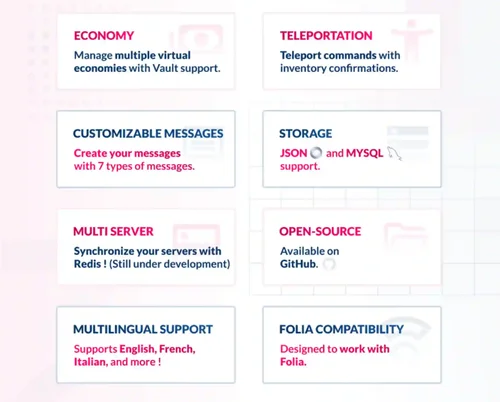
Zessentials is a multifunctional plugin for Minecraft that includes various modules and features to enhance the gaming experience. This plugin supports creating and managing virtual economies, customizing and displaying messages, storing data in JSON and MySQL formats, and integrating with other plugins such as Vault and PlaceHolderAPI.
Zessentials provides features such as custom chat, creating and managing holograms, houses, suites, item mailboxes, and more. This plugin supports multiple languages and allows you to flexibly configure commands and messages. It is very suitable for servers that want to provide players with more features and convenience.
- Free
- 0 Downloads