Jump to content
View in the app

A better way to browse. Learn more.

OKSTAR

A full-screen app on your home screen with push notifications, badges and more.

To install this app on iOS and iPadOS
  1. Tap the Share icon in Safari
  2. Scroll the menu and tap Add to Home Screen.
  3. Tap Add in the top-right corner.
To install this app on Android
  1. Tap the 3-dot menu (⋮) in the top-right corner of the browser.
  2. Tap Add to Home screen or Install app.
  3. Confirm by tapping Install.

Cavalry

Administrators
  • Joined

  • Last visited

Files posted by Cavalry

  1. Vanilla like
    Integrates seamlessly with Minecraft.
    No bugged or out of place mechanic.
    Looks like an official update

    No lag
    This plugin is coded with performance in mind, you won't get lag spikes or crashes.

    Extremely customizable
    Customize the plugin like you want. No limitations are introduced.
    Your imagination is the only limitation.

    Make your server unique
    Blocks, tools, swords, fishes, food, minerals, wings, vehicles, emojis, trees, ores, mobs, vanilla armors (1.17+), custom HUDs and much more!
    Break the Minecraft limits!

    ✅ v4 is compatible with Spigot 1.20.6, 1.21, 1.21.1, 1.21.3, 1.21.4 and Java 21
    ✅ v3 is compatible with Spigot 1.15.2 to 1.20.4 and Java 8 to 17
    ✅ 10.000+ downloads and 8.000+ servers
    ✅ One of the best rated premium plugins ⭐⭐⭐⭐⭐
    ✅ Resource Pack unzip protection. Avoid thieves stealing your textures.
    ✅ 540+ Custom EMOJIS! Emojis are available in chat, sign, book, holograms, mob name, anvil...
    ✅ Realistic lag-free vehicles! (cars, planes..)
    ✅ Mobs / entities
    ✅ Emotes
    ✅ Armors textures (1.17+)
    ✅ HUDs and custom GUIs
    ✅ Custom behaviors for your custom items
    ✅ Real custom blocks (no entities, no lag) with WorldEdit support (beta)
    ✅ Custom ores, surface/cave decorations and trees generators
    ✅ Liquids (Minecraft 1.16.2+)
    ✅ Colored Fire
    ✅ Add triggers, commands, events to your custom items, blocks, vehicles, hats, blocks, machinery...
    ✅ Custom sounds (.ogg files)
    ✅ Durability bar perfectly working like in normal Minecraft items
    ✅ Stackable items without glitches or lag when stacking.
    ✅ Fully configurable and customizable.
    ✅ Smelting recipes, crafting recipes with custom items support.
    ✅ Custom tools that can lose durability when used in crafting table and play sounds! (example: Knife used to peel potatoes)
    ✅ Realistic campfire behaviour
    ✅ Custom loading logo (works only on Optifine and MCPatcher)
    ✅ You can translate the plugin editing language file
    ✅ Java API to get custom textures and use them in your plugin! Make custom menus, custom tools, tickets, hats, everything you want to code.
    ✅ Skript API for developers and more!
    • Free
    • 2 Downloads
  2. Introducing the premier profile music add-on for XenForo 2, bringing your profile to life! 
    My journey with XenForo is as long-standing as the platform itself. Over time, I've seen many requests for a profile music addon for XenForo 2. Now, with XenCustomize, I've put in my best effort to offer a solution. Hoping the XenForo community values this sincere effort.

    Express Yourself with Music Elevate your XenForo 2 community profiles by adding your favorite custom music tracks. Share your musical taste with others in a fun and unique way.
    Easy for Everyone You don't need to be a tech expert to use this. Just upload your music, and the Profile Audio Player will do the rest.
    Admin Control, Your Way Tailor the experience to your community’s preferences with admin options. Enable or disable the Player with a single click, and choose whether audio tracks autoplay site-wide when profiles load. You’re in control.
    Immersive Audio Player Experience music like never before with our stylish, HTML5, CSS3 and jQuery-based Audio Player. It’s more than just play and pause – enjoy artist names, album details, track duration, progress bars, reactions, and even a playlist button for uninterrupted listening pleasure.
    Visual Brilliance The Profile Audio Player doesn’t just sound great – it looks stunning too. With album artwork integration, your users’ profiles will come alive with vibrant visuals that perfectly complement their musical choices.
    Make it Yours With dozens of style properties, you can customize the Player’s appearance and design to match your community’s unique identity. Set the mood and create an immersive experience like no other.
    Seamless Management Integrates well into the Player, Account wrapper and Visitor menu. Users can manage unlimited audio tracks with individual input fields, including audio uploads or URLs, artist names, song titles, album names, and even the ability to upload custom album art.
    Effortless Translation If your site supports multiple languages, our product is fully phrased, making it easy to translate into different languages and connect with users from around the world.
    Be a Trailblazer Be the first in your community to have this unique Profile Music add-on. Share your love for music with friends and fellow members.
    Feel the Music Experience the joy of music as it fills your profile. Let your favorite tunes speak for you.
    • Free
    • 13 Downloads
  3. XenCustomize News Publisher for XenForo!
    Introducing the XenCustomize News Publisher for XenForo! This powerful, feature-rich addon creates a dynamic news section within your XenForo forum. At the heart of this addon is the innovative Categorized News Index, offering a clean, organized, and user-friendly way to display your news stories. Unlike typical mixed-content displays with pagination, the categorized index presents news in easily accessible sections, enhancing the user experience and engagement.
    There are 60+ additional screenshots that cannot all be attached in this resource. If you're interested in viewing them, please follow the links provided in the features list below.


    Feature List & Screenshots (v2.3.x)
    Click on each feature for details and real-world examples (screenshots).
    News Ticker
    Enable/Disable the news ticker from the ACP to suit your preferences.
    Appears prominently at the top of your site, directly above the top breadcrumb, on every page.
    Displays your most recent 10 headlines.
    Search News Headlines
    Shows instant results as you type.
    When there are multiple results, it will take you to the results page.
    No result page.
    Categorized News Index
    Display news stories organized by categories on the index page.
    Customize the appearance of each news category using 4 display modes:
    Card Grid
    Compact List
    Expanded List
    Standout Card Grid (v2.3.1)
    Control the number of news stories displayed per category on the index page.
    Complete control over which news categories appear on the index page.
    Empty news categories (those with no news) will not be displayed on the index.
    Support for sorting categories, ensuring that changes to category display order in ACP are reflected on the index page.
    Optionally utilize multiple widget positions above and below the news stories for placement of Featured News and Trending News widgets.
    News Story View
    Title
    Buttons
    Comments
    Watch
    Share
    Bookmark
    More options menu
    Edit news
    Edit news thumbnail
    Manage feature (XF 2.3+)
    Move news
    Reassign news
    Change discussion thread
    Delete news
    Select for moderation
    Delete
    Undelete
    Approve
    Unapprove
    Feature (XF 2.3+)
    Unfeature (XF 2.3+)
    Reassign
    Move
    Apply prefix
    Discussion tab
    Custom fields tab
    Overview tab
    Key points
    Large news thumbnail
    News story
    Attach photos
    Action bar
    Reactions
    Report
    Edit history
    Delete
    Warn
    Content tags
    More stories in same category
    Comments
    Sidebar blocks
    Information
    Author
    Publish date
    Last update date
    Views
    Comments
    News Editors
    Widget position
    Latest news widget
    More stories by User
    Share this news story
    Structured Data Integration
    Automatically generates NewsArticle schema markup for each news story. Improves search engine visibility and ranking. Enhances discoverability of your news content.
    RSS Feed Importer
    Add/edit feed
    Title
    URL
    Fetch new entries every
    Feed is active
    Posting user
    Post as guest, use name information from feed data.
    Post as the following user
    Destination category
    Title template
    Message template
    Options
    Post immediately
    Import feed now
    Delete feed
    Enable/disable feed
    Convert threads to News stories (v2.3.6)
    News categories
    Add/edit category
    Title
    Description
    Parent category
    Display order
    Always moderate news posted in this category
    Automatically feature news posted in this category (XF 2.3+)
    Show category on index
    Number of news
    Minimum required tags
    Automatically create thread in forum
    Automatically created thread prefix
    Display mode
    Override default 'Category display mode' (Default value: Standout Card grid)
    Card grid
    Compact list
    Expanded list
    Standout card grid (v2.3.1)
    Available fields
    Available prefixes
    Require users to select a prefix
    Sort categories
    Delete category
    Add sibling or child category
    Category permissions
    Category filters
    News fields
    Add field
    Filter fields
    Delete field
    Field Display location
    Below news
    Below sidebar information
    Own tab
    Applicable categories
    and other standard options.
    News prefixes
    Add prefix
    Delete prefix
    Add prefix group
    Delete prefix group
    Select all prefixes and quick set
    Filter prefix
    News Key Points
    Enable or disable the key points feature in your admin options.
    Easy-to-use interface for adding key points to your news stories during creation or editing.
    Prominent display of key points on news stories.
    Quick editing interface on news story view.
    News Thumbnails
    Enable or disable the News Thumbnails feature in your admin options.
    News creators can upload a large (740x416) thumbnail.
    News thumbnail image is used extensively throughout the public-facing interface of the News Publisher.
    News Thumbnail Fallback Options (v2.3.1)
    Added support for external image URLs as a secondary fallback when no news thumbnail is uploaded.
    Moved the default thumbnail image to the third fallback option, utilizing the default thumbnail set in style properties.
    Updated various templates to ensure consistent display of images, thumbnails, and avatars across different views.
    News Editors
    Enable or disable the News Editors feature in your admin options.
    News authors can add up to 10 other users as news editors for each news.
    News editors are able to take actions against a news story as if it were their own, with the exception of deletions.
    Featured News (XF 2.3+)
    Category-based auto-feature option.
    News author with the "Feature/unfeature news" permission can manually feature or unfeature a news story.
    Ability to customize the feature title, snippet and image.
    The news story content type is displayed effectively in all three display styles offered by XenForo 2.3:
    Simple
    Standard
    Carousel
    Trending News (XF 2.3+)
    Included the News story content type in the Trending content widget.
    The news story content type is displayed effectively in all three display styles offered by XenForo 2.3:
    Simple
    Standard
    Carousel
    Category display modes
    Display Mode - Card Grid
    Display Mode - Expanded List
    Display Mode - Compact List
    Display Mode - Standout Card Grid (v2.3.1)
    Widgets
    Latest News
    Latest Comments
    Statistics
    Featured News(XF 2.3+)
    Trending News(XF 2.3+)
    Widget Positions
    XenCustomize News Publisher: Index above news
    A position inside the main content area of the index above the news stories.
    XenCustomize News Publisher: Index below news
    A position inside the main content area of the index below the news stories.
    XenCustomize News Publisher: Index Sidenav
    Displays inside the side navigation on the news publisher index page.
    XenCustomize News Publisher: Category Sidenav
    Displays inside the side navigation on the news publisher category page.
    XenCustomize News Publisher: News Sidebar
    Displays inside the sidebar block on the news story view page.
    Full-Fledged Commenting System
    The comment system includes the following features:
    Full support for a rich text editor.
    Attachment support.
    The ability to reply to comments using the quote feature.
    Support for multi-quoting.
    Quick inline editing:
    Edit silently
    If selected, no "last edited" note will be added for this edit.
    Clear last edit information
    If selected, any existing "last edited" note will be removed.
    Edit history support with the ability to view and compare previous versions.
    Options to delete comments with deletion types:
    Remove from public view with a reason.
    Permanently delete.
    Notify author of this action with Reason.
    Display of IP address information for comments.
    Inline moderation support with the ability to:
    Delete comments.
    Undelete comments.
    Approve comments.
    Unapprove comments.
    View of soft-deleted comments and the option to undelete.
    Warning support.
    Report support.
    Spam cleaner support.
    New comments go through an approval queue before becoming visible to the public.
    Support for reactions.
    Receive alert notifications when someone:
    Mentions you in a comment.
    Quotes your comment.
    Reacts to your comment.
    Comments on a watched news story.
    Pagination support.
    Admin-defined number of comments per page.
    Admin-defined maximum comment length.
    Admin-defined maximum comment attachment size.
    Admin-defined allowed comment attachment file types (extensions).
    Fully permission-controlled, with complete sets of permissions for users and moderators.
    Added search indexing support for comments' content type.
    Added a new navigation link for easy access to view recent comments.
    User group Permissions: News Stories
    View news
    View full news
    View news images
    React to news
    Create news
    Upload images with news
    Upload video/audio with news
    Edit own news
    Tag own news
    Tag any news
    Manage tags by others in own news
    Delete own news
    Manage news editors for own news
    User group Permissions: News (Moderator)
    Use inline moderation on news
    View deleted news
    Delete any news
    Undelete news
    Hard-delete any news
    Edit any news
    Reassign news
    Manage any tags
    View unapproved news
    Approve / unapprove news
    Feature / unfeature news (XF 2.3+)
    Give warnings on news
    User group Permissions: News Comments
    View comments
    View comment attachments
    React to comments
    Post comments
    Submit comments without approval
    Upload attachments to comments
    Upload videos to comments
    Edit own comment
    Delete own comment
    Time limit on editing/deleting own comments (minutes)
    User group Permissions: News Comments (Moderator)
    Use inline moderation on comments
    View unapproved comments
    View deleted comments
    Approve / unapprove comments
    Edit any comment
    Delete any comment
    Undelete comments
    Hard delete any comment
    Reassign comments
    Give warnings on comments
    Cron entries
    Update view counters
    Feeder
    Cache statistics
    Rebuild caches
    Rebuild news
    Rebuild news categories
    Optimize news thumbnails (XF 2.3+)
    Rebuild user news counts
    Rebuild news embed metadata
    Attachments
    Embed your News Stories anywhere! (XF2.3+)
    You can now embed News Publisher stories across your site using the new EMBED BBCode. Simply paste a News story URL into any Rich Text Editor (RTE) that supports embedding.
    • 8.00 USD
  4. Introducing the Limit Resource Downloads add-on
    Limit Resource Downloads add-on gives forum admins powerful control over resource downloads by allowing them to set a variety of limits, such as:
    Daily download limits
    Positive Reaction requirement
    Minimum message count limits
    Force account upgrade
    The add-on also includes informative interfaces and user-friendly error pages that explain the reasons for download restrictions. This helps to discourage abuse and promote fair use of resources.

    In addition, the add-on can encourage user engagement on the forums and can lead to more account upgrades, boosting your site’s revenue.
    If you’re looking for a powerful way to control resource downloads on your XenForo Resource Manager, the Limit Resource Downloads add-on by XenCustomize is a great option. It’s packed with advance features and gives admins the flexibility to fine-tune download limits to meet their specific needs.
    Complete features list:
    Implemented up to 9 new usergroup permissions for configuring download limits and bypass options.
    Download limit
    Countdown timer time [NEW 1.1.0]
    Message count limit
    Can bypass message count limit
    Reaction limit
    Can bypass reaction limit
    Can change reaction [NEW 1.1.0 Beta 2]
    Can undo reaction [NEW 1.1.0 Beta 2]
    Force account upgrade
    Implemented support for setting permissions in each Resource Category.
    Implemented the following types of limits:
    Customizable download limit/quota for a specified number of hours (default: 24 hours)
    Positive reaction limit to prevent downloads without reacting to the resource.
    Message count limit - admin-defined minimum messages required for each usergroup to access downloads.
    Force account upgrade, replacing the download button with an account upgrade link.
    Implemented the ability to bypass the above limits:
    Ability to set "Unlimited" in the download limit/quota to bypass download limits.
    "Can bypass reaction limit" permission to bypass reaction limits.
    "Unlimited" or "Can bypass message count limit" usergroup permission to bypass message count limits.
    Implemented Info Tabs Bar displaying a quick overview of the user's current download limits for the viewed resource.
    Responsive Info Tabs Bar with scrolling, similar to Resource Tabs in standard XFRM.
    Option to enable/disable via admin settings (Enabled by default).
    Implemented a "Download Limits Overview" page offering a detailed overview of user-specific download limits for the accessed resource.
    Detailed overview and various info messages in the download limit section based on scenarios:
    Download Limit
    Downloads Left
    Download Limit Reset Time
    Detailed info messages in the message count limit section based on scenarios:
    Message Count Limit
    User Message Count
    Detailed explanation of how the reaction limit is applied to the user in the reaction limit section.
    Implemented Custom Buttons integrated with the Download button to provide quick user info/alerts:
    "Downloads Left" counter (visible when users have remaining download quota)
    "Download Limit Exceeded" alert (visible when users have used their download quota)
    "Upgrade your account to download" (visible when Force Account Upgrade permission is active for the user)
    "Upgrade account" (visible when Download Limit is exceeded for the user)
    Implemented user-friendly error pages explaining and guiding users through download limits and restrictions:
    Reaction Limit Error Page with an Encouraging Title, Message, and Custom Buttons: "Click to Go Back" and "Learn More"
    Message Count Limit Error Page with an Encouraging Title, Message, and Custom Buttons: "Click to Go Back" and "Learn More"
    Force Account Upgrade Error Page with an Encouraging Title, Message, and Custom buttons "Click to Go Back" and "Available Upgrades" linked to account upgrades.
    Implemented Admin options for customizable control:
    Download Limit Reset Time in Hours.
    Countdown Timer Time in Seconds. [NEW 1.1.0]
    Enable Download Limits Quick Info Tab Bar.
    Enable Download Limits Detailed Overview Page.
    Positive Reaction IDs. [NEW 1.1.0 Beta 1]
    Reactions change restriction. [NEW 1.1.0 Beta 2]
    Reactions undo restriction. [NEW 1.1.0 Beta 2]
    Implemented limits on Version Downloads on the History tab.
    Added custom classes and style properties for effortless customization of Info Tabs Bar, Custom Buttons, and Download Limits Overview page: [NEW 1.0.2]
    Button Caution
    Button Negative
    Button Positive
    Info Tabs Bar
    Positive color
    Negative color
    Caution color
    Implemented a download countdown timer before displaying the download button. [NEW 1.1.0]
    Implemented pause the countdown timer when user switches to another tab. [NEW 1.1.1]
    Introduced a new download page that showcases: [NEW 1.1.0]
    Countdown timer [NEW 1.1.0]
    File name [NEW 1.1.0]
    File size [NEW 1.1.0]
    File extension [NEW 1.1.0]
    File view count [NEW 1.1.0]
    Multiple ad positions [NEW 1.1.0]
    Sidebar widget position [NEW 1.1.0]
    Click to Go back button [NEW 1.1.0]
    Limits overview button [NEW 1.1.0]
    Admin option to set the default number of seconds that users should wait before initiating the download: [NEW 1.1.0]
    Countdown Timer Time in Seconds. [NEW 1.1.0]
    Added usergroup permission to customize “Countdown Timer Time” per usergroup, overriding the admin default: [NEW 1.1.0]
    Countdown timer time. [NEW 1.1.0]
    Included a couple of XenForo native ad positions for placing advertisements on the download countdown timer page: [NEW 1.1.0]
    Limit Resource Downloads: Countdown timer above download. [NEW 1.1.0]
    Limit Resource Downloads: Countdown timer below download. [NEW 1.1.0]
    Added new widget position to place widgets in the sidebar position on the download countdown timer page: [NEW 1.1.0]
    Limit resource downloads: Countdown timer. [NEW 1.1.0]
    Resources with "External Download URL" type support:
    Download limit. [New 1.1.4]
    Countdown timer. [New 1.1.4]
    Positive reaction limit. [New 1.1.3]
    Message count limit. [New 1.1.3]
    • Free
    • 1 Downloads
  5. Repack Features
    Based on King.of.Bones-TENOKE ISO release: tenoke-king.of.bones.iso (5,235,945,472 bytes)
    Game version: v1.3.1
    100% Lossless & MD5 Perfect: all files are identical to originals after installation
    NOTHING ripped, NOTHING re-encoded
    Significantly smaller archive size (compressed from 4.9 to 3.3 GB)
    Installation takes 3-6 minutes (depending on your system)
    After-install integrity check so you could make sure that everything installed properly
    HDD space after installation: 4.7 GB
    Repack uses XTool library by Razor12911
    At least 2 GB of free RAM (inc. virtual) required for installing this repack
    Tear into an action packed dinosaur arena brawler where you engage in non-stop life or death fights that will push your abilities to their limits. King of Bones delivers physics-driven skill-based combat that carries the full weight and impact of prehistoric creatures. Dash, dodge, stomp, headbutt, and smash your way through multiple game modes and over two dozen unique species as you battle to become king of the Jurassic world.
    King of Bones is a bold attempt at pushing forward the combat mechanics in the dinosaur simulation genre. Expect non-stop high impact straight up fights for your life. In this prehistoric world… death finds a way.
    Game Features
    PHYSICS DRIVEN COMBAT – Vicious raptors will pounce and cling to your body. A charging triceratops can send you flying. Every part of the fighting system was designed to replicate the look and feel of these deadly titans clashing. Fights will be fast-paced and messy, enemies will struggle till the very end.
    MULTIPLE GAME MODES – (Arcade, King of the Hill, Onslaught, Ascension, Spectator) Survive free-for-all deathmatches in King of the Hill. Hatch from an egg and fight every dinosaur in the game while growing into a towering giant in Ascension. Fight non stop waves with ever increasing numbers in Onslaught. Or setup custom fights and sit back and watch the action in the Spectator mode.
    MASSIVE SPECIES ROSTER – With 30 unique species to play as the arena will challenge you in different ways as each species has their own fighting style. Get crushed by an Ankylosaur’s tail swings. Send dinosaurs flying with the Pachycephalosaur’s headbutt. Every dinosaur is dangerous in its own way.
    EIGHT UNIQUE ARENAS – Battle it out in gorgeous expansive arenas representing a broad range of biomes. Beware of various dangers and difficulties with some arenas having unique environmental hazards that modify gameplay.
    REALTIME PHYSICALLY SIMULATED BODIES – Using the latest Unreal Engine tools the dinosaurs’ physical bodies are constantly simulated in the world which means every bite, headbutt, and stomp interact properly with each other.
    WEAPONS AND ENVIRONMENTAL DANGERS – Grab a nearby log or bone to wield against your foe. Get blasted through the air by a high powered geyser hidden beneath the foggy waters. Or use your last kill’s tail to bash your next kill. King of Bones will let you engage in all sorts of crazy carnage you’ve only ever imagined.
    SPECTATOR AND PHOTOGRAPHY MODE – Dishing out the damage not really your thing? Setup teams with dinosaurs of your choosing and watch AI battle it out while you spectate the action. Take photos, control the speed of time, and get a front row seat on the carnage.
    INCREDIBLE ATTENTION TO DETAIL – Subtle breathing of your dinosaur, dynamic stances, real-time body controls, detailed animations and so much more breathe unbelievable life into the dinosaurs. Leaves move beneath your feet and blow to the wind with a mighty roar. The small details are what makes this an experience like no other.
    GORE AND DISMEMBERMENT – Rip the flesh of your prey to shreds and consume every last bit of them. Fully dismemberable and simulated bodies mean you can make the most of your meal. The scars and wounds of battle and each bite taken out of you will all be readily visible.
    • Free
    • 0 Downloads
  6. Repack Features
    Based on Hearts.of.Iron.IV.No.Compromise.No.Surrender-RUNE ISO release: rune-hearts.of.iron.iv.no.compromise.no.surrender.iso (6,331,269,120 bytes)
    Game version: v1.17.0.5212; 55 DLCs/Bonuses are included
    100% Lossless & MD5 Perfect: all files are identical to originals after installation
    NOTHING ripped, NOTHING re-encoded
    Smaller archive size (compressed from 5.9 to 3.9 GB)
    Installation takes 3-12 minutes (depending on your system, mostly on HDD speed/fragmentation due to a huge amount small game files)
    After-install integrity check so you could make sure that everything installed properly
    HDD space after installation: 10 GB
    Repack uses XTool library by Razor12911
    At least 2 GB of free RAM (inc. virtual) required for installing this repack
    Copy contents of “_Windows 7 Fix” folder to the game root to be able to play on Windows 7
    Game Description
    Victory is at your fingertips! Your ability to lead your nation is your supreme weapon, the strategy game Hearts of Iron IV lets you take command of any nation in World War II; the most engaging conflict in world history.
    From the heart of the battlefield to the command center, you will guide your nation to glory and wage war, negotiate or invade. You hold the power to tip the very balance of WWII.
    It is time to show your ability as the greatest military leader in the world. Will you relive or change history? Will you change the fate of the world by achieving victory at all costs?
    Included DLCs
    War Stories
    German Tanks Pack
    French Tanks Pack
    Famous Battleships Unit Pack
    Heavy Cruisers Unit Pack
    Soviet Tanks Unit Pack
    US Tanks Unit Pack
    British Tanks Unit Pack
    German March Order Music Pack
    Allied Radio Music Pack
    Rocket Launcher Unit Pack
    Poland – United and Ready
    German Historical Portraits
    Sabaton Soundtrack
    Wallpaper
    Artbook
    Original Soundtrack
    Together for Victory
    Expansion Pass DLC
    Death or Dishonor
    Sabaton Soundtrack Vol. 2
    Colonel Edition Upgrade Pack
    Anniversary Pack
    Waking the Tiger
    Man the Guns
    Man the Guns Wallpaper (Pre-Order)
    Axis Armor
    Radio Pack
    La Resistance
    La Resistance Pre-Order Bonus
    Allied Armor
    Allied Speeches Pack
    Battle for the Bosporus
    No Step Back
    Eastern Front Planes
    Songs of the Eastern Front
    No Step Back – “Katyusha” (Pre-Order Bonus)
    DLC Subscription
    By Blood Alone
    By Blood Alone (Pre-Order Bonus)
    Arms Against Tyranny
    Arms Against Tyranny – “Sakkijarven Polkka”
    Trial of Allegiance
    Trial of Allegiance Pre-order Bonus
    Content Creator Pack – Soviet Union 2D
    Gotterdammerung
    Graveyard of Empires
    Prototype Vehicles
    Expansion Pass 1
    Supporter Pack
    Ride of the Valkyries Music
    Bonus Songs Pack
    Expansion Pass 2
    Seaplane Tenders
    No Compromise, No Surrender
    • Free
    • 0 Downloads
  7. Repack Features
    Based on Outlaws.Plus.Handful.of.Missions.Remaster-RUNE ISO release: rune-outlaws.plus.handful.of.missions.remaster.iso (4,548,362,240 bytes)
    100% Lossless & MD5 Perfect: all files are identical to originals after installation
    NOTHING ripped, NOTHING re-encoded
    Slightly smaller archive size (compressed from 4.2 GB to 3.5 GB)
    Installation takes 1-2 minutes
    After-install integrity check so you could make sure that everything installed properly
    HDD space after installation: 7.3 GB
    Language can be changed in game settings
    At least 2 GB of free RAM (inc. virtual) required for installing this repack
    Game Description
    Saddle up and ride back into the Wild West with the gunslinging ex-Marshal, James Anderson, and face off against the good, the bad, and the even worse this side of the Mississippi as you work to uncover a twisted plot of greed and corruption. With your trusty six-shooting .45 Revolver, Scoped .44 Rifle, 10-Gauge Shotgun, and good ol’ Sawed-Off 12-Gauge Shotgun, you’ll be packin’ plenty of firepower to take out all manner of outlaw varmints.
    Outlaws + Handful of Missions features high-resolution, uncompressed cutscenes and updated visuals for weapons, characters, and enemies, all fully recreated from archived art and stylized to match the original look with full color palettes. Outlaws + Handful of Missions also offers Cross-Play Multiplayer with game modes including Deathmatch, Team Play, Capture the Flag, and Kill The Fool With The Chicken!
    It’s Payback Time.
    Game Features
    Engaging first-person ground combat featuring five weapon types.
    Up to 4K 120FPS visuals.
    Modern gamepad support adds a new weapon wheel, rumble, and motion/gyro controls.
    26 Achievements to unlock!
    A Vault filled with a treasure trove of behind-the-scenes gold nuggets.
    • Free
    • 0 Downloads
  8. This is XenForo's Simplified Chinese language pack
    • Free
    • 0 Downloads
  9. Recoup lost revenue from visitors using AdBlock Systems. Recommend AdBlocker visitors disable their AdBlocker, or force them to make a decision about Registration or Upgrade.
    Separate overlays for guests and registered users so you can target registrations or user upgrades.
    You decide what's best for your community and customize this addon as required. No two communities are the same, and neither should be your approach to recoup revenue.

    Recoup Ad Revenue:
    Force users to be inconvenienced (the frequency is up to you)
    Force users to disable their AdBlock System
    Or, simply nag them a little over time
    Promote Upgrades:
    Do you offer an ad-free experience to user's that have upgraded?
    Force users to upgrade if they don't want to disable their AdBlocker
    Boost Registrations:
    Disable the AdBlocker for Members and target visitors using AdBlock
    Provide a link to register in the Overlay
    Fully featured SEO-friendly anti-AdBlock system. Supports a full page overlay or a simple notice message. The choice is yours. The overlay or notice is customizable.

    Features:
    Redundant detection methods
    Auto-generated scripts
    Scheduled updates uniquely customized to your server
    Fully mobile responsive
    SEO-Friendly
    Granular permissions per usergroup (by permissions or catch-all)
    4 overlay themes (dark, light, default and black out)
    Ability to choose the primary color of the overlay using a color picker
    Custom colour changes can be made in the theme.less
    Override "ignore user group" for groups you NEVER want to see the anti-AdBlock
    Auto minified (CSS/JS/HTML)
    Ability to enable and disable the overlay
    Ability to set the overlay delay timer in seconds
    Ability to enable and disable the plugin
    Ability to set the number of page views for nagging
    Ability to set "nag on first page view always"
    Ability to customize detection exclusions across XF templates
    Default exclusion of common templates: login, register, error, account details, etc.
    Improved responsive layout on small screen mobile devices
    System includes:
    All language in phrases
    Supports multilingual translation
    • 5.00 USD
    • 28 Downloads
  10. Elementor Pro Nulled with your favorite or customized theme. Change themes and still keep all your designs. Landing pages, homepages, posts, portfolios, products. Elementor Pro Free Download is the most advanced front-end drag & drop page builder.
    Elementor Pro WordPress Page Builder Features
    Customize your header & footer
    Design every part of your blog
    Build advanced, dynamic websites visually
    Get control over your theme without code
    Premium media widgets
    Full set of social media widgets
    Menu widget, search bar and more
    Comprehensive single post widgets
    Marketing & conversion widgets
    Build high converting forms on the frontend
    Design your form like never before
    Integrate to your favorite marketing tools
    Advanced form fields
    Spam filter and protection
    Advanced post filtering
    Beautiful portfolio and card skins
    Works on any custom post type
    Endless grid layout & style options
    Customize your single product & product archive pages
    18 Dynamic WooCommerce widgets
    Add Products & Categories to your pages
    Design unique sales pages
    The only design-oriented Popup Builder
    Incorporate 100 Elementor widgets into popups
    Easily add content from WordPress
    Integrated to your favorite marketing tools
    Parallax scrolling
    Horizontal & Vertical Scrolling
    3D Tilt
    Rotate, Transparency, Blur & Scale
    Mouse Track
    • Free
    • 4 Downloads
  11. Axactions plugin instructions:
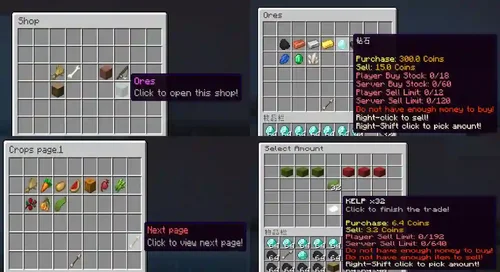
    Axauctions is an auction plugin that provides many features. It is completely customizable, unaffected by Dupu, and designed to support multiple currencies. Multiple servers are supported for referencing SQL queries.
    Features of Axactions plugin:
    Excellent performance
    The plugin has been carefully optimized, so you don't have to worry about load.
    Pudderrekka Mulletisysevov
    Don't use Redis anymore!
    Database support
    Compatible with H2, MySQL, and PostgreSQL.
    Support multiple currencies
    Players choose currency to sell items. The list of supported plugins can be found in the documentation.
    View trash cans and their contents
    Before purchasing, simply right-click on the item to view the contents of the sandbox and bucket.
    • Free
    • 0 Downloads
  12. With upgradeable spawners, you can level your spawners and buy mob types. You can define unlimited levels and configurable upgrades. Spawners are managed in a useful GUI menu. Also, you can limit the amount of spawners and entities.
    Documentation
    https://wiki.incredibleplugins.com/upgradeablespawners
    Spoiler
    You may not redistribute this plugin in any kind. We will take legal actions against that.
    You may not share any parts or code of this plugin. We will take legal actions against that.
    No refunds, as such a digital item is not eligible for a refund, as it was immediately accessible to you, and you may have used it. We will take legal actions against that.
    If you share or redistribute this plugin in any form, we may be obligated to report your account to SpigotMC, which might lead to your account and download access getting suspended permanently.
    We can prove a violation of these rules.
    • Free
    • 0 Downloads
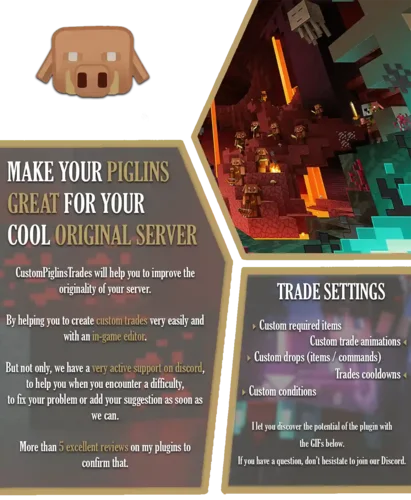
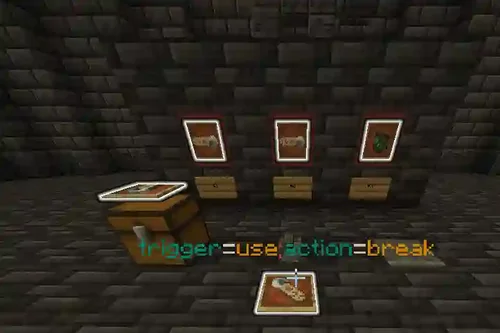
  13. Shift-Right-Click to open the crate instantly.
    Model crates as players / skins / mobs / blocks.
    Customizable Crate Reward Previews. Everything can be customized with the in-game editor!
    POPULAR Random Number Generator.
    POPULAR One-Time-Only Rewards. You're able to a specific reward to only be rewarded once.
    POPULAR Unique Rewards. Make rewards not repeat in the same opening.
    POPULAR Special Rewards. Have a separate pool of rewards for a player to win.
    POPULAR Linked Rewards. Let players to win multiple rewards if they land on a specific reward.
    Reward Actions which allows you to have specific commands / messages on certain rewards.
    Built-in Holograms. No need to download any external plugins.
    Reward Holograms.
    Animation Skipping.
    Virtual & Physical Crate Keys.
    Customize the amount of rewards that can be in the animation.
    Customize the amount of crates (lootboxes) that can be placed at the same time.
    Customize the radius of how close crates (lootboxes) can be placed to each other.
    ItemsAdder Support.
    Oraxen Support.
    PlaceholderAPI Hook.
    Citizens Support.
    HeadDatabase Support.
    HEX Colors & Gradient Support.
    Custom Model Data Support.
    • Free
    • 0 Downloads
  14. Economy: For CMI economy to properly work you will need one of two solutions:
    1. Is to use recompiled Vault version from HERE which has direct support for CMI economy and will have the best compatibility with other plugins.
    2. Use economy injector from HERE which will add CMI economy support to any Vault build.
    Both methods are valid but second one can have small issues with plugins which would tend to load straight after Vault loads and before injector himself.
    P.S. Don't forget to enable Economy in a config file.
    This plugin is made to be all in one plugin for server management and replace multiple outdated plugins. It can fully replace Essentials/EssentialsX and contains simple conversion commands to transfer old player data to new system. It offers more features than you expect and provides most needed tools for creating your own unique server with new game mechanics.
    Features ranging from basic ones, like heal, to most advanced ones, like kit editors ingame, item finder across all possible containers, portal systems, self updating signs on so on.
    Why its 15 Euro? Because its worth 150, but that would be too much to ask Just check review section if you have any doubt about this plugin.
    • Free
    • 0 Downloads
  15. LPX plugin instructions:
    The purpose of LPX is to protect your server at the batch level, and it will not affect anything related to Vanilla Machinery, so it will not protect you from lagging machines of Redstone, Dup, or illegally created items. It will also not protect you from DDoS, bot, and proxy vulnerabilities, as it only runs on instances with plugs!
    Characteristics of LPX plugin:
    ✅ Avoid NettyCrashers to prevent Netty streams from being blocked by vulnerabilities that do not use forks;
    ✅ Dependency Free does not require dependencies
    ✅ Regularly update when new vulnerabilities are discovered;
    ✅ High customizability, simple and detailed anti cheating style configuration;
    ✅ GUI file for the latest alert;
    ✅ Packet logger in the console and automatic logging of heavy packets
    ✅ 1.8-1.20 Compatibility with paper and related plugs;
    ✅ Compatible with APIs or semi-automatic systems;
    Why LPX plugin?
    A unique solution to eliminate Netty Crashers, a vulnerability that does not affect TPS servers but affects Netty threads. NettyCasher causes Netty threads to occupy during packet decoding, resulting in the server being unable to process subsequent packets for a period of time, preventing new players from joining the server and timed out to eliminate multiple players on the network.
    Smooth Package Co., Ltd. usually does not encourage the use of package restrictions for anti vulnerabilities, as this may lead to poor player connectivity issues. LPX has implemented an accurate method for counting spam sender packets and a fully functional VL system to prevent false positives when players fall behind. If false flags are detected, it is easy to edit the configuration to fix them.
    Compatible with printers/Schema. Usually, package restriction plugins can cause compatibility issues with these modes, and LPX implements a very useful automated system that can determine when players start using printer mode and ensure there are no erroneous kicks. You can also use APIs. one
    If your server is attacked by a packet vulnerability, you can record every packet sent by any player to understand which type of packet vulnerability they have used, and we can fix it within a few days. You can disable and configure packet loggers.
    Simple and detailed settings allow you to edit almost everything when false flags are detected. You can choose to enable/disable PINK for each check, enable/disable certain checks, and change every value used in the code.
    • Free
    • 0 Downloads
  16. The career interface can be changed: icons, their location, their presence, the number of modules, their characteristics, etc.

    • Each quarry consumes fuel to operate. Material for fuel replenishment can be set in the config.
    • The owner of a quarry can close access to his quarry.
    • Depending on the type of quarry, it has different types of modules. The general module is speed. The higher it is, the higher the fuel consumption.
    5 STORAGE OPTIONS
    1) Resources go to the quarry's internal inventory.
    2) Resources go to the chest, standing at close range to the career.
    3) Resources go into the funnel under the quarry.
    4) Resources drop out near the quarry.
    5) Resources drop out at the place where they were mined.
    CONFIG, COMMANDS, PERMISSIONS

    OPTIONAL PLUGINS:
    • Vault- optional. If it is set, the player's balance will be used to purchase modules and the quarries themselves. If there is no Vault, the internal economy will be used. There is an exchanger where you can exchange resources set by the admin for currency.
    • PlayerPoints- optional. If you have this plugin installed, you can use it as an economy
    • WorldGuard- careers can only extract resources and break blocks in those regions where there is an owner among the participants.
    • Eco- To make the plugin work with eco, open Quarry.jar with an archiver like WinRaR and delete the kotlin folder. Now it will be compatible!
    • LuckyPerms- optional! If you want to restrain infinite quarries placement. For example, player with role "user" will be allowed to place 5 quarries, vip - 10, premium - 15
    •ItemsAdder- You can add textures to all items. You can use items from the plugin (For example, ore for mining).
    •Oraxen-You can add textures to all items. You can use items from the plugin (For example, ore for mining).
    • MythicalMobs-Allows mob quarry to get drops and experience from custom creatures.
    • LiteFish-It is possible to catch fish with this plugin. Starting with the most common ones and ending with the rarest specimens.
    • Free
    • 0 Downloads
  17. Supports version
    1.20.✘ 1.21.✘
    Official page https://groupez.dev/resources/325
    Java Java 21 Java 22 Java 23
    Documentation https://zessentials.groupez.dev/
    Source code https://github.com/Maxlego08/zEssentials
    Zessentials plugin instructions:
    Zessentials is a multifunctional plugin for Minecraft that includes various modules and features to enhance the gaming experience. This plugin supports creating and managing virtual economies, customizing and displaying messages, storing data in JSON and MySQL formats, and integrating with other plugins such as Vault and PlaceHolderAPI.
    Zessentials provides features such as custom chat, creating and managing holograms, houses, suites, item mailboxes, and more. This plugin supports multiple languages and allows you to flexibly configure commands and messages. It is very suitable for servers that want to provide players with more features and convenience.
    • Free
    • 0 Downloads
  18. Official page
    https://polymart.org/resource/2543
    Documentation
    https://mo-mi.gitbook.io/xiaomomi-plugins/plugin-wiki/customnameplates
    Note:
    This plugin is a recreation of an inactive one originally found on Spigot. You can find the original post here. Unfortunately, the original developer discontinued the project over a year ago. Given its potential, I decided to recreate it, adding new features and better support.
    Features:
    Custom Name Tags:
    CustomNameplates allows you to design fully customizable player nameplates, utilizing the TextDisplay entity introduced in Minecraft 1.19.4 and above. This powerful feature enables complete control over the appearance of player nameplates, offering flexibility in both style and content. The system supports multi-line text, allowing for more detailed player tags, and is fully compatible with team and glow plugins, ensuring seamless integration with existing server mechanics.
    Additionally, you can create unique and eye-catching nameplate borders, providing a great way to reward loyal or high-ranking players with visually distinctive tags. These custom nameplates can be used as special perks for donors, VIPs, or as achievement-based rewards, adding a layer of personalization and prestige that players can proudly display in-game.
    • Free
    • 0 Downloads
  19. This is something I made for myself, and the effect is very good, even with an air conditioning inlet.
    Let's create a robot on Telegram.
    We enter your domain name in the robot settings.
    We copied his nickname and tag.
    Create a new authorization method in AC>System>Login and Registration>Create>Telegram.
    We will record the data.
    Replace the following code in the file/system/Output/Output.exe:
    $this->httpHeaders['Cross-Origin-Opener-Policy'] = "same-origin";The code is as follows:
    $this->httpHeaders['Cross-Origin-Opener-Policy'] = "same-origin-allow-popups";It should be noted that the Telegram authorization button can only be placed once on the page. When the user logs in https://yoursite/login/ When on the page, the button will load in two positions, so one of the positions will not load. I wrote some JS code to remove the authorization link from the header of the/login/page, so that the button will only load in the main content area of the page.
    • Free
    • 0 Downloads
  20. XFRM Right Sidebar Pro is an advanced sidebar enhancement plugin designed specifically for XenForo Explorer (XFRM). Through innovative download button integration technology and exquisite card style design, bring unprecedented user experience improvement to your resource page.
    Please note: This plugin is released by proxy and requires registration and purchase on the developer's website.

    Core Highlights

    🔥 Intelligent Download Button - Automatically detects and integrates official XFRM download logic
    🎨 Modern design - modular card layout, perfectly integrated into the XenForo ecosystem
    🌙 Dark mode - fully supports XenForo's official dark theme
    📱 Responsive design - perfectly adapted to mobile devices and various screen sizes
    ⚡ High performance optimization - code obfuscation compression, loading speed increased by 60%+

    Multi state intelligent recognition

    Our plugin can intelligently recognize different states of resources and automatically adjust button styles:
    |Button Type | Color Theme | Trigger Condition | User Experience|
    |----------|----------|----------|----------|
    | 🔵 Normal Download | Blue | Free Resources | One click Direct Download|
    | 🟠 External link | Orange | Resource redirection | Jump to external website|
    | 🟢 Paid purchase | Green | Paid resources | Guided to the purchase page|
    | 🟡 Login prompt | Yellow | Tourist access | Pop up login interface|
    | ⚫ Insufficient permissions | Gray | Restricted permissions | Display permission description|

    Official logic perfectly replicated

    ✅ 17 selector strategies - covering all possible button positions
    ✅ Complete inheritance of attributes - maintain all functionality of the original button
    ✅ Event Monitoring Synchronization - Supports JavaScript Interaction with XenForo
    ✅ Third party plugin compatibility - seamless collaboration with other XFRM extensions
    • Free
    • 17 Downloads
    • 2 Comments
  21. Description:
    This app scans the database to detect members who have multiple accounts at your forum, and it will list the results. You can also auto ban new multiple registrations of members who have previously registered an account and/or accounts at your forum. The auto banning is done on basis of ip addresses and devices. You can also exclude ip addresses and devices from being auto banned when registering multiple accounts.
    Detection Method:
    The detection method is being done in 4 ways.
    1) Registration Method:
    This method is based on scanning the members table for members who have registered more than one account at your forum from the same ip. The ip address in question will be displayed with the latest multiple account. When the ip address is clicked upon, it will display all the other aliases of that member.
    2) Posting Method:
    This method is based on scanning the posts table for members who have posted from more than one account at your forum from the same ip. The ip address in question will be displayed with the latest multiple account. When the ip address is clicked upon, it will display all the other aliases of that member as well as the posts and topics that they have posted.
    3) Ip Login Method:
    This method is based on scanning members known ip addresses, i.e. their last used ips, during the login and if a member has logged in to different accounts from the same ip, the action will be logged and displayed.
    4) Device Detection Method:
    This is the most accurate method imo. Ipb adds a unique cookie to members devices when they log in to the forum. The cookie expiration date is set to one year and its unique string is associated with the users device and stored in the device table.  This means if someone logs in to your forum, logs out and then logs in using another account and a different ip address, then it can tell that it was the same person. It means that person has to use same machine, same browser irrespective of the ip address he/she is using. 
    Search:
    All 4 multiple accounts detection methods have a quick search option where you can search the results based on members names.
    Auto Banning:
    All users who will try to register multiple accounts using the same ip address or device can be banned automatically upon registrations. Admins can exclude ip address(es) and device(s) from being banned. 
    Compatibility:
    This app is compatible with Ipb 5 only. If you are using the Ipb 4.7. version of the app you will have to uninstall it first. Then you can install this one. No data will be lost as the app doesn't add a table of its own to the database, but queries the relevant Ipb tables.
    Core Feature Summary for This Update: This enhanced update has been further developed by our site.
    🆕 4 New Detection Systems
    Email Pattern Detection – Identifies temporary emails, Gmail aliases, and sequential email patterns
    Registration Time Clustering – Uses DBSCAN algorithm for bot registration detection
    Behavior Similarity Analysis – Detects overlapping online activity, posting patterns, and content fingerprints
    Enhanced Browser Fingerprinting – 40+ dimensions with anti-spoofing detection
    🎯 Intelligent Scoring System
    Comprehensive risk score (0–100)
    Automatic actions: Ban (≥80) / Verify (60–79) / Allow (<60)
    Configurable threshold settings
    📊 2 New Admin Interfaces
    User Risk Scoring Report – Real-time monitoring and detailed analysis
    Enhanced Detection Settings – Flexible configuration for all detection modules
    🗄️ 3 New Data Tables
    Fingerprint Storage Table
    Behavior Pattern Table
    Risk Scoring Table
    📈 Performance Improvements
    Accuracy: 60% → 95%+
    False Positive Rate: 10% → <1%
    VPN Resistance: Weak → Strong
    • Free
    • 6 Downloads
  22. DragonByte Credits is a highly advanced credits system for XenForo that offers advanced functionality suitable for casual activity and serious eCommerce engines alike.
    Uses
    DragonByte Credits allows you to create powerful "Events" that can occur throughout your forum. With advanced features such as charging, random additions and taxation, you can create truly interesting combination of events that allows you an unprecendented amount of control over your credits.

    Our Currency Manager allows you to create virtually unlimited different currencies, each with their own set of Events. Want to make a premium currency that can only be earned a certain way? DragonByte Credits gives you the tools to do so.

    Backed up by an advanced Transaction Log, you'll know exactly where all your credits come and go.

    Major Features
    DragonByte Shop Integration: All of your DragonByte Shop purchases will show up in DragonByte Credits, allowing you to fully utilise the power of the Credits mod to support your Shop!

    Payment Profile integration: New in v5.5.0, you can now add DragonByte Credits as a payment profile. You can then apply this payment profile to things like user upgrades, DragonByte eCommerce products, and more! This feature will work with any 1st party or 3rd party system that uses XenForo's built-in payment profile system to handle payments.

    Powerful Events: You can create events and fine tune their functionality quickly and easily, with support for most XenForo functionality.
    Event transaction moderation: You can now optionally moderate each and every transaction for any given event. This is particularly useful if you have, for instance, a Redeem event that's supposed to be secret but you suspect the code has been shared. Events will appear in the Approval Queue where moderators with the appropriate permission will be able to approve or reject it.

    Redemption Codes: Via the "Redeem" event, you can create coupon codes your users can apply to instantly earn credits!

    [CHARGE=X] BBCodes: Via the "Content" event, users can charge other users to view certain content.

    Alerts: Full XenForo Alert support for all 30+ event types (current & upcoming)!

    Developer Friendly: Powerful callback support for all Credits actions, as well as full XFCP support for extending virtually every piece of functionality and every action page!

    Complete Feature List

    Currency Management
    Allows you to create different currencies stored in different database tables or columns
    Control the rounding applied to the currency
    Choose how to handle negative credits (reset to 0, show 0 or allow negatives)
    Choose the currency's visibility (show to designated usergroups, show to self and designated usergroups, or show to everyone)
    Prefix and Suffix support for display purposes
    Advanced settings to control table integration
    Event Trigger Management
    Review a list of the different events, grouped by category
    While in debug mode, settings can be altered if you are creating a new event trigger or you know what each setting does
    Event Triggers are grouped under Accounts, Time, Discussions, Networking, Sharing, Behaviour or Options
    Inactive event triggers are not yet implemented and will be enabled in a future version
    Event Management
    Review a list of the different events, grouped by currency
    Create new events with powerful options (see screenshots)
    Mass update the events from the list view
    User Management
    Search for users using the same search fields as the normal XF AdminCP user search
    View a paginated list of users & their credits values for each of your currencies
    Quickly update any user's points, complete with transaction log support (will show as "Adjustment by administrator" in the "Notes" field)
    Alerts
    Full XenForo Alert system support
    Unique phrases for every combination of currency movement for all 30+ event types (current & upcoming)
    Can be enabled/disabled per-event
    Criteria: Fewer than X Credits
    Ability to create trophies etc. using "Fewer than X <currency>" criteria
    Criteria: More than X Credits
    Ability to create trophies etc. using "More than X <currency>" criteria
    Events
    Events are how you let members earn credits. You can create as many events from each of the event triggers as you want.
    Purchase - Buying internet points with real money via PayPal.
    Content - Using [CHARGE=X] BBCode to charge other users to see your post's content.
    Redeem - Using a redemption code
    Adjust - Manipulating the currency of someone else.
    Conversation - Sending a Private Message
    Donate - Transferring currency to another user.
    Download - Downloading a forum attachment.
    Downloaded - Someone else downloading your attachment.
    Thread - Posting a new thread
    Post - Adding a post to a thread
    Reply - Someone else posting in your thread
    Post Like - Liking a post
    Post Liked - Someone else liked your post.
    Post Rate - Rating a post using the "Post Ratings" mod
    Post Rated - Someone else rated your post using the "Post Ratings" mod
    Profile - Someone else viewing your profile. Events should be limited.
    Visit - Viewing a profile. Earning events should be limited. Charged events will lock out guests.
    View - Viewing a thread. Charged events will lock out guests.
    Viewed - Someone else viewing your thread. Events should be limited.
    Upload - Uploading a new attachment.
    Tag - Applying a descriptive label to a thread.
    Revive - Posting in a dormant thread.
    Message - Leaving a message on someone else's profile
    Messaged - Someone else leaving a message on your profile
    Warning - Receiving a Warning
    Daily Activity - Awarded on first login each day
    Follow - Following someone
    Followed - Someone else following you
    Poll - Posting a poll
    Vote - Voting in a poll
    Sticky - Your thread becoming sticky
    XenForo Media Gallery Upload - Uploading new MediaGallery Media.
    XenForo Media Gallery Download - Usergroups that can be affected by this event
    XenForo Media Gallery Downloaded - Someone else downloading your MediaGallery media.
    XenForo Media Gallery Comment - Adding a comment to a MediaGallery media resource.
    XenForo Media Gallery Commented - Someone else commenting on your MediaGallery media resource.
    XenForo Media Gallery Rate - Rating MediaGallery media.
    XenForo Media Gallery Rated - Someone else rated your MediaGallery media.
    Transfer - Moving your own currency from one form to another.
    XenForo Resource Manager Upload - Uploading a new XenResource resource.
    XenForo Resource Manager Update - Adding an update to a XenResource resource.
    XenForo Resource Manager Download - Downloading a XenResource resource.
    XenForo Resource Manager Downloaded - Someone else downloading your XenResource resource.
    XenForo Resource Manager Comment - Adding a comment to a XenResource resource.
    XenForo Resource Manager Commented - Someone else commenting on your XenResource resource.
    XenForo Resource Manager Rate - Rating a XenResource resource.
    XenForo Resource Manager Rated - Someone else rated your XenResource resource.
    Interest - Growing the value of your currency over time.
    Taxation - Reducing the value of your currency over time. Optionally transfer taxed credits to a certain user.
    Paycheck - Occurs at regular intervals.
    Trophy - Being awarded a new trophy.
    Registration - A new user registers on the forum.
    Give Warning - Applying a warning to someone else.
    Upload Avatar - Uploading a new avatar.
    Report Content - Reporting a piece of content to the moderators.
    Reported Content - Your content was reported to the moderators.
    Some events can be limited by user group and/or forum. Other settings are available per event.

    All events have the following Advanced Settings:
    Frequency
    Maximum Applications
    Limit Period
    Alert
    • Free
    • 2 Downloads
  23. The7 features full and seamless integration with WPBakery Page Builder (formerly Visual Composer) and Ultimate Addons. Most our buyers agree that The7 is the best theme to be used with these plugins, up to date!

    Its 1000+ Theme Options allows to craft almost any imaginable design. And Design Wizard feature lets you create a boutique-grade website design in mere minutes.
    Both Wizard and advanced Theme Options can work in visual WP Theme Customizer-like and old-school backend editing modes.

    The7 comes bundled with WPBakery Page Builder (formerly Visual Composer), Ultimate Addons, Slider Revolution, The7 Elements, Go Pricing Tables and ConvertPlus. It is also fully compatible with most popular plugins like WooCommerce, WPML, Yoast SEO, All in One WP Migration, W3 Total Cache and many others.

    And the greatest thing about bundled plugins in The7 is that (unlike in other themes) they will not nag about purchasing them. This is especially important when you are building a website for a customer and do not want to waste time explaining that “plugins that come with the theme are perfectly legal to use without dedicated licenses; simply ignore all those warnings and purchase-me messages”.

    Тeedless to say, The7 and all bundled plugins are mobile friendly (certified by Google), SEO and GDPR ready.

    To make your workflow as productive as possible, we’ve created 40 (and counting) high quality pre-made websites that you can use as a foundation for website you are building.
    They can be imported in a single click. And The7 will take care of installing all required plugin, content and sliders automatically!

    Do not need an entire website or want to combine pages from different demos? No problem! Copy a link (URL) to a page from our demo and use Pages > Import interface to get only pages you need.

    As an additional bonus you get the access to ever growing library of premium Revolution Sliders and Visual Composer templates (created by us)!

    But we’re not done yet!

    Theme comes with exclusive The7 Elements plugin that further enhances and extends WPBakery Page Builder capabilities. It adds dedicated post types, page templates and shortcodes/elements for Portfolio, Photo and Video Albums, Testimonials, Team and many others!

    The7 has an advanced and unique page templates system. It allows to choose a header layout, sidebar, footer, and over 250 other settings for each page/post/project/etc. individually. You can even have landing pages and micro-sites within your main website with no additional set up!
    • Free
    • 38 Downloads
  24. Yoast SEO Premium Nulled ensures that your site meets the highest technical SEO standards. Yoast SEO for WordPress also gives you the tools to optimize your content for SEO and overall readability.
    Yoast SEO Premium WordPress Plugin Features
    Keyword optimization
    Tell Google exactly what your page is about
    No outdated content
    Preview of your page
    Readability check
    Full control over your breadcrumbs
    No duplicate content
    Works in the block editor and classic editor
    Technical stuff in the background
    Always updated for Google’s algorithm
    Internal linking suggestions
    Content insights
    Redirect manager
    Focus keyword export
    • Free
    • 24 Downloads
  25. Adobe Photoshop 2025 is a new version of the program used for processing raster graphics. Supports many graphic formats. Adobe Photoshop allows you to create new images and edit them.
    Photoshop is used for creating realistic images, processing color scanned images, retouching, color correction, collage, graphic conversion, color separation, and more. Adobe Photoshop has all the methods for processing bitmap images, and it can also handle layers and use paths.
    Adobe Photoshop provides all the tools needed for correcting, editing, preparing printed images, and producing high-quality output.
    • Free
    • 13 Downloads

Configure browser push notifications

Chrome (Android)
  1. Tap the lock icon next to the address bar.
  2. Tap Permissions → Notifications.
  3. Adjust your preference.
Chrome (Desktop)
  1. Click the padlock icon in the address bar.
  2. Select Site settings.
  3. Find Notifications and adjust your preference.