Files posted by Cavalry
-
An Overview of Adobe Media Encoder 2025
Adobe Media Encoder 2025 will likely provide an even more user-friendly and efficient workflow for professionals and hobbyists based on Adobe’s pattern of innovation. The software will probably include better support for modern video formats and codecs which will allow users to export their work in the highest quality while maintaining compatibility with new platforms and devices.
The integration of Adobe Media Encoder with Premiere Pro and After Effects through Creative Cloud could provide a more streamlined workflow which would let creators encode and export their projects faster and with less effort. The software will probably include more AI-based features to automate and optimize encoding settings so users can achieve optimal quality and file size without requiring technical expertise.
Characteristics of Adobe Media Encoder 2025
Ability to export in a wider range of formats, including emerging standards and codecs, to ensure compatibility with the latest devices and platforms.
Implementing artificial intelligence to optimize encoding settings automatically for the best balance between quality and file size based on the content type.
More seamless integration with cloud storage and computing services for offloading encoding tasks to cloud servers, enabling faster processing without relying solely on local hardware.
Features that allow teams to work together on projects in real-time, including shared encoding queues and collaborative project settings management.
Improved capabilities for adding, editing, and managing metadata to ensure that files are correctly tagged and easily searchable.
Expanded 360-degree video and VR content encoding support, with presets optimized for various playback environments.
More robust automation tools that allow users to create complex workflows involving conditional encoding, folder watching, and integration with other Adobe Creative Cloud apps.
Further optimizations for multi-core CPUs and GPUs, enabling faster encoding without sacrificing quality, especially for 4K, 8K, and beyond.
Enhanced tools and presets for creating multi-bitrate files tailored for streaming platforms, ensuring smooth playback under varying network conditions.
New options for encrypting files during encoding to secure media content until it reaches the intended recipient or platform.
Improved support for creating accessible content, including automated subtitles and closed captions generation through speech-to-text technology.
Tools or indicators that estimate the energy consumption and carbon footprint of encoding tasks, aligning with growing concerns about the environmental impact of computing tasks.
What’s New in Adobe Media Encoder 2025
Enhanced AI-Powered Encoding
Real-Time Collaboration Tools
extended Format Support
Improved Hardware Acceleration
Adaptive Bitrate Streaming Enhancements
Comprehensive API for Automation and Integration
Enhanced Error Detection and Correction
Augmented Reality (AR) Content-Encoding
- Free
- 0 Downloads
-
Adobe Illustrator 2025 (29.7.1) maintains its position as the leading vector design software for Windows professionals through the June 2025 update which brings generative AI tools and performance enhancements and improved artboard management. The new version 29.6 of the software provides users with advanced creative capabilities through automatic bleed adjustment and adaptive drawing tools and accelerated rendering which becomes apparent at the first artboard launch.
Adobe Illustrator 2025: Generative AI & Smart Design Tools
Generative Expand: grow vector artwork and add print bleed effortlessly
Generative Shape Fill & Recolor: use Adobe Firefly prompts to fill shapes or recolor entire designs
The tool enables vector pattern generation through text prompts which serves as an ideal solution for making creative patterns
The Objects on Path feature enables users to position various objects along curves or lines through adjustable spacing and rotation controls.
Performance & Workflow Enhancements
Live preview in Pencil tool, and smoother path editing
Repeat artboard actions, precise paste placement, artboard rearrangement streamline layout control
Faster rendering for brushes, effects, and transformations—noticeable speed gains
Improved asset export panel and responsive menus effect even complex workflows
What’s New in 29.7.1(August 2025)
Print bleed icon toggling in artboard settings
Generative AI vector expansion & fill options added
Live Pencil previews and performance boosts for brushes and effects
Enhanced artboard tools: repeat, rearrange, precise paste
- Free
- 1 Downloads
-
Adobe Premiere Pro 2025 (v25.3.0.84) continues its 25.x series development with robust editing capabilities and metadata management features. The June 12, 2025 release introduces Search panel filtering with advanced capabilities and color-coded sequence tabs and enhanced metadata management for DNx and PNG files and complete Blackwell GPU acceleration for NVIDIA systems which provides professional-grade playback and intelligent organization for editors.
Next-Level Metadata Search & Visual Organization
The Search panel now allows users to apply up to 8 metadata rules for fast footage location
The new sequence tab feature enables users to assign colors to their labels which enhances visual identification of multiple sequences in timelines.
DNxHR, DNxHD and PNG files automatically receive metadata handling which maintains super-whites/sub-blacks and CICP color tag.
The NVIDIA Blackwell GPU provides complete hardware acceleration which enables 4:2:2 video playback at professional-grade performance levels.
What’s New in v25.3.0.84 (June 12, 2025)
✅ Advanced metadata filtering added
✅ Label colors in sequence tabs
✅ Improved DNx and PNG metadata handling
✅ NVIDIA Blackwell GPU acceleration enabled
✅ Fixed: Content Credentials display, disk‑error audio issu
- Free
- 0 Downloads
-
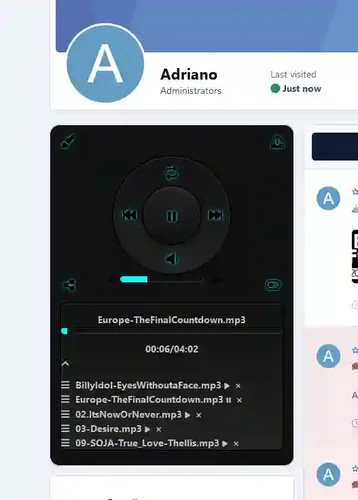
The program will allow your participants to download music tracks to play in their profiles using a nice, accurate audio player.
- Free
- 1 Downloads
-
Director: Dumplings
Screenwriter: Dumplings
Starring: Lv Yanting/Jiong Sensef/Hanmo/Chen Hao/Lv Qi/More ..
Type: Plot/Comedy/Animation/Fantasy
Producer country/region: Chinese Mainland
Language: Mandarin Chinese
Release date: January 29, 2025 (Chinese Mainland)
Duration: 144 minutes
Also known as: Ne Zha 2/Ne Zha 2: The Demonic Child Roars in the Sea/Ne Zha 2
After the tribulation, although the souls of Nezha and Ao Bing were preserved, their physical bodies would soon be completely destroyed. Taiyi Zhenren plans to use the Seven Colored Lotus to reshape their physical bodies. But in the process of reshaping their physical bodies, they encountered numerous difficulties. Where will the fate of Nezha and Ao Bing go?
- Free
- 0 Downloads
-
Show the players only commands that they should see
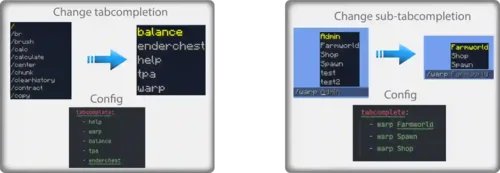
Customize tab-completions (also subarg tab-completion)
Block or only allow specific commands
Customize or disable the message if a blocked command is executed
Groupsystem with command and tabcomplete list (read more at the groups section)
Customize or disable the /pl message
Protection against spyclients
ColorCodes can be used in the config
Customize the server brand in the upper left of the f3 debug screen, which showing the server software
Add all commands from a plugin with one entry (Bukkit registered commands)
Can also remove Bungeecord/Velocity commands from the tabcompletion, if installed on Bungeecord/Velocity
Note: My plugin won't add any new commands or tabcompletion, it is just editing existing ones
Create groups, each one has a command list and a tab-complete list
To add a specific group to a user, add the permission plhide.group. <group>. If a player has 2 groups permissions, then the group is set depending on the priority (the higher the number, the higher the priority).
If the the groups has the same priority they get merged
With the Bungeecord/Velocity version you can chose on which servers the groups should be applied
A group can inherit from other groups.
Groups are inherited recursively
Only the groups for which the current server of the player corresponds to the inherited group are inherited [Bungee/Velocity version].
- Free
- 0 Downloads
-
By purchasing this plugin, you affirm that you have thoroughly read and comprehended the complete description of the plugin.
You are expressly prohibited from modifying, reselling, or redistributing this plugin without explicit authorization from the plugin's rights holder.
Decompiling or reverse engineering of this plugin is strictly prohibited, and you shall not engage in such activities without prior written consent from the plugin's rights holder.
It is forbidden to request support through the reviews section. Please utilize the designated channels such as the Discord server or GitHub issues page for seeking support.
By clicking on the download link, you expressly waive any right to withdraw this product as per the provisions of European Directive 2011/83/EU on Consumer Rights.
These Terms of Service are subject to modification without prior notice.
- Free
- 0 Downloads
-
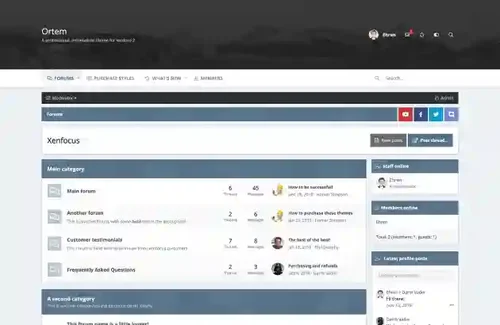
Ortem is a minimalistic design focused around a simple color picker, allowing your members to easily customize the colors of the layout by selecting from a preset array. The header area is large enough to accommodate for big logos and full width banners, and the navigation bar sticks to the top of the screen for easy access.
- Free
- 1 Downloads
-
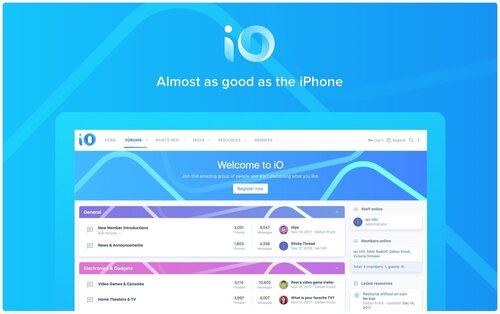
This vibrant, minimalist theme with concepts from Apple’s Human Interface Guidelines creates a professional forum that stands out. Your forum and discussions will flow with the clean and subtle design. Make iO unique with category strips that automatically change color based on your primary brand color.
Built with the UI.X 2 framework
Clean typography
Uses material line icons
Full page animations on page load
Uses a tab bar at the bottom of the screen on mobile devices
Full height iOS-style modals
Category strips that automatically change color based on your primary brand color
- Free
- 4 Downloads
-
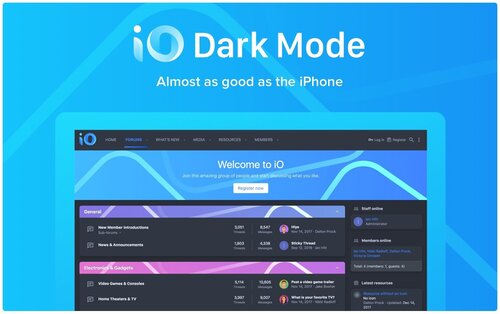
IO Dark Mode
Create a dynamic forum with this minimalist, vibrant dark theme. With concepts from Apple’s Human Interface Guidelines, your forum will be sleek and captivating. Make iO unique with category strips that automatically change color based on your primary brand color.
Built with the UI.X 2 framework
Clean typography
Uses material line icons
Full page animations on page load
Uses a tab bar at the bottom of the screen on mobile devices
Full height iOS-style modals
Category strips that automatically change color based on your primary brand color
- Free
- 8 Downloads
-
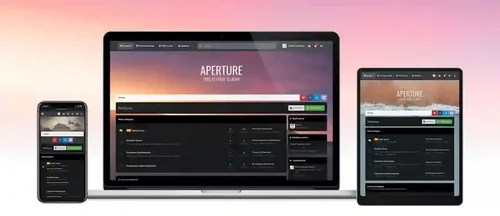
The distinctive feature of Aperture is its parallax background image which blurs once the page is scrolled. The blurred image provides a softer, less distracting background for your content and a fixed navigation bar provides easy access to all of your navigation links, user links and search bar. Perfect for a wide range of XenForo sites but especially great for gaming, sporting or movie sites!
- Free
- 1 Downloads
-
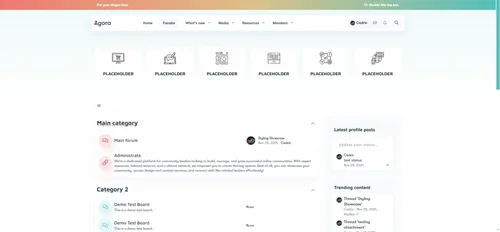
Introducing Agora, a sleek, modern, and highly customizable XenForo theme designed for communities that value both aesthetics and functionality. Whether you’re running a discussion forum, a business hub, or a social space, Agora provides the perfect balance of clean design and powerful features to enhance user experience.
Key Features
Light & Dark Variants – Let users switch between a clean light mode and a sleek dark mode for the best browsing experience.
Grid & List Layouts – Choose between a modern grid layout or a traditional list view for forum categories.
Customizable Header Blocks – Display six feature blocks at the top of the page with your own icons and links.
Custom Footer – A fully editable footer to showcase links, community info, and social media.
User-Friendly UI – Clean, lightweight, and easy to navigate for both new and experienced users.
Optimized for Performance – Fast-loading and mobile-friendly, ensuring seamless browsing on all devices.
Stylish Category Blocks – Beautifully designed forum categories with icons, colors, and hover effects.
Responsive & Retina Ready – Ensures your forum looks amazing on all screen sizes.
Custom Call-to-Action Section – A dedicated space for announcements, promotions, or a community introduction.
- Free
- 0 Downloads
-
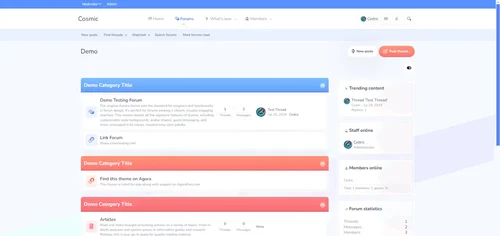
Looking to give your forum a modern, sleek appearance? Cosmic is the ultimate solution! Designed with stunning visuals and user-friendly layouts, this theme elevates your XenForo forum to a whole new level.
Features Across:
Google Web Font Integration
Customizable Node Background
Various Avatar Shapes
Engaging Guest Messages
Text Logo Option
Simplified Navigation Options
Collapsible Categories
Sticky and Simplified Node Statistics
New Post Indicators
Flexible Sidebar Customization
Unique First Post Backgrounds
Offline Status Indicators
Collapsible Elements for a Clean Look
Optional Glyphs for Enhanced Navigation
Customizable Footer with Multiple Widgets
And more...
- 6.00 USD
-
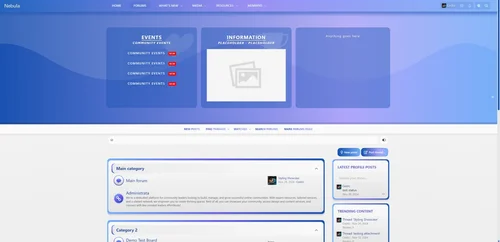
Nebula is a sleek, modern XenForo theme that blends cool-toned gradients with smooth UI elements to create a calming, futuristic atmosphere. With its blue-to-purple palette, soft curves, and refined typography, Nebula delivers a polished user experience that’s both inviting and professional.
Key Features
Vibrant toggle on/off gradient header with customizable content blocks (perfect for promotions, events, or announcements)
Stylized forum list with rounded containers and accent borders
Dark mode toggle-ready and responsive across all devices
Ideal for tech, community, or creative forums seeking a modern edge
More features:
Google Web Font Integration
Customizable Node Background
Various Avatar Shapes
Engaging Guest Messages
Text Logo Option
Simplified Navigation Options
Collapsible Categories
Sticky and Simplified Node Statistics
New Post Indicators
Flexible Sidebar Customization
Unique First Post Backgrounds
Offline Status Indicators
Collapsible Elements for a Clean Look
Optional Glyphs for Enhanced Navigation
Customizable Footer with Multiple Widgets
And more...
- Free
- 0 Downloads
-
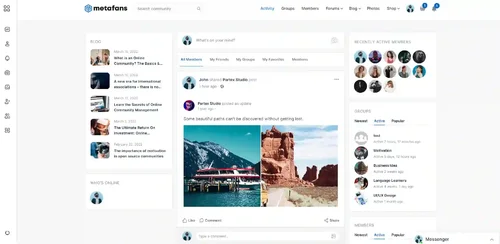
Social networking & community theme for your WordPress site!
We have carefully crafted this theme for you to have all you need to build an incredible community with full profiles, verification badges, reactions, groups, badges, quests, ranks, credits, and much more to come!
Metafans empowers your social profile connecting to friends and increasing followers
Social Community Powered By Buddypress With the advantages of the Buddypress plugin we extended it with reactions, shares, media, and much more!
Incredible Gamification with Gamipress Metafans has created a full gamification experience with badges, quests, credits, and ranks to give an awesome experience to your users!
Design with elementor page builder All pages are carefully crafted to fit all you may need! Also, we include demo data to our API to get an unleash experience
Super Flexible Profile & Activity Pages
Metafans provides a super complete profile page with an elegant design, boxes, and a slider for easier access to all profile sections like: about, badges unlocked, images, quests completed, posts, and much more!. You’ll also find other community pages, like activity, complete profile settings, members and groups directory, and much more!.
Renovated Profile Status Updates Form!
We renovated the Buddypress status update box! Easily upload photos, GIFs. post status updates, edit your posts, and even link Youtube videos just by pasting the URL!! You’ll count with a wide range of both status update and activity posts (like when someone becomes your friend). You’ll also have the option to mark your posts as pinned, favorite and private, all easily recognizable with our custom icons!
Gamipress: Badges Gamification
Using the Gamipress Achievements feature we composed a badges policy where you can unfasten them and earn credits to unlock profile ranks! You can also insolently show them in your profile with the badge widget!
Gamipress: Quests Gamification
Using the Gamipress Achievements feature we also produced a searches system where you can complete them and earn credits to unlock profile ranks! Like the badges, you can proudly show them in your profile with the quests widget!
Gamipress: Credits & Coins Gamification
Using the Gamipress Points feature we created three different credits: Gold, Gems, and Emeralds. Use them to unlock new ranks and level up! You can proudly show them in your profile with the credits widget and also you’ll be able to always see your current balance on the top bar.
Gamipress: Ranking Gamification
Using the Gamipress Ranks feature we created a 6 ranks system where you can “level up” by collecting credits and completing requirements! We’ve also linked your rank number and progress to profile avatars! You’ll be able to quickly see each user’s rank and progress via the outer progress bar.
Amazing Blog Page with Reactions
A complete blog with 3 different views: list, small grid, and big grid to help people quickly search their favorite post. We prepared different post types like standard, video, audio and gallery and three different open post views. Also, like with the Buddypress post updates, we added reactions so people can show what they think about it!
Incredible Groups with Easy Management
So your users don’t have to make changes via the Wordpress panel, we created an author hub where they can easily change their avatar, cover photo, social networks, personal information, and much more!
- Free
- 0 Downloads
-
u XML dosyası ile İngilizce içerikli forum yazılımınızı Türkçe diline çevirebilirsiniz. Dil yamasını yüklemeden önce aşağıdaki uyarılarımızı dikkate alırsanız seviniriz.
Eğer hali hazırda forumunuz var ve bir Tükçe yama kurulu ise, indireceğiniz bu XenForo Türkçe yama XML dosyasını kurulu olan Türkçe yamanızın üstüne yazdırarak yükselte bilirsiniz.
XML dosyası kesinlikle XenGenTr dışında harici bağlantılar eklenmemiştir. Admin paneline eklenen bağlantıları tamamen kullanıcı dostudur ve almış olduğunuz hatalarda, o hataya ait sorunların giderilmesi için ve sizlerin o sorunu çözmeniz için çözüm bağlantıları eklenmiştir. Kullandıkça XenGenTr ekibinin sizler için her şeyi düşündüğünü ve bunun için çabaladığımızı bilmenizi isteriz.
- Free
- 0 Downloads
-
How do I download updates? Where can I get download links?
Your download link and all future updates are automatically emailed to the purchasing PayPal email address. If you are not receiving these emails, please check your spam folders. If you prefer, you can login and see your purchase history here: https://8wayrun.dpdcart.com/portal
Before asking support questions, please watch these videos:
Basic setup & features:
Promoting articles & features:
If you want more videos on specific topics, please let me know
How do I make my articles list the index for my forum?
Admin CP: Setup > Options > Basic Board Information
Index Page Route: ewr-porta/
How do I rename the "ewr-porta" sub-directory to something else?
Admin CP: Setup > Navigation> Route Filters > Add route filter
Find route: ewr-porta/
Replace with: articles/
I have two "home" tabs, how do I get rid of one?
Admin CP: Setup > Navigation > Public Navigation
Disable the default "home" tab
My articles list does not have a feature slider on top of it?
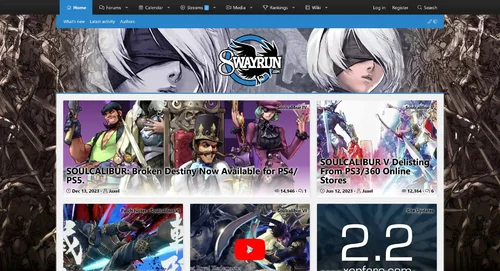
The feature slider is no longer built into the article list. It is instead a widget, which can be placed anywhere on your forum. This makes it more universal and easier to manage.
Admin CP: Appearance > Widgets > Add widget > XenPorta > Features
How do I put my feature slider above the fold/main content area?
User the "relocate slider" option in the feature widget to relocate the slider anywhere you want.
I recommend using: .p-body-main
What is the difference between "full" and "split" widget locations?
"Full" widget locations place each widget at full width in each line. Basically the same as every other widget location built into XenForo 2. Each new widget in a "full" location will appear below the previous.
"Split" widget locations attempt to place each widget in a horizontal flex-box; like a grid. It will attempt to put new widgets to the side of previous widgets, instead of below it. I say "attempt" because there is a minimum width for widgets, and if the user's view-port is too small, it will respond responsively.
How do I put widget content in-between articles on the articles list?
With the "XenPorta > Articles list: After article" widget position, you can put content after each article. You can then use the {$context.i} parameter to limit widgets based on the iteration of the article count. (if you are using the HTML widget make sure to enable "advanced mode" on the widget)
Example:
HTML:
<xf:if is="$context.i % 3 == 0"><div class="porta-article-item"> <div class="block-container porta-article-container"> <h3 class="block-header">{$title}</h3> <div class="block-body block-row"> This widget will appear after every third article. </div> </div> </div></xf:if>If you want to use this position with masonry, using the porta-article-item and porta-article-container classes in the above example will greatly help with any styling issues you may have.
Why are there so few widgets in this version compared to the previous?
XenForo 2 has a built-in HTML widget, which works fantasticly... you can even use XenForo template syntax in it! Because of this, unless you need specific PHP backend procedures for a widget, there is no real reason to make a widget for something which can simply be placed as HTML code.
- Free
- 1 Downloads
-
Requirements:
XenForo 2.2.0+
Description:
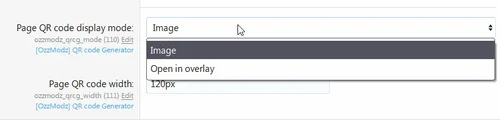
Adds QR code for current page.
- Free
- 0 Downloads
-
We don’t create the perfect themes; we create a theme that describes your community, making it the perfect one.
Just 5 minutes of playing around with the Features, you will meet your desire fully.
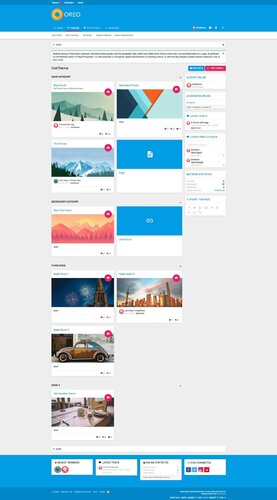
We are proud to launch our new xenForo Theme – Oreo! Oreo has a new layout with a gorgeous look. Every bite of it is beautiful & graceful. It synthesizes the classic principles of good design with the innovation and possibility of technology. This is material design.
A lot of essential features came with Oreo. We wanted to make sure every detail was perfect, so we integrated Advanced Features, Easily Customized style properties to give you the best UX.
Oreo is like other themes, updateable, and there are many more features waiting for you. Just take some time to play around with Oreo. Let’s feel the difference!
Material design is basically a result of Google’s set of guidelines for better designing, keeping in mind mobile users. It supports better browsing by enhancing the visual and motion experience. This theme is almost Material-based to make a better user experience.
And much more features
There are many more features waiting for you, take some time to play around with Oreo, and you will see many interesting things!
Full Features:
Fully Responsive Layout
Clean Retina & HD display Support
Google Material Font & Icons
Text Logo
Collapsible Categories
Collapsible Sidebar
Sticky Sidebar
First Post Unique Background
Offline status indicator
Secondary Footer easily customized
And more........
- Free
- 8 Downloads
-
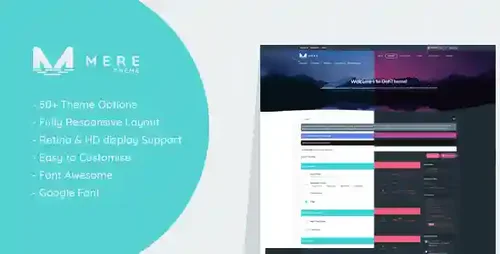
Mere is our latest premium theme release, which is our demo present default theme. The use of contrasting colors gives this theme its slick & trendy look, perfect for any website type. Mere also has a few custom features included (all settable in current theme settings) like show or hide header message, collapse node categories, and an option to switch the sidebar position.
More Features:
Fully Responsive Layout
Clean Retina & HD display Support
Google web font & Custom Icon font
Avatar Shape
Guest Message
Header Background
Text Logo
Two Login Triggers Styles
Remove Selected Tab Sub-Links
Collapsible Categories
Simplified Node Statics
Sidebar Position
Collapsible Sidebar
Collapsible Sidebar Blocks
Three Different Messages Layout
First Post Unique Background
Offline status indicator
Collapsible User Extras
Optional Glyphs (Navigation-Sidebar-Message ActionBar)
Extra Footer is easily customized.
And more........
- Free
- 1 Downloads