Cavalry
Administrators
-
Joined
-
Last visited
Files posted by Cavalry
-
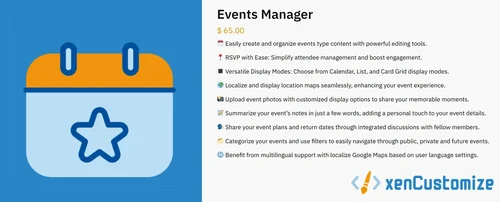
Effortlessly create and manage events with powerful tools. Simplify attendee management with easy RSVP options and boost engagement. Choose from different display modes like Calendar, List, and Card Grid. Share your memorable moments by uploading event photos with customizable display options. Discuss plans with integrated discussions. Categorize events for quick navigation. Enjoy multilingual support and localized maps. Elevate your event experience!
Notable features for v1.3.x & 2.3.x
🆕 What's New
Now compatible with XenForo 2.3.0+
XenForo 2.3.0 is now the minimum requirement for this (1.3.x & 2.3.x) addon version.
✨ New Features and Enhancements
Card Grid view is now available for event categories. (Suggested & funded by @Jimmi) (v1.3.0)
Added a new admin option to choose the display mode for event categories. This allows admins to customize how events are displayed within categories. (Suggested & funded by @Jimmi) (v1.3.0)
Category Display Mode
List
Card Grid
Extended the following options to display or hide blocks in the side navigation to also apply on event category pages: (Suggested & funded by @Jimmi) (v1.3.0)
Display Categories In Side Navigation.
Display Filter Events In Side Navigation
Display Upcoming Events In Side Navigation.
Improved Sub-Navigation Link for Upcoming Events: Updated the link to support both user-friendly and non-friendly URLs. (v1.3.1)
Improved Sub-Navigation Link for Private Events: Updated the link to support both user-friendly and non-friendly URLs. (v1.3.1)
Event Export to .ics Format (Suggested by @stromb0li) (v1.3.2)
Introduced the ability to export both individual events and entire categories to the .ics format, compatible with all major calendar applications, including iCal on iOS.
Users can download .ics files directly from event, category pages or index, with smart file naming based on the event or category title for easy identification.
The .ics exports include all essential event details: title, start/end date, time, and description, ensuring smooth integration with calendar apps.
New Widget - Events Happening Now! (v1.3.3)
Ongoing Events (Carousel Style)
Introduced an "Ongoing" ribbon to highlight events happening now.
Displays event end date and time.
The installer automatically creates the Ongoing Events widget on a fresh install.
The upgrade script automatically creates the Ongoing Events widget during upgrades.
Enhancements to Featured Event Carousel (v1.3.3)
Added a "Featured" ribbon to highlight featured events.
Replaced event creator and last update information with event date and time.
Ongoing Event Indicator on Event View Page (v1.3.3)
Ongoing events now display an "Ongoing" label with an animated blinking dot.
Enhancements on Event View Page (v1.3.3)
Header: Removed event creator, create date, and last update information for a cleaner look.
Sidebar: Minor adjustments to sidebar and event image styling.
Added support for webp file extension in the allowed file extensions for event photos. (v1.3.3)
Refined the Card Grid design for a more polished appearance. (v1.3.3)
Improved overall code efficiency and reliability. (v1.3.3)
Added XF 2.3-specific "Image Optimization" support for both "Event Image" and "Event Banner." (v2.3.4)
Added the ability to rebuild existing "Event Images" using the "Optimize event images" option in Tools > Rebuild caches. (v2.3.4)
Added the ability to rebuild existing "Event Banners" using the "Optimize event banners" option in Tools > Rebuild caches. (v2.3.4)
Notify Event Attendees: (Suggested by @Galactica) (v2.3.5)
Added the ability to send notifications to attendees and those marked as "Maybe."
Included participant info, showing the number of attendees and "Maybe" responses before sending notifications for clear communication.
Integrated a comprehensive alert system with email notifications, allowing you to keep participants informed promptly and efficiently.
Intuitive interface for sending notifications, making the process straightforward and efficient.
Created new alert and email templates specifically tailored to this notification feature, ensuring clear and professional communication.
Event Location Field Update: (Suggested by @Optrex) (v2.3.5)
Enhanced the location autocomplete to support both address-based (geocode) and place name (establishment) searches, allowing for more flexible place selection, such as football clubs and meeting venues.
Attendee Notifications Enhancement (v2.3.6)
Notifications now include the organizer's name when available.
If the organizer's name is not specified, the sender's username is used as a fallback.
Alerts and emails now dynamically display the organizer's name for better clarity and personalization.
Event OG Image on Social Media (v2.3.6)
SEO Meta Tags
Enhanced SEO and social media sharing with added meta tags for events
Template Improvements (v2.3.6)
Updated all template macros to use the new XenForo 2.3 xf:macro id syntax for improved compatibility and maintainability.
Extended "Can add repeating event" permission to work with category permissions for finer control.
Event Count Between Filter (v2.3.6)
Added a new "Event count between" filter on the "Search for users" and "Batch Update Users" pages in ACP.
Allows admins to filter users based on the number of events they've created within a specified range.
- Free
- 0 Downloads
-
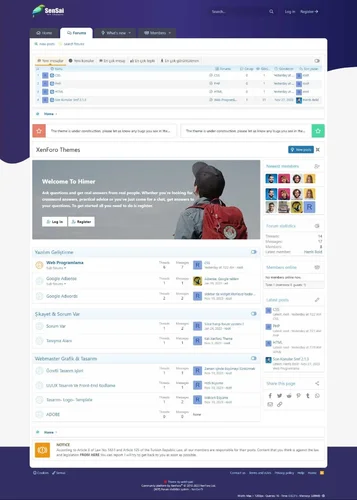
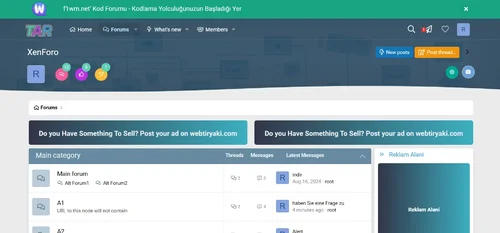
We are glad to release the SenSai theme. It’s a clean and simple style that fully supports the latest XenForo community software. SenSai is fully responsive and retina-ready. It will look great on any desktop, laptop, tablet, or smartphone. the Plain theme will help you to build a popular community.
SenSai fully supports the following features: DEMO
Fully Responsive Layout
Clean Retina & HD display Support
Dark+ light mode
Guest Message
Collapsible Categories
Collapsible Sidebar
And more........
- Free
- 0 Downloads
-
Bolt is backed by an extremely powerful style framework called XenBase. It is the framework that powers all of our styles. We are constantly evolving and improving the framework to make it the best possible experience for you. It includes hundreds of options for you to customize and really make your style your own.
To use child styles, you'll need to download the main style package above. Once that is properly installed, you can import this style as a child of that style and edit directly.
Important: You should never use these styles for upgrades, you'll only upgrade the parent style.
- Free
- 0 Downloads
-
Check out just some of the awesome features
Multiple page layouts
Our styles come with multiple page layouts to drastically change the look. Default, Classic, Boxed, try them all!
Page assets
We've included assets that help you build custom pages even faster. Check out ourdocumentationon it to learn more
Variety of options
From navigation layouts, alternative search locations, multiple message layouts, and more our styles have you covered
Design mode
Our styles have a built-in design mode that allows you to browse the front-end and see what options are available
User specific features
Let your users toggle the width of the forum, disable the sidebar or hide certain forum categories
Multiple node layouts
Tired of the plain old forum layout? We've included options to configure the node layout further
Custom Footer
You can add a functional footer in seconds to your forum. Our options will let you configure it just how you want it
Custom User Banners & Prefix's
You can easily change the look of user banners and prefix's using our properties, ditch those stock colors!
- Free
- 0 Downloads
-
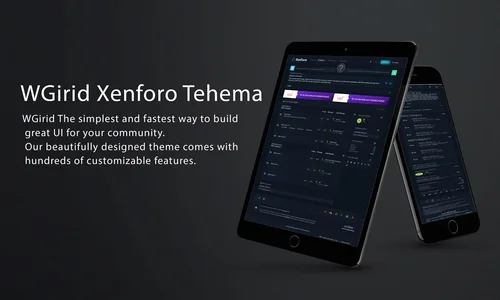
Style WGrid The simplest and fastest way to build great UI for your community. Our beautifully designed theme comes with hundreds of customizable features.
Text Logo
Collapsible Categories
Sticky Sidebar
Collapsible Sidebar
Collapsible Sidebar Blocks
Ads Banner(binary)
dual notification area
Guest Message
Extra Footer
And more...
- Free
- 0 Downloads
-
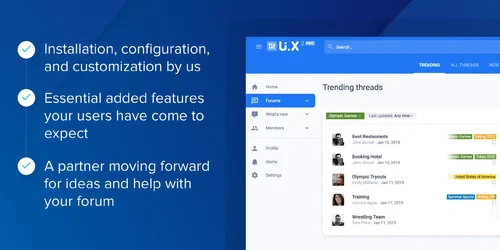
We have designed an ideal approach for your forum to increase community interaction, provide high-quality user experience, and increase revenue potential. User interface. X Pro combines the knowledge gained from over a decade of helping clients build thriving communities and methods used by social media industry giants. User interface. X Pro has the tools and support you need, including our installation, configuration, and customization; The basic additional features that your users expect; And a forward moving partner to provide ideas and assistance for your forum.
UI.X Pro
Support 2.2. X not used in 2.3
Based on its popular XenForo 1 predecessor UI. X2 is not just a theme, it continues to push the boundaries of intelligence, high performance, and perfect design. Featuring modern tools that enhance user interaction and a familiar user interface, this interface is based on Google's popular Material design and supported by a team proficient in XenForo software.
Standard or sticky navigation, sidebar, and user bar
From right to left and comprehensive international support
Dozens of locations, styles, and component positions, such as titles, search bars, sidebars, navigation, social media links, etc
Foldable nodes, sidebars, backrests, and signatures
Almost all style information, colors, sizes, images, fonts, etc. can be edited through style attributes
- Free
- 4 Downloads
-
Enjoy the extreme customization power and a very big set of modern components, features and options. Users will love your site because it gives them a unique user experience clean, modern & beautiful design. You will be easily able to customize it for your needs.
- Free
- 1 Downloads
-
Enjoy the extreme customization power and a very big set of modern components, features and options. Users will love your site because it gives them a unique user experience clean, modern & beautiful design. You will be easily able to customize it for your needs.
- Free
- 0 Downloads
-
Group Chat is a Chatroom System for Group Chat & One to One Chat with a world of features designed to boost user engagement on your website. Build Your Own Chat Website in Minutes with Grupo Chat.
- Free
- 2 Downloads
-
XenForo Resource Manager is an add-on that allows you to manage resources outside of regular forums, such as files and tutorials or other similar article content. The purpose is to allow for the listing of files and other content, with a focus on the initial content rather than the discussion surrounding it.
- Free
- 2 Downloads