





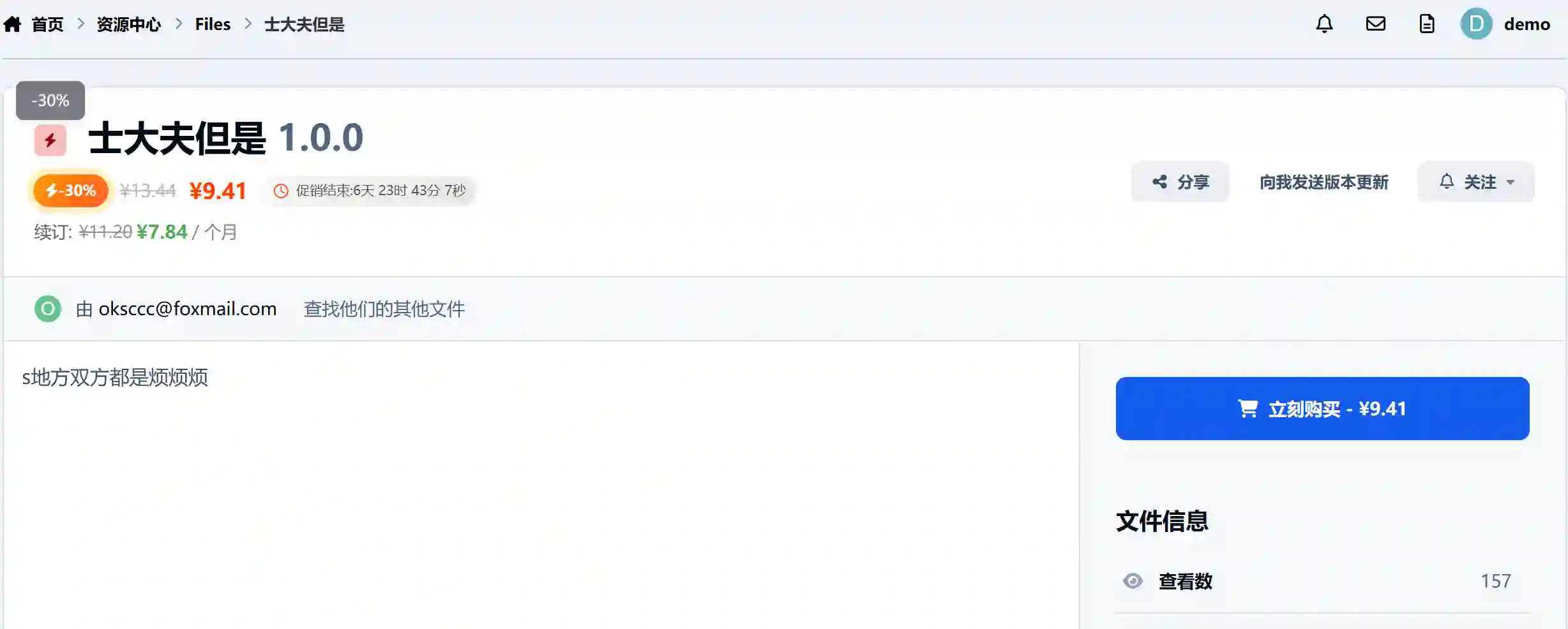

One-Click Flash Sale to Boost File Sales Conversion by 300%+
A limited-time promotion plugin designed specifically for the Invision Community 5.0+ download center, making your paid resource sales as hot as e-commerce flash sales!
✨ Features
📊 Smart Promotion Management
⚡ Instant Setup: Enter the file ID, discount percentage, and time period—3 steps to complete promotion creation.
🎯 Precise Control: Supports any discount between 1%-99%, with minute-level control over promotion timing.
🔄 Automated Operation: Scheduled tasks automatically activate/end promotions, and prices restore automatically without manual intervention.
🛡️ Concurrency Protection: Transaction-level race condition protection ensures the original price is never lost.
🎨 Stunning Front-End Display
⚡ Dynamic Badge: Gradient lightning icon with pulse animation and 3D shadow effects, highly attention-grabbing.
⏱️ Real-Time Countdown: Millisecond-accurate countdown to create a sense of urgency, with red alerts within 1 hour.
💰 Price Comparison: Strikethrough original price + large discount price for a double stimulation, instantly doubling conversion rate.
📱 Responsive Design: Perfectly adapts to PC, tablet, and mobile, running smoothly on any device.
🎛️ Flexible Display Control
5 Backend Switches for Full Control:
✅ Master Switch: Enable/disable the entire promotion system with one click.
🏷️ Promotion Badge: Control the display of the lightning discount label.
💵 Original Price Display: Choose whether to display the strikethrough price based on your operational strategy.
⏰ Countdown Timer: Control the countdown timer switch to create a sense of urgency.
📋 Order Expiry: Automatically marks unpaid orders as expired when the promotion ends.
💼 Business-Class Features
🔐 Granular Permissions: 5 levels of permissions for managing/creating/editing/deleting/setting.
💳 Renewal Synchronization: Automatically applies the same discount ratio to renewal prices.
🚫 Conflict Detection: Prevents multiple active promotions on the same file at the same time.
📈 Performance Optimization: Query cache + N+1 optimization, zero pressure on large sites.
please support the developers. If you have any other questions
please leave a comment and let us know!
Recommended Comments
Join the conversation
You can post now and register later. If you have an account, sign in now to post with your account.