







Jump to content
View in the app

A better way to browse. Learn more.

OKSTAR

A full-screen app on your home screen with push notifications, badges and more.

To install this app on iOS and iPadOS
  1. Tap the Share icon in Safari
  2. Scroll the menu and tap Add to Home Screen.
  3. Tap Add in the top-right corner.
To install this app on Android
  1. Tap the 3-dot menu (⋮) in the top-right corner of the browser.
  2. Tap Add to Home screen or Install app.
  3. Confirm by tapping Install.

Realistic Mug Mockup 1.0.0

(0 reviews)

1 Screenshot

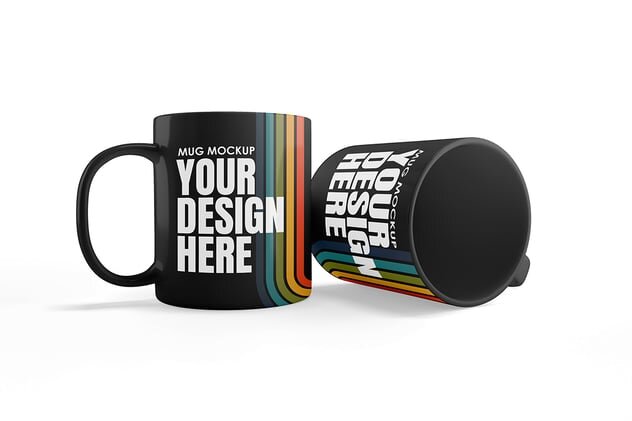
Showcase your artwork, logo, or print design with this high-quality Mug Mockup Set. Featuring multiple PSD scenes with realistic lighting, shadows, and customizable mug colors, this mockup is perfect for product branding, merchandise previews, or online store displays. The Smart Object layers allow quick and seamless design insertion for a professional, polished result.
Here's what''s included:

  • 5 Adobe Photoshop PSD files

  • Easy to edit with Smart Object

  • High resolution 4500x3000 px / 300 dpi

  • Color change enabled

  • Background change enabled

  • Multiple mug angles & compositions

How to Use:

  1. Open the PSD file in Adobe Photoshop

  2. Double-click the Smart Object layer

  3. Insert your design and save

  4. The artwork will automatically update on the mug mockup

User Feedback

Recommended Comments

There are no comments to display.

Configure browser push notifications

Chrome (Android)
  1. Tap the lock icon next to the address bar.
  2. Tap Permissions → Notifications.
  3. Adjust your preference.
Chrome (Desktop)
  1. Click the padlock icon in the address bar.
  2. Select Site settings.
  3. Find Notifications and adjust your preference.