







XenForo
148 files
-
Description:
Quickly find threads, conversations and resources.
(Example of Quick search box on forum list)
- Free
- 3 Downloads
-
Key features:
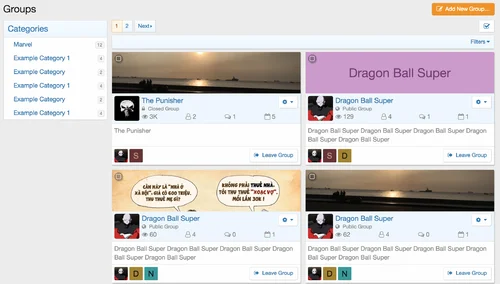
Ability to create unlimited categories and nested categories for groups.
Ability to create unlimited custom fields for each category. Custom fields then will be shown in group details.
Show custom field position, data types, create PHP callback for Fields,
Ability to group members and easily manage member roles and permissions in group.
Events. Each group has ability to create their own events.
Sub Forums.
Avatar supported. Each group has ability to easily upload their avatar
Cover photos supported. Each group has ability to easily upload their cover
Display statistics for each groups.
Much more....
Group Category: many options available to manage groups:
Required minimum tags which groups must be provide.
Default set group privacy, only apply to newly created groups.
Manage user group permissions to create groups in categories.
Manage user group permissions to view groups inside the category.
- Free
- 4 Downloads
-
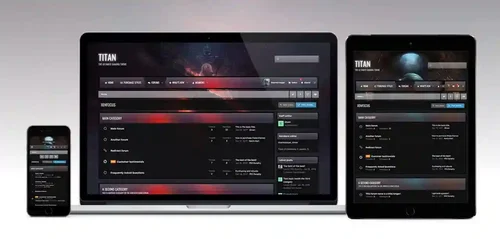
Titan for XenForo 2.3
Titan is the ultimate gaming theme, based upon a large wallpaper image which is blurred behind textured navigation and category bars. Assign up to 6 background images via the theme settings to completely change the colour scheme, and let your members choose their favourite from a predefined selection!
Theme Editor
All xenfocus themes come with the "Theme Editor" - an easy to use box which allows your members to customize the theme to their needs.
Blurred headers
The navigation bar and category headers inherit a blurred version of your background image, created automatically using css filters.
Unique, animated navigation
Titan features a unique navigation design, with an animated hover effect.
Fixed header
When scrolled, the navigation sticks to the top of your browser for easy access.
Responsive theme
This theme will downscale for mobiles and tablets, providing an optimal viewing experience for all devices.
Holiday effects
If enabled, subtle "holiday effects" such as animated snow for Christmas, confetti for New Years, a floating ghost for Halloween or a beating heart for Valentines can be shown on your theme.
Countdown
Countdown to a local event such as a sport game, or a global event such as a product release using the built-in countdown timer.
Background picker
A background picker allows your members to select their own background/header image from a predefined selection.
Grid view for nodes
Place your forums into a grid layout with optional wallpapers for each. This feature can be toggled by members if they prefer the standard layout.
Social icons
By enabling the social icons feature, you can easily promote your social media websites to your forum members.
Guest message
If enabled, a stylish guest message prompts visitors to sign in or register a new account on your site.
Extensive logo options
Use HTML text, insert a slogan or simply use an image. All configurable via the theme settings.
Mega footer
A mega footer with configurable columns and content can be enabled and customized all within the theme settings.
Retina ready
All xenfocus themes have been coded with high resolution screens in mind. Your theme will look crisp on all screens and devices!
Fluid width
Members have the option of toggling fluid width, which stretches the theme across the entire width of their browser.
Only one modified template
This theme only contains one modified template file, which means upgrades are a breeze!
- Free
- 2 Downloads
-
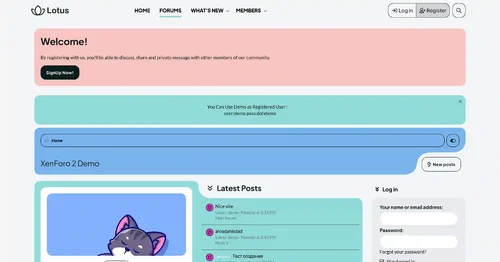
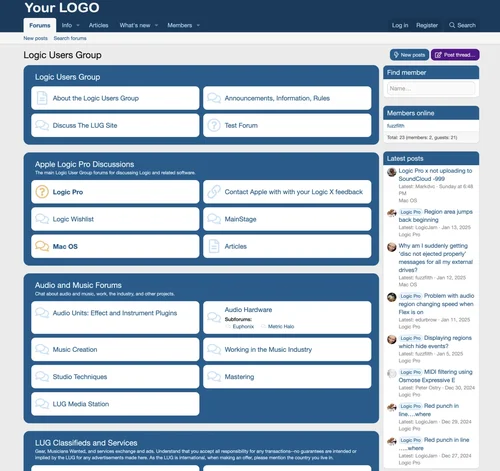
This is a very simple style close to the default with:
Forum list displayed as 2 or 3 column grid.
A jaunty blue background.
Rounded corners
Threads displayed with rounded corners and separated
Optional display of subforums in columns within a box on the forum view
- Free
- 2 Downloads
-
Introducing the Limit Attachment Downloads for XenForo 2
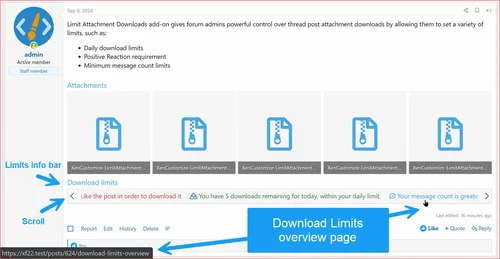
Limit Attachment Downloads add-on gives forum admins powerful control over thread post attachment downloads by allowing them to set a variety of limits, such as:
Daily download limits
Positive Reaction requirement
Minimum message count limits
The add-on also includes informative interfaces and user-friendly error pages that explain the reasons for download restrictions. This helps to discourage abuse and promote fair use of downloads.
In addition, the add-on can encourage user engagement on the forums and can lead to more account upgrades, boosting your site’s revenue.
If you’re looking for a powerful way to control attachment downloads on your XenForo forum, the Limit Attachment Downloads add-on by XenCustomize is a great option. It’s packed with advance features and gives admins the flexibility to fine-tune download limits to meet their specific needs.
Complete features list
Usergroup Permissions for Download Limits
Added up to 8 usergroup permissions for configuring download limits and bypass options.
Download limit
Countdown timer time
Message count limit
Can bypass message count limit
Reaction limit
Can bypass reaction limit
Can change reaction
Can undo reaction
Forum Node Permissions
Implemented support for setting permissions in each Forum node.
Download limit
Message count limit
Download Limits
Implemented the following types of limits:
Download Limit/Quota: Set limits for a specified number of hours (default: 24 hours).
Positive Reaction Limit: Require users to react to a post with positive reaction before downloading attachments.
Message Count Limit: Define minimum message counts per user group for download access.
Bypass Limits
Implemented the ability to bypass the above limits:
Ability to set "Unlimited" in the download limit/quota to bypass download limits.
"Can bypass reaction limit" permission to bypass reaction limits.
"Unlimited" or "Can bypass message count limit" usergroup permission to bypass message count limits.
Info Tabs Bar for Download Limits
Implemented Info Tabs Bar displaying a quick overview of the user's current download limits for the viewed post.
Responsive Info Tabs Bar with scrolling, similar to Resource Tabs in standard XFRM.
Option to enable/disable via admin settings (Enabled by default).
Download Limits Overview Page
Implemented a "Download Limits Overview" page offering a detailed overview of user-specific download limits for the accessed post.
Detailed overview and various info messages in the download limit section based on scenarios:
Download Limit
Downloads Left
Download Limit Reset Time
Detailed info messages in the message count limit section based on scenarios:
Message Count Limit
User Message Count
Detailed explanation of how the reaction limit is applied to the user in the reaction limit section.
User-Friendly Error Pages for Download Limits
Implemented user-friendly error pages explaining and guiding users through download limits and restrictions:
Download Limit Error Page with an Encouraging Title, Icon, Message, and Custom Buttons: "Click to Close" and "Learn More"
Reaction Limit Error Page with an Encouraging Title, Icon, Message, and Custom Buttons: "Click to Close" and "Learn More"
Positive Reaction Limit Error Page with an Encouraging Title, Icon, Message, and Custom Buttons: "Click to Close" and "Learn More"
Message Count Limit Error Page with an Encouraging Title, Icon, Message, and Custom Buttons: "Click to Close" and "Learn More"
Guest-Specific Error Page with an Encouraging Title, Icon, Message, and Custom Buttons: "Click to Close", "Log in" and "Register now". (v2.2.1)
Admin Options: Implemented various Admin options for customizable control:
Download Limit Reset Time in Hours.
Countdown Timer Time in Seconds.
Enable Download Limits Quick Info Tab Bar.
Enable Download Limits Detailed Overview Page.
Positive Reaction IDs.
Reactions Change Restriction.
Reactions Undo Restriction.
File Extensions Affected by Download Limits:
Shipped the addon with a predefined list
Compressed and Archive Formats:
zip
rar
7z
tar
gz
bz2
xz
Executable and Installable Formats:
exe (Windows executables)
msi (Windows installer)
dmg (Mac installer)
pkg (Mac package installer)
Disk Image Formats:
iso
img
Document Formats:
pdf
doc
docx
xls
xlsx
ppt
pptx
txt
rtf
Style Properties
Added custom classes and style properties for effortless customization of Info Tabs Bar and Download Limits Overview page:
Info Tabs Bar
Positive color
Negative color
Caution color
Attachment Download Page
Introduced a new Attachment download page that showcases:
Countdown timer
Attachment name
Attachment size
Attachment extension
Attachment view count
Multiple advertising positions:
Display advertisement directly above the countdown timer during attachment download.
Display advertisement directly beneath the countdown timer during attachment download.
Sidebar widget position
Click to Close button
Limits overview button
Download Countdown Timer
Implemented a download countdown timer that appears before the download button is accessible.
Pause Countdown Timer on Tab Switch
Implemented functionality to pause the countdown timer when the user switches to another tab.
Default Countdown Timer Duration
Added an admin option to configure the default “Countdown Timer Time in Seconds” before downloads can be initiated.
Customizable Countdown Timer Time per Usergroup
Added usergroup permission to override the default “Countdown Timer Time” set in the Admin CP.
Customize the countdown timer duration per usergroup for a more tailored user experience.
Built-in Advertising Positions:
Added native advertising positions for the download page to effortlessly display advertisements and increase visibility and potential revenue:
Limit Attachment Downloads: Countdown timer above download.
Limit Attachment Downloads: Countdown timer below download.
Sidebar Widget Position:
Added new widget position to place widgets in the sidebar position on the download countdown timer page:
Limit Attachment Downloads: Countdown timer.
Compatible XF 2.x versions
XenForo 2.2
XenForo 2.3
While the add-on is built using the latest XF 2.2 version, we require a minimum of XF 2.2.4+ for proper compatibility. If you need compatibility with older versions, kindly reach out to us before making a purchase.
Uncertain 🤔 about a specific feature?
If you need a functionality that isn't clearly mentioned above, please don't hesitate to contact us before making a purchase. Once you've bought and downloaded the add-on, your order can't be refunded.
Screenshots, Install and Setup
Install "[XenCustomize] Limit Attachment Downloads" like any other XenForo add-on. In the admin options:
Default setting for the Countdown timer is 5 seconds, which you can adjust to your preferred duration.
You must specify your preferred positive reaction IDs.
Default positive reaction IDs are: 1, 2, and 3.
If you would like to restrict users changing or undoing reactions, then activate these options:
Reactions change restriction.
Reactions undo restriction.
- 5.10 USD
-
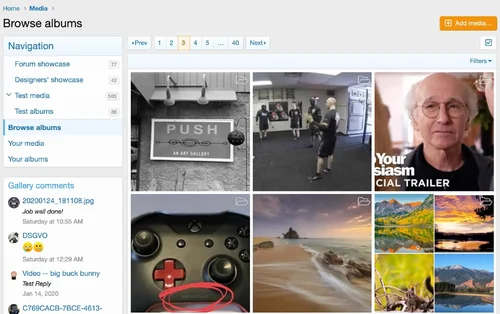
The XenForo Media Gallery is an add-on that allows you and your users to create galleries of images, videos, and audio in your forum, organized into admin-defined categories or user-created albums.
Media categories
Media will be placed into individual categories that are organized into a tree. In this regard, they are very similar to the node tree.
A category may be one of three types:
Container only: these categories will not contain media or albums, instead serving to organize sub-categories.
Albums only: in these categories, users will create albums that can contain one or more media items. When the category is viewed, there will be one entry for each album.
Media items only: media will be added directly to these categories and not organized into albums. Each media item will be displayed directly when viewing the category.
If your users are likely to upload a number of related pictures (such as from a single event), you will likely want to use album categories. Note that the category type cannot be changed unless the category is empty.
Media fields
Custom media fields allow you to define additional structured fields for users to fill in when creating a thread.
Media fields can be displayed in one of several locations:
Below media item: this will be displayed in the box below the media, with the title and author info.
Bottom of media info block: in the sidebar opposite the comments, in the media information block.
Extra info block: in the sidebar opposite the comments, in a new Extra information block.
New sidebar block: in its own sidebar block, using the custom field's name as the header.
Permissions
The Media Gallery adds a number of new permissions. When installed, reasonable defaults are selected based on existing permissions. However, you should confirm that the permissions meet your needs and that your moderators have the permissions you want.
Options
The Media Gallery's options can be found in the XenForo media gallery option group.
- Free
- 2 Downloads
-
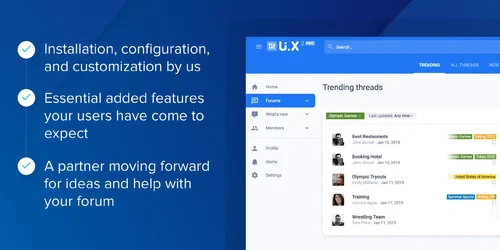
We have designed an ideal approach for your forum to increase community interaction, provide high-quality user experience, and increase revenue potential. User interface. X Pro combines the knowledge gained from over a decade of helping clients build thriving communities and methods used by social media industry giants. User interface. X Pro has the tools and support you need, including our installation, configuration, and customization; The basic additional features that your users expect; And a forward moving partner to provide ideas and assistance for your forum.
UI.X Pro
Support 2.2. X not used in 2.3
Based on its popular XenForo 1 predecessor UI. X2 is not just a theme, it continues to push the boundaries of intelligence, high performance, and perfect design. Featuring modern tools that enhance user interaction and a familiar user interface, this interface is based on Google's popular Material design and supported by a team proficient in XenForo software.
Standard or sticky navigation, sidebar, and user bar
From right to left and comprehensive international support
Dozens of locations, styles, and component positions, such as titles, search bars, sidebars, navigation, social media links, etc
Foldable nodes, sidebars, backrests, and signatures
Almost all style information, colors, sizes, images, fonts, etc. can be edited through style attributes
- Free
- 4 Downloads
.webp.1a5b7aa5c6a5341782bcb425db6d3abe.thumb.webp.390aa2bd2c78881853ec649da1167ecd.webp)

Top Downloads
No files have been downloaded yet this week.
-
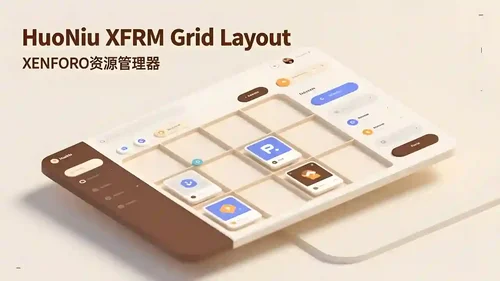
HuoNiu XFRM Grid Layout Style
Free
Core Features Modern Grid Layout – Transforms traditional lists into visually appealing grid card displays. HD Cover Display – Displays high-resolution images from resource detail pages, ensuring clear and sharp quality. Flexible Column Configuration – Supports 1-6 columns with free customization (desktop/tablet/mobile configurations independent). Responsive Design – Automatically adjusts to different screen sizes, ensuring perfect display. Hover Animation Effects – Smooth floating + enhance- 3 Downloads
- 0 Comments
-
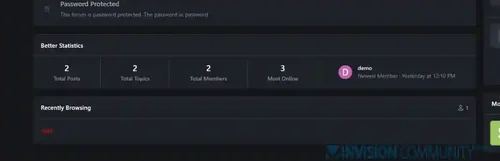
Better Statistics Pro
Free
The Better Statistics application for Invision Community 5 combines the statistics from the two widgets, "Member Statistics" and "Forum Statistics," into one. The application uses the original code from both widgets.- 2 Downloads
- 0 Comments
-
Global Market Plus-Transaction & Auction House ⭐ Multifunctional & 99% Customizable
Free
GlobalMarketPlus is a multi-functional virtual store plugin, with Global Market as its main function. It can be used to trade items of various transaction types, and trade merchandises with other players in the server anytime and anywhere through commands and GUI. It is a highly customizable plugin. Almost all functions have corresponding commands. Management system and security system, data processing system, detailed configuration file annotations and wiki, ensure the operation of the plugi- 1 Downloads
- 0 Comments
-
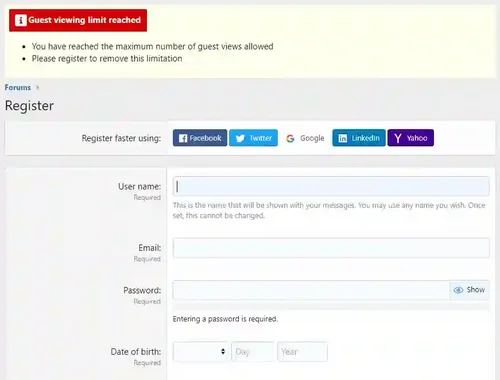
Limited Guest Viewing Pro - Boost Registrations
Free
Dramatically increase daily registrations by 200% to 300% Fully featured system to limit the number of content pages your guests can view before being forced to register. It also supports a nag system to warn users that they're on a limited number of views before having to register. Proven method of increasing forum registrations without negatively affecting SEO or annoying your visitors. You control how much a visitor can view anonymously before you force them to register! Features include:- 1 Downloads
- 0 Comments
-
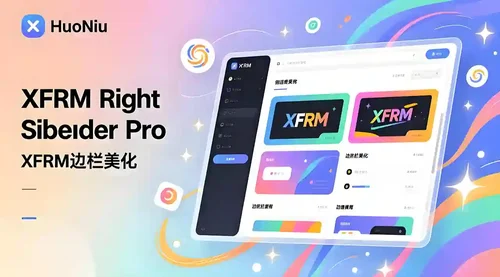
XFRM Right Sidebar Pro
Free
XFRM Right Sidebar Pro is an advanced sidebar enhancement plugin designed specifically for XenForo Explorer (XFRM). Through innovative download button integration technology and exquisite card style design, bring unprecedented user experience improvement to your resource page. Please note: This plugin is released by proxy and requires registration and purchase on the developer's website. Core Highlights 🔥 Intelligent Download Button - Automatically detects and integrates official XFRM download- 1 Downloads
- 2 Comments


-
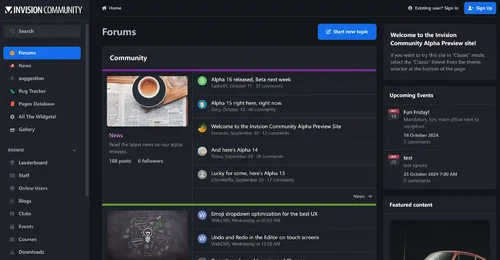
Invision Community
Free
Invision Community 5 — A Fresh New Experience! Invision Community 5 brings a modern design and powerful features to energize your community: All-New Sidebar Layout Enjoy streamlined navigation with a sidebar for quick access to apps, activity streams, search, and customizable shortcuts. Versatile Forum Views Discover the new Feed view with cover photos and featured colors, plus classic table, grid, and fluid modes for flexible content display. Compact Topic Pages & Mini Profiles Focus on c- 188 Downloads
- 3 Comments
-
Invision Community-Developer Tools
Free
These files are necessary for using developer mode in IPS Community Suite.- 41 Downloads
- 0 Comments
-
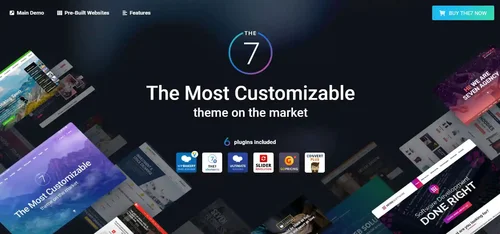
The7 - Website and eCommerce Builder for WordPress
Free
The7 features full and seamless integration with WPBakery Page Builder (formerly Visual Composer) and Ultimate Addons. Most our buyers agree that The7 is the best theme to be used with these plugins, up to date! Its 1000+ Theme Options allows to craft almost any imaginable design. And Design Wizard feature lets you create a boutique-grade website design in mere minutes. Both Wizard and advanced Theme Options can work in visual WP Theme Customizer-like and old-school backend editing modes. The7- 38 Downloads
- 0 Comments
-
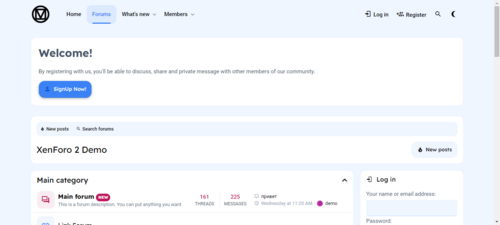
MaterialXen
Free
Material design is basically a result of Google’s set of guidelines for better designing, keeping in mind mobile users. It supports better browsing by enhancing the visual and motion experience. This theme is almost Material-based to make a better user experience. RE-ME Framework Features List You don’t just get a simple theme; you’ll get settings that will change the default framework into your own. It’s your website; make it yours! Google Web font is easily configured. Node Background Avata- 34 Downloads
- 0 Comments
-
Better Statistics Pro
Free
The Better Statistics application for Invision Community 5 combines the statistics from the two widgets, "Member Statistics" and "Forum Statistics," into one. The application uses the original code from both widgets.- 33 Downloads
- 0 Comments

-
Invision Community
Free
Invision Community 5 — A Fresh New Experience! Invision Community 5 brings a modern design and powerful features to energize your community: All-New Sidebar Layout Enjoy streamlined navigation with a sidebar for quick access to apps, activity streams, search, and customizable shortcuts. Versatile Forum Views Discover the new Feed view with cover photos and featured colors, plus classic table, grid, and fluid modes for flexible content display. Compact Topic Pages & Mini Profiles Focus on c- 189 Downloads
- 3 Comments
-
Invision Community-Developer Tools
Free
These files are necessary for using developer mode in IPS Community Suite.- 41 Downloads
- 0 Comments
-
The7 - Website and eCommerce Builder for WordPress
Free
The7 features full and seamless integration with WPBakery Page Builder (formerly Visual Composer) and Ultimate Addons. Most our buyers agree that The7 is the best theme to be used with these plugins, up to date! Its 1000+ Theme Options allows to craft almost any imaginable design. And Design Wizard feature lets you create a boutique-grade website design in mere minutes. Both Wizard and advanced Theme Options can work in visual WP Theme Customizer-like and old-school backend editing modes. The7- 38 Downloads
- 0 Comments
-
MaterialXen
Free
Material design is basically a result of Google’s set of guidelines for better designing, keeping in mind mobile users. It supports better browsing by enhancing the visual and motion experience. This theme is almost Material-based to make a better user experience. RE-ME Framework Features List You don’t just get a simple theme; you’ll get settings that will change the default framework into your own. It’s your website; make it yours! Google Web font is easily configured. Node Background Avata- 35 Downloads
- 0 Comments
-
Better Statistics Pro
Free
The Better Statistics application for Invision Community 5 combines the statistics from the two widgets, "Member Statistics" and "Forum Statistics," into one. The application uses the original code from both widgets.- 35 Downloads
- 0 Comments