







XenForo
148 files
-
DragonByte Shop is the most advanced shop mod to date. Giving you unprecedented control over what items you can sell, DragonByte Shop is the perfect mod to go along with virtually any points modification.
With features like overriding any usergroup permission, including those of custom modifications, DragonByte Shop raises the bar for what you will come to expect from a shop mod.
Uses
Most other shop modifications add support for overriding certain stock actions, like increased PM space, increased avatar size, super moderator permissions, etc...
DragonByte Shop takes this to the next level and offers you 100% control over every single usergroup permission conceivable, including those of modifications we've never even heard of!
Usergroup permissions is not all it can do, however. It can also let members buy styling for your user title like bold, italics and colors, user title changing, username changing, and more!
It also offers a simple points system that you can use if you do not wish to add a points modification to your forum.
Feature List
DragonByte Credits integration: All of your DragonByte Shop purchases will show up in DragonByte Credits, allowing you to fully utilise the power of the Credits mod to support your Shop! New event triggers are automatically created when an action is taken within the Shop mod.
Multiple currencies: You can create multiple different currencies, and optionally integrate all or some of them with DragonByte Credits. This allows you to sell items in a wide variety of different currencies, each with their own rate of earning.
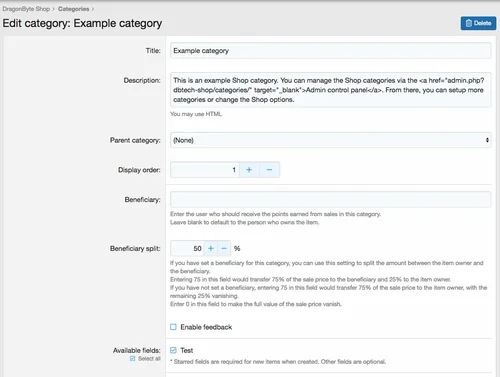
Categories: As an administrator you can create multiple categories that sells different (or the same) items. Categories can be organised in a tree structure for easy browsing. Categories can also have user group permissions, allowing you to fine-tune who can create items within each category.
Categories can also have a "Beneficiary", meaning someone other than the item owner can optionally receive all or part of the proceeds from selling each individual item. Beneficiary amounts can be split in any amount of 0-100%.
Items: A powerful item system allows you to create a wide array of different items with different configurations. Like categories, items can have their own individual user group or user permissions.
Items can have the following properties:
Giftable
Only giftable
Start conversation when gifted
Can re-gift
Unique (can only purchase one of this item)
Exclusive (can only purchase one of this item type)
Always hidden (item is not displayed in the postbit)
Stealth item (item is not displayed in a user's inventory or postbit)
Allow re-configuration
Automatically discard after configuration
Duration
Permanent
Temporary
Automatically discard after expiry
Inventory
Item price / currency
Sell-back price / currency
Sell-back time limit
Stock
Sell-back replenishes stock
Stock refill interval
Purchase notifications
Configure notifications
Reviews: Members are able to rate & review items, with optional requirements of entering review text and requiring purchase before a review can be left.
- 5.10 USD
-
This is an RSS feature disabling plugin specifically designed for XenForo forums, which can completely remove the forum's RSS subscription function.
one
✅ Automatically remove RSS icon links at the bottom of the page
✅ Clear RSS meta tags from all pages
✅ Remove RSS links from forum lists, section pages, featured content, etc
two
✅ Disable direct access to all RSS URLs
✅ Return 404 error when accessing any. rss address
✅ Including:/forums/index.RSS,/forums/section.rss,/features/index.RSS, etc
three
🛡️ Template level: Remove RSS related elements from HTML
🛡️ Controller level: Rewrite RSS method returns 404
🛡️ Event monitoring: Intercept all RSS requests
✅ Applicable scenarios
Do not want users to subscribe to forum content through RSS
Reduce server resource consumption (RSS generation)
Prevent content from being automatically captured
Simplify the page interface and remove unnecessary features
⚠️ Precautions
After installation, the RSS function will be completely unavailable
To restore RSS, you need to uninstall the plugin
Suggest notifying users of RSS feature changes before installation
🚀 User visible changes
The page is more concise - the RSS icon at the bottom disappears
Source code cleaner - no RSS meta tags
Access Protection - RSS URL Returns 404
- Free
- 0 Downloads
-
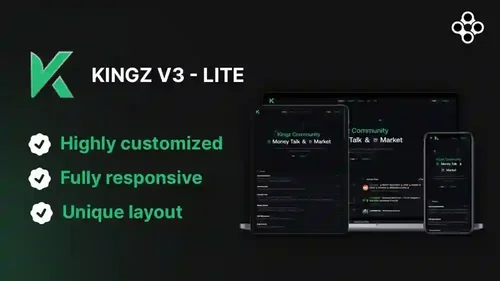
Kingz V3 Theme for XenForo 2.3 packaged into all in one installer, including required addons and premium content.
ps:
After successful purchase, please contact our website management personnel to obtain the complete set of theme plugin source code.
We will respond to the request within 24 hours at the latest.
Features
🎨 Sleek and modern design
📱 Fully responsive layout for all devices
🌓 Dark mode support
🚀 Optimized for fast loading times
🧩 Custom widgets and elements
🎯 Easy navigation and user-friendly interface
🖌️ Customizable color schemes
📊 Enhanced user profile pages
💬 Improved thread and post layouts
🔧 Easy installation and configuration
Compatibility
This version is a packaged full set of KINGZ V3 themes/plugins, with the original installation code available upon unboxing.
- 263.50 USD
-
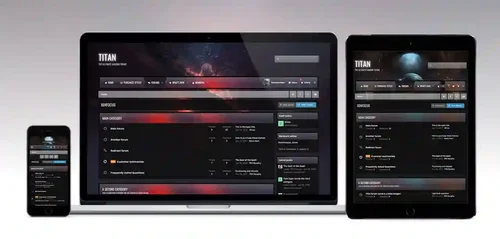
Titan for xenforo 2
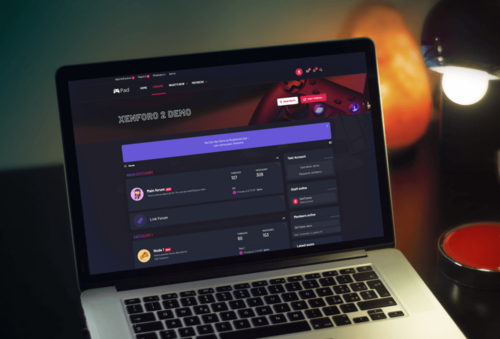
Titan is the ultimate gaming theme, based upon a large wallpaper image which is blurred behind textured navigation and category bars. Assign up to 6 background images via the theme settings to completely change the colour scheme, and let your members choose their favourite from a predefined selection!
- Free
- 1 Downloads
-
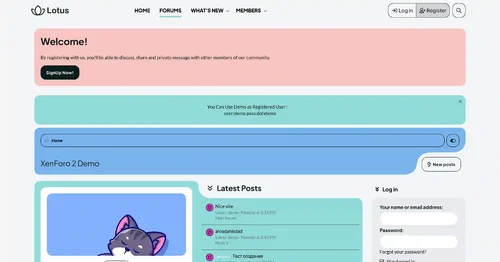
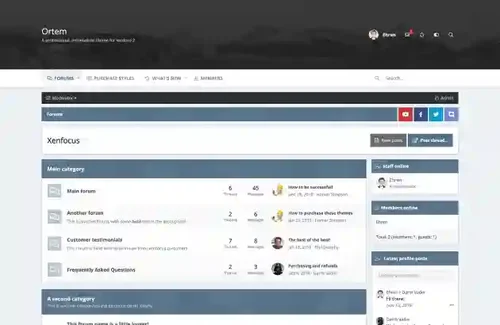
Ortem is a minimalistic design focused around a simple color picker, allowing your members to easily customize the colors of the layout by selecting from a preset array. The header area is large enough to accommodate for big logos and full width banners, and the navigation bar sticks to the top of the screen for easy access.
- Free
- 1 Downloads
-
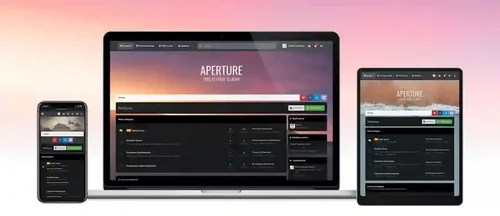
The distinctive feature of Aperture is its parallax background image which blurs once the page is scrolled. The blurred image provides a softer, less distracting background for your content and a fixed navigation bar provides easy access to all of your navigation links, user links and search bar. Perfect for a wide range of XenForo sites but especially great for gaming, sporting or movie sites!
- Free
- 1 Downloads
-
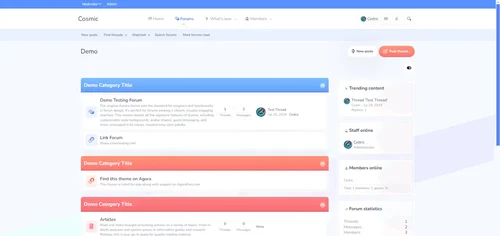
Looking to give your forum a modern, sleek appearance? Cosmic is the ultimate solution! Designed with stunning visuals and user-friendly layouts, this theme elevates your XenForo forum to a whole new level.
Features Across:
Google Web Font Integration
Customizable Node Background
Various Avatar Shapes
Engaging Guest Messages
Text Logo Option
Simplified Navigation Options
Collapsible Categories
Sticky and Simplified Node Statistics
New Post Indicators
Flexible Sidebar Customization
Unique First Post Backgrounds
Offline Status Indicators
Collapsible Elements for a Clean Look
Optional Glyphs for Enhanced Navigation
Customizable Footer with Multiple Widgets
And more...
- 5.10 USD
-
Requirements:
XenForo 2.2.0+
Description:
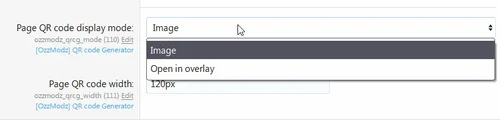
Adds QR code for current page.
- Free
- 0 Downloads
-
We don’t create the perfect themes; we create a theme that describes your community, making it the perfect one.
Just 5 minutes of playing around with the Features, you will meet your desire fully.
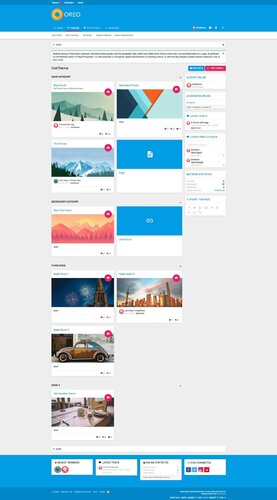
We are proud to launch our new xenForo Theme – Oreo! Oreo has a new layout with a gorgeous look. Every bite of it is beautiful & graceful. It synthesizes the classic principles of good design with the innovation and possibility of technology. This is material design.
A lot of essential features came with Oreo. We wanted to make sure every detail was perfect, so we integrated Advanced Features, Easily Customized style properties to give you the best UX.
Oreo is like other themes, updateable, and there are many more features waiting for you. Just take some time to play around with Oreo. Let’s feel the difference!
Material design is basically a result of Google’s set of guidelines for better designing, keeping in mind mobile users. It supports better browsing by enhancing the visual and motion experience. This theme is almost Material-based to make a better user experience.
And much more features
There are many more features waiting for you, take some time to play around with Oreo, and you will see many interesting things!
Full Features:
Fully Responsive Layout
Clean Retina & HD display Support
Google Material Font & Icons
Text Logo
Collapsible Categories
Collapsible Sidebar
Sticky Sidebar
First Post Unique Background
Offline status indicator
Secondary Footer easily customized
And more........
- Free
- 8 Downloads
-
Joy is a colorful & joyful Theme suitable for any community. Interestingly, you can set up your forum more joyful, dynamic, and young with a bright color tone.
Built on our powerful framework, it comes with many great features like a featured post that lets you a specific post at the top of the forum.
Joy fully supports the following features:
Fully Responsive Layout
Clean Retina & HD display Support
Custom Icon font
Guest Message
Text Logo
Collapsible Categories
Collapsible Sidebar
First Post Unique Background
Offline status indicator
Extra Footer is easily customized.
And more........
- Free
- 14 Downloads
-
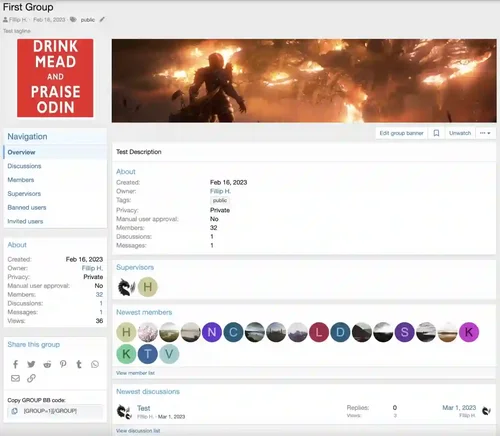
DragonByte Social Groups is a highly advanced social group management add-on for XenForo, containing advanced features such as fine-tuned permissions, a fully featured posting interface, and an invitation system.
Fully integrated with XenForo 2, DragonByte Social Groups takes advantage of all built-in XenForo 2 functionality like Reactions, Reports, Warnings and more.
Uses
DragonByte Social Groups is perfect for any forum that wants to allow members to create clubs, teams or similar special interest areas, allowing users a space where they can discuss their passion without needing the admins to manually create a forum.
Administrators control who can create social groups, how many they can create, and what permissions are accessible to the creator and the "supervisors" (moderators) of social groups.
Social group creators can upload an icon as well as a banner, set a group description as well as optionally add a list of rules any potential member will need to accept before joining.
Extended Product Information
Your social group, your way: Members can create social groups that have one of four privacy levels: Public (Anyone may view the discussion list, and the discussion content), Closed (Anyone may view the discussion list, but only members may view the discussion content), Private (Only members may view the discussion list and discussion content), and Hidden (Only members may view the social group or any of its content).
Administrator control: The ability for administrators to fine-tune who can access what part of the system is comparable to that of XenForo. All of the above social group types can be disabled via the user group permissions, either for all user groups or only for special groups. Want to make Hidden groups a premium feature that requires an active user upgrade? You can do that!
Moderator oversight: You can grant your moderators the "Edit any social group" permission, which allows them to see and change all social groups on your site, even the Hidden ones. Your staff will always be able to have the appropriate level of oversight to ensure everything is above board.
Fine-tuned permissions: Not only can you as the administrator control who can create social groups, and what privacy level they can add, but you can also control the permissions given to social group creators, and the maximum permissions they can delegate to their group supervisors. Don't want to allow hard-deleting content? Simply untick that permission from social group creators and supervisors while setting up the addon, and when it's time to go live, that permission will be closed off from them.
Customisable: Social group creators can upload icons and banners (if permitted by the user group permissions), allowing them to truly make their social group their own. Group admins can also add a description and a set of rules that must be accepted before joining. They can require all members to be manually approved by themselves or a group supervisor, or even turn off new members joining the group altogether.
Familiar user interface: Because DragonByte Social Groups uses a similar interface to XenForo's regular thread/post system, users will instantly be familiar with how to use the software. Posting to a social group will feel as natural as posting anywhere else on your site.
Import existing content: You can import your existing social groups from forum threads, [OzzModz] Social Groups, or Nobita's Social Groups add-on.
Calendar: Integration with Calendar by Naz allows social groups to have a private calendar with events.
Full XenForo 2 Integration: Features integration with the Search, Reactions, Watch system, News Feed, Inline Moderation & more!
Alerts
Approval Queue
Attachment
BB Code
Bookmarks
Edit History
Email Stop system for opting out of emails
"Find New" content handler
Inline Moderation
Moderator Log
News Feed
Permissions
Reactions
Reporting
Search engine (including ElasticSearch)
Sitemap
Tagging
Warning
Watch
Widget
- Free
- 5 Downloads
-
Carbon for xenforo 2
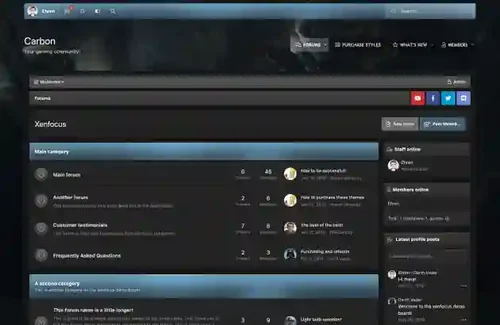
Carbon, named after the carbon texture which is used throughout the design, is a dark theme for xenforo and is especially perfect for gaming sites. Your members can customize the theme themselves by choosing their own color scheme and background image from a preset array!
If necessary, the color picker can be disabled within the theme settings and it only takes one line of code to change the entire colour scheme!
- Free
- 4 Downloads
-
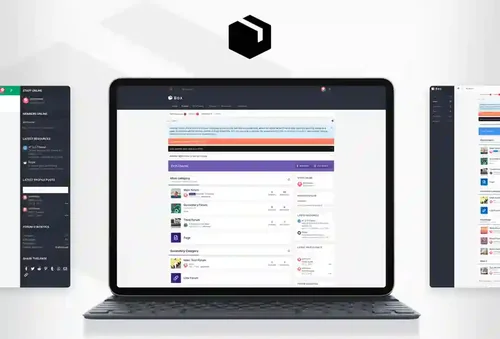
Meet Box The simplest and fastest way to build great UI for your community. Our beautifully designed theme comes with hundreds of customizable features. It comes with three layouts every layout is just a starting point—you can style it to look any way you want.
RE-ME Framework Features List
You don’t just get a simple theme; you’ll get settings that will change the default framework into your own. It’s your website; make it yours!
Google Web font is easily configured.
Node Background
Avatar Shape
Custom Scrollbar
Guest Message
Sticky Staff tools
Text Logo
Two Login Triggers Styles
Remove Sub-navigation row
Collapsible Categories
Sticky Category Strips
Simplified Node Statics
"New" Indicator Label
Sidebar Position
Sticky Sidebar
Collapsible Sidebar
Collapsible Sidebar Blocks
Separate Sticky Threads
Show avatar of who last posted
Online/Offline status indicator in the discussion list
Three Different Messages Layout
First Post Unique Background
Offline status indicator
Collapsible User Extras
Optional Glyphs (Navigation-Sidebar-Message ActionBar)
Extra Footer is easily customized with 8 different widgets.
And more......
- Free
- 11 Downloads
-
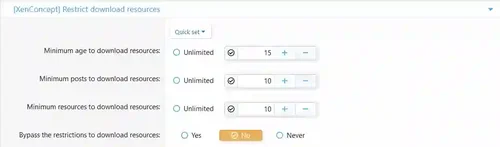
Feature Summary
Usergroup permissions
Minimum age to download resources
Minimum posts to download resources
Minimum resources to download resources
A system of ratio to download resources
Example: if you upload one resource, you can download one resource.
This add-on allows you to set a restrict to download resources!
- Free
- 0 Downloads
-
Get UI.X 2 for free by using the coupon code FANFAVTHEME during checkout.
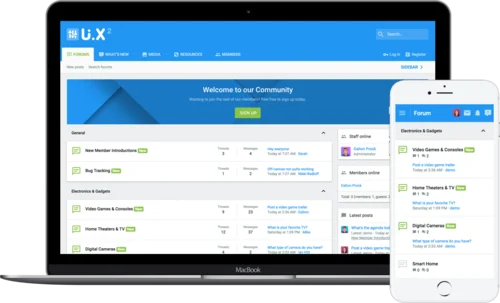
Introducing the fan favorite UI.X for XenForo 2. Based off of the tried true methodologies of its XenForo 1 predecessor, UI.X continues to push the boundaries of intelligent, performant, perfected design. Modern tools that increase user interactions, familiar user interface based on Google’s ever popular Material design, and the backing of a team well-versed in the XenForo software make UI.X a wise choice for any forum. ThemeHouse has been building products for XenForo since day one of the software’s release and we aren’t going anywhere.
Just a minute to install, a few clicks to easily change images and colors in line with your brand, and you’re off and running. And if you ever have a question, we’re here to help.
- Free
- 4 Downloads
-
[XTR] Most Followers Members
This add-on allows you to add most followers tab on notable members page of your community and Most followers widget with follower counts.
- Free
- 2 Downloads
-
Description:
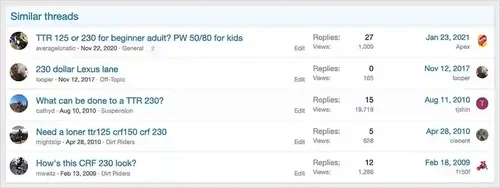
Shows a list of similar threads when posting or viewing a thread.
The Similar threads add-on will do the following:
Show a list of similar threads when a user is creating a new thread.
Show a list of similar threads when a user is viewing a thread.
(Example of Similar threads shown in thread view)
- Free
- 1 Downloads
-
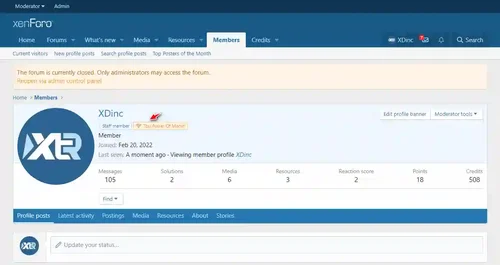
This add-on displays a selectable number of users with the most posts of the month (month and year are selectable) on a separate page.
Encouraging activity of meaningful and worthwhile content is always priority number one for any community owner/staff.
Just thinking about ways to engage with members and the top poster of the month is a good way to get members to get active and each month the top poster who has the most content that month gets to a user banner.
- Free
- 1 Downloads
-
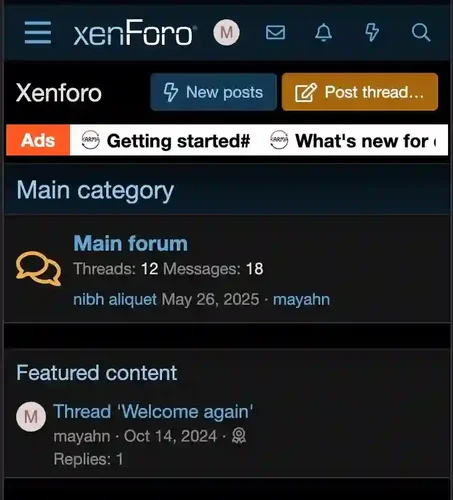
Dynamic Slide Bar is a lightweight XenForo addon that adds an elegant, customizable sliding banner to your forum. Display important announcements, advertisements, or promotional links in a responsive, eye-catching horizontal slider that works seamlessly on both desktop and mobile devices.
Features:
Easy management through dedicated admin interface
Fully responsive design adapts to all screen sizes
Customizable colors, borders, and text styles- Auto-scrolling with smooth transitions
Support for both text and image links- Global enable/disable option
- Free
- 1 Downloads
-
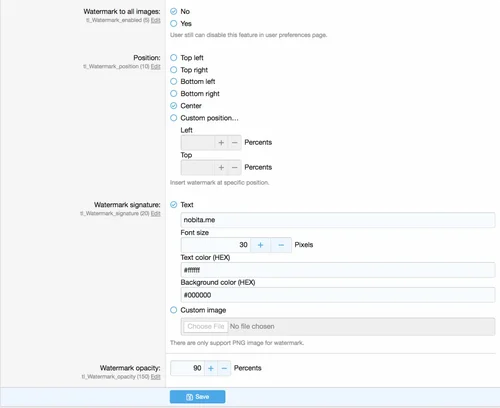
Description: Add a watermark to uploading images
This add-on will add a watermark to any uploading images. All existing images are not effected.
Options:
Enabled/disabled to add watermark to any images
Customize watermark position
Customize watermark
Text
Image
Control watermark opacity
User options:
Ability to disable add watermark to their uploading images
Permissions:
N/A
- Free
- 8 Downloads



Top Downloads
No files have been downloaded yet this week.
-
HuoNiu XFRM Grid Layout Style
Free
Core Features Modern Grid Layout – Transforms traditional lists into visually appealing grid card displays. HD Cover Display – Displays high-resolution images from resource detail pages, ensuring clear and sharp quality. Flexible Column Configuration – Supports 1-6 columns with free customization (desktop/tablet/mobile configurations independent). Responsive Design – Automatically adjusts to different screen sizes, ensuring perfect display. Hover Animation Effects – Smooth floating + enhance- 3 Downloads
- 0 Comments
-
Better Statistics Pro
Free
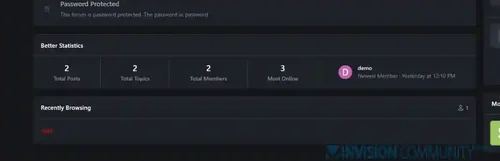
The Better Statistics application for Invision Community 5 combines the statistics from the two widgets, "Member Statistics" and "Forum Statistics," into one. The application uses the original code from both widgets.- 2 Downloads
- 0 Comments
-
Global Market Plus-Transaction & Auction House ⭐ Multifunctional & 99% Customizable
Free
GlobalMarketPlus is a multi-functional virtual store plugin, with Global Market as its main function. It can be used to trade items of various transaction types, and trade merchandises with other players in the server anytime and anywhere through commands and GUI. It is a highly customizable plugin. Almost all functions have corresponding commands. Management system and security system, data processing system, detailed configuration file annotations and wiki, ensure the operation of the plugi- 1 Downloads
- 0 Comments
-
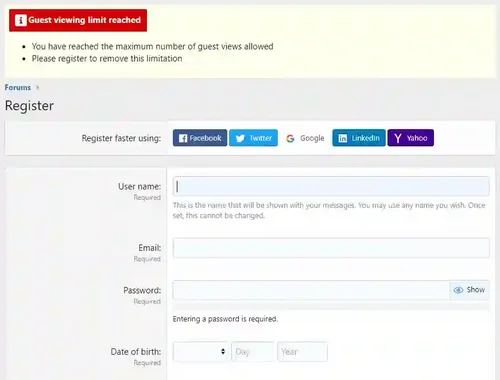
Limited Guest Viewing Pro - Boost Registrations
Free
Dramatically increase daily registrations by 200% to 300% Fully featured system to limit the number of content pages your guests can view before being forced to register. It also supports a nag system to warn users that they're on a limited number of views before having to register. Proven method of increasing forum registrations without negatively affecting SEO or annoying your visitors. You control how much a visitor can view anonymously before you force them to register! Features include:- 1 Downloads
- 0 Comments
-
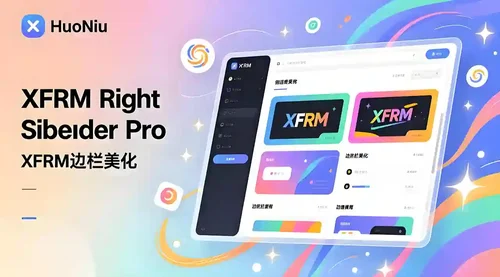
XFRM Right Sidebar Pro
Free
XFRM Right Sidebar Pro is an advanced sidebar enhancement plugin designed specifically for XenForo Explorer (XFRM). Through innovative download button integration technology and exquisite card style design, bring unprecedented user experience improvement to your resource page. Please note: This plugin is released by proxy and requires registration and purchase on the developer's website. Core Highlights 🔥 Intelligent Download Button - Automatically detects and integrates official XFRM download- 1 Downloads
- 2 Comments



-
Invision Community
Free
Invision Community 5 — A Fresh New Experience! Invision Community 5 brings a modern design and powerful features to energize your community: All-New Sidebar Layout Enjoy streamlined navigation with a sidebar for quick access to apps, activity streams, search, and customizable shortcuts. Versatile Forum Views Discover the new Feed view with cover photos and featured colors, plus classic table, grid, and fluid modes for flexible content display. Compact Topic Pages & Mini Profiles Focus on c- 188 Downloads
- 3 Comments
-
Invision Community-Developer Tools
Free
These files are necessary for using developer mode in IPS Community Suite.- 41 Downloads
- 0 Comments
-
The7 - Website and eCommerce Builder for WordPress
Free
The7 features full and seamless integration with WPBakery Page Builder (formerly Visual Composer) and Ultimate Addons. Most our buyers agree that The7 is the best theme to be used with these plugins, up to date! Its 1000+ Theme Options allows to craft almost any imaginable design. And Design Wizard feature lets you create a boutique-grade website design in mere minutes. Both Wizard and advanced Theme Options can work in visual WP Theme Customizer-like and old-school backend editing modes. The7- 38 Downloads
- 0 Comments
-
MaterialXen
Free
Material design is basically a result of Google’s set of guidelines for better designing, keeping in mind mobile users. It supports better browsing by enhancing the visual and motion experience. This theme is almost Material-based to make a better user experience. RE-ME Framework Features List You don’t just get a simple theme; you’ll get settings that will change the default framework into your own. It’s your website; make it yours! Google Web font is easily configured. Node Background Avata- 34 Downloads
- 0 Comments
-
Better Statistics Pro
Free
The Better Statistics application for Invision Community 5 combines the statistics from the two widgets, "Member Statistics" and "Forum Statistics," into one. The application uses the original code from both widgets.- 33 Downloads
- 0 Comments

-
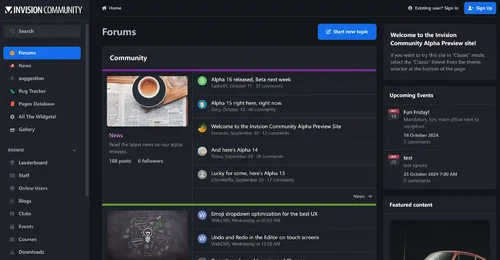
Invision Community
Free
Invision Community 5 — A Fresh New Experience! Invision Community 5 brings a modern design and powerful features to energize your community: All-New Sidebar Layout Enjoy streamlined navigation with a sidebar for quick access to apps, activity streams, search, and customizable shortcuts. Versatile Forum Views Discover the new Feed view with cover photos and featured colors, plus classic table, grid, and fluid modes for flexible content display. Compact Topic Pages & Mini Profiles Focus on c- 189 Downloads
- 3 Comments
-
Invision Community-Developer Tools
Free
These files are necessary for using developer mode in IPS Community Suite.- 41 Downloads
- 0 Comments
-
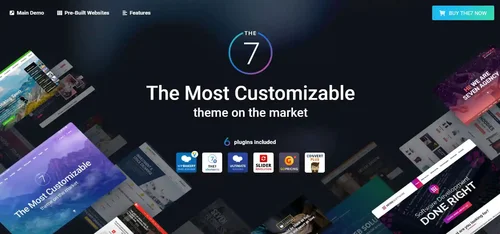
The7 - Website and eCommerce Builder for WordPress
Free
The7 features full and seamless integration with WPBakery Page Builder (formerly Visual Composer) and Ultimate Addons. Most our buyers agree that The7 is the best theme to be used with these plugins, up to date! Its 1000+ Theme Options allows to craft almost any imaginable design. And Design Wizard feature lets you create a boutique-grade website design in mere minutes. Both Wizard and advanced Theme Options can work in visual WP Theme Customizer-like and old-school backend editing modes. The7- 38 Downloads
- 0 Comments
-
MaterialXen
Free
Material design is basically a result of Google’s set of guidelines for better designing, keeping in mind mobile users. It supports better browsing by enhancing the visual and motion experience. This theme is almost Material-based to make a better user experience. RE-ME Framework Features List You don’t just get a simple theme; you’ll get settings that will change the default framework into your own. It’s your website; make it yours! Google Web font is easily configured. Node Background Avata- 35 Downloads
- 0 Comments
-
Better Statistics Pro
Free
The Better Statistics application for Invision Community 5 combines the statistics from the two widgets, "Member Statistics" and "Forum Statistics," into one. The application uses the original code from both widgets.- 35 Downloads
- 0 Comments