




Flash Sale



- Open Club
- 7 members
- 15.00 USD
Minecraft plugins
82 files
-
Katsucht plugin description:
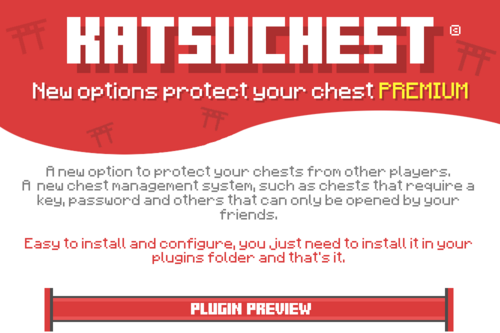
A new option to protect the box from attacks by other players.
The new chest management system requires keys, passwords, and other boxes that can only be opened by friends.
When installing and configuring applications, they must be installed in the event folder and all applications.
- Free
- 0 Downloads
-
Introducing ItemSkins - the ultimate plugin that brings life to your server with unique and customizable cosmetics! Our plugin is EULA-friendly, which means you won't have to worry about any legal issues.
ItemSkins is a revolutionary plugin that uses custom model data to provide a seamless and user-friendly experience for your players. Our plugin works by replacing item very cautiously to ensure data stored on the item is preserved and doesn't get removed. This means that players can enjoy a wide variety of skins without having to worry about losing any information such as nbt tags.
Our plugin is designed with ease of use in mind, making it simple for server owners to add and manage skins for their items. This feature also ensures that players can quickly and easily change the skins of their items, providing a customizable and unique gameplay experience.
This plugin need packetevents to be installed on your server to function properly.
/itemskins - shows help messages
/itemskins reload - reload the configuration (itemskins.admin)
/itemskins physical (player) (material) (skin) [amount] - gives physical skin to specific player (itemskins.admin)
/itemskins remover (player) [amount] - give skin remover to specific player (itemskins.admin)
/skins - open the skin selector inventory
ItemSkinsprovides permissions so as a server owner you can tailor the gameplay experience for different players. The available permissions are:
itemskins.admin - Access to various admin commands.
If you needsupportor reportissuesandsuggestionsrelated to ItemSkins plugin, please join ourDiscord Server. If you've purchased this plugin and have a discord account linked you will automatically get verified. Our support team will assist you as quickly as possible, due to the different timezone please kindly wait to get a response.
- Free
- 1 Downloads
-
Supported Minecraft Versions: 1.20.6, 1.21.4
Supported Server Types: Spigot & Paper
Java Requirement: Java 21+
Test Server
If you would like to test the plugin yourself you can join:
test-server.file14.net
Installation
Please read the wiki when setting up the resource. It contains all the information you'll need to know.
Terms Of Use
By purchasing this plugin or downloading new versions, you accept the terms of use.
Support
About to post a review? Please do NOT post any issues as a review! If you have any problems, questions or suggestions, just private message me or use the discussion page. You can also contact me through Discord.
- Free
- 0 Downloads
-
zKOTH which means "King of the Hill". will allow you to add an event to your server where the objective will be the capture of a zone that you have defined. The other players will have to try to dislodge the capturing player to be able to capture the zone in their turn. At the end of the countdown time, the winner will win different prizes that you have defined.
Optimized code designed for use on large servers.
3 modes: classic, point and timer
In-game configuration.
Every message are configurable
Custom built in scoreboard
A long list of placeholders (https://groupez.dev/resources/zkoth.9/wiki)
Allows you to scheduler KOTH with two mode: delay or repeat
Unlimited koths - Create as many koths as you want.
Unlimited activation - Launch as many koths at the same time as you want.
Several loot systems (drop of items on the ground, appearance of a chest, execution of a command, adding items to the inventory)
Full API (https://javadocs.groupez.dev/zkoth/v2)
Progressbar with placeholder
Scheduler: https://www.spigotmc.org/resources/zschedulers.112705/
Hex color
Changing blocks
Add beacon on start
Placeholders: https://zkoth.groupez.dev/placeholders
Commands: https://zkoth.groupez.dev/commands
Need to add a new plugin ? Come and ask me on discord: https://discord.groupez.dev/
Teams Hooks:
FactionsX
SuperiorSkyblock2
Guilds
LegacyFactions
Massivecraft Factions
SavageFactions
Saberfactions
FactionUUID
UltimateFaction
BetterTeams
Scoreboard Hooks:
FeatherBoard
TabPremium
TitleManager
- Free
- 0 Downloads
-
Economy: For CMI economy to properly work you will need one of two solutions:
1. Is to use recompiled Vault version from HERE which has direct support for CMI economy and will have the best compatibility with other plugins.
2. Use economy injector from HERE which will add CMI economy support to any Vault build.
Both methods are valid but second one can have small issues with plugins which would tend to load straight after Vault loads and before injector himself.
P.S. Don't forget to enable Economy in a config file.
This plugin is made to be all in one plugin for server management and replace multiple outdated plugins. It can fully replace Essentials/EssentialsX and contains simple conversion commands to transfer old player data to new system. It offers more features than you expect and provides most needed tools for creating your own unique server with new game mechanics.
Features ranging from basic ones, like heal, to most advanced ones, like kit editors ingame, item finder across all possible containers, portal systems, self updating signs on so on.
Why its 15 Euro? Because its worth 150, but that would be too much to ask Just check review section if you have any doubt about this plugin.
- Free
- 0 Downloads
-
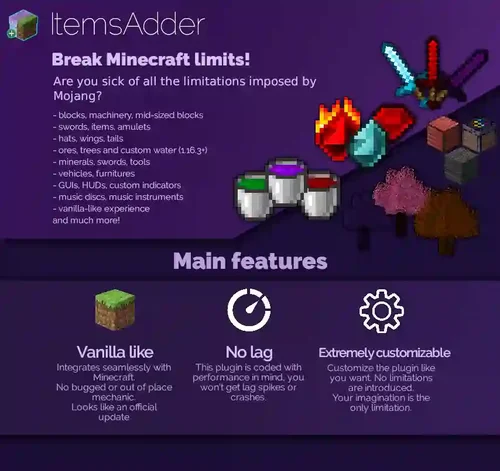
Vanilla like
Integrates seamlessly with Minecraft.
No bugged or out of place mechanic.
Looks like an official update
No lag
This plugin is coded with performance in mind, you won't get lag spikes or crashes.
Extremely customizable
Customize the plugin like you want. No limitations are introduced.
Your imagination is the only limitation.
Make your server unique
Blocks, tools, swords, fishes, food, minerals, wings, vehicles, emojis, trees, ores, mobs, vanilla armors (1.17+), custom HUDs and much more!
Break the Minecraft limits!
✅ v4 is compatible with Spigot 1.20.6, 1.21, 1.21.1, 1.21.3, 1.21.4 and Java 21
✅ v3 is compatible with Spigot 1.15.2 to 1.20.4 and Java 8 to 17
✅ 10.000+ downloads and 8.000+ servers
✅ One of the best rated premium plugins ⭐⭐⭐⭐⭐
✅ Resource Pack unzip protection. Avoid thieves stealing your textures.
✅ 540+ Custom EMOJIS! Emojis are available in chat, sign, book, holograms, mob name, anvil...
✅ Realistic lag-free vehicles! (cars, planes..)
✅ Mobs / entities
✅ Emotes
✅ Armors textures (1.17+)
✅ HUDs and custom GUIs
✅ Custom behaviors for your custom items
✅ Real custom blocks (no entities, no lag) with WorldEdit support (beta)
✅ Custom ores, surface/cave decorations and trees generators
✅ Liquids (Minecraft 1.16.2+)
✅ Colored Fire
✅ Add triggers, commands, events to your custom items, blocks, vehicles, hats, blocks, machinery...
✅ Custom sounds (.ogg files)
✅ Durability bar perfectly working like in normal Minecraft items
✅ Stackable items without glitches or lag when stacking.
✅ Fully configurable and customizable.
✅ Smelting recipes, crafting recipes with custom items support.
✅ Custom tools that can lose durability when used in crafting table and play sounds! (example: Knife used to peel potatoes)
✅ Realistic campfire behaviour
✅ Custom loading logo (works only on Optifine and MCPatcher)
✅ You can translate the plugin editing language file
✅ Java API to get custom textures and use them in your plugin! Make custom menus, custom tools, tickets, hats, everything you want to code.
✅ Skript API for developers and more!
- Free
- 2 Downloads
-
AdvancedAntiVPN is a Spigot + Forks, BungeeCord + Forks & Velocity + Forks plugin designed to be a bridge connecting Minecraft to Anti-VPN/Anti-Proxy/Anti-Tor services, for professional servers, giving you complete full control and transparency with unlimited scalability. Using as many or as few services as you want, you can detect players who are attempting to use them to bypass bans/mutes or bot attacks on your server.
One of if not the only plugin that work on multiple platforms using multiple services for detections that you can pick and choose from as you wish to ensure real players are never blocked.
Utilize a single or multiple services, block players, and notify staff members in-game or even on Discord. Do none of these or all of these, it's entirely up to you!
Don't be vulnerable, secure your server and block bad actors bypassing your punishment systems or attempting to bot your server before it happens! Install it once and let it do its magic passively in the background with almost no resource impact!
FEATURES
Config settings for almost everything including flagged threshold, cache times, actions, services and more! Check out the configuration below.
Universal Plugin, works on Spigot, BungeeCord and Velocity implementations, This includes any forks of Spigot, BungeeCord or Velocity.
Flagged Thresholds, change how many services should detect a player using a VPN/Proxy/Tor to be flagged and then enabled actions executed. For example, you could use 2 services and only one of them has to detect the player to flag them, or use 3 services and have to have all 3 detect a player to flag them.
IP Services, utilize services to detect Proxies/VPNs/Tors, use a single or all of them. We currently support:
IP-API: Unlimited queries. Supports unlimited players.
ProxyCheck: 1,000 Free daily queries. Supports 1,500+ daily unique players with default settings.
IPHub: 1,000 Free daily queries. Supports 1,500+ daily unique players with default settings.
GetIPIntel: 500 Free daily queries. Supports 750+ daily unique players with default settings.
VPNAPI: 1,000 Free daily queries. Supports 1,500+ daily unique players with default settings.
IPHunter: 1,000 Free daily queries. Supports 1,500+ daily unique players with default settings.
IPQualityScore: 5,000 Free monthly queries. Supports 200+ daily unique players with default settings.
More coming soon!
Flagged Actions, execute several different actions when a player is flagged, depending on what you want to do, you can use a single action or all of them. We currently have:
Block: Stop the player from joining the server/network.
Notify: Notify staff by sending a message in-game and across the network.
Discord Webhook: Post a rich embed message into any Discord channel! Log information and/or tag staff members to alert them.
Commands: Execute a list of commands with or without a delay.
More coming soon!
Geoblocking. Only allow or block players from certain countries.
Aegis Mode. Turn on Aegis mode to block all incoming connections to prevent API request waste and nullify raid attacks. You could also only let active players join by giving them a permission such as adding it to a certain group that needs to play for a while to gain.
Concurrent Connection Limits. Limit how many players can join using the same IP address.
No Bypasses. Due to the plugin giving server owners complete control, every server is different in its detection methods and thus no "bypass" for this plugin can be made.
Blacklist/Whitelist. Add IPs or UUIDs into the whitelist or blacklist to bypass checks or permanently block.
Parallel Checking, takes less than a quarter of a second on average to check a player joining, it works so fast that your players won't notice a difference!
Cache System. Uses the minimum required connections and caches information for a configurable amount of time to reduce eating up your service queries and to keep system impact as low as possible.
SQLite & MySQL support, fast database implementation, and sync your cache information across multiple servers if you wish.
Regular plugin updates with bug fixes.
Highly efficient with performance in mind since the start and highly optimized, if you see any timings/heap reports with AdvancedAntiVPN being an issue, send me the information and I will do my best.
Completely Async. All web and events are fired async so AdvancedAntiVPN will never lock the main thread when connecting to the services or executing actions.
Supports all Popular Versions. This means you can check players on 1.20, 1.12 or even 1.8!
Hex colors in supported Minecraft versions.
and many more...
Config.yml
COMMANDS & PERMISSIONS
Commands:
/AdvancedAntiVPN Shows the command help menu.
/AdvancedAntiVPN Reload Will reload the plugin and everything within it including config, services, actions etc.
/AdvancedAntiVPN Help Will show you information about the plugin commands and how to use them.
/AdvancedAntiVPN Stats Will show you information about the IP(s) in your database and how many are flagged, within cache time etc.
/AdvancedAntiVPN Blacklist Add/Remove (IP/UUID) Add an IP or UUID to the blacklist to always block it without using any services to check it.
/AdvancedAntiVPN Whitelist Add/Remove (IP/UUID) Add an IP or UUID to the whitelist to allow them to bypass any checks.
/AdvancedAntiVPN Purge Delete the database cache data.
/AdvancedAntiVPN Test (IP) Test an IP against your service setup.
/AdvancedAntiVPN Aegis (Enable/Disable) Toggle Aegis mode.
Permissions:
advancedantivpn.command.reload Permission for reload arg.
advancedantivpn.command.help Permission for the help arg.
advancedantivpn.command.stats Permission for the stats arg.
advancedantivpn.command.whitelist Permission for the whitelist arg.
advancedantivpn.command.blacklist Permission for the blacklist arg.
advancedantivpn.command.purge Permission for the purge arg.
advancedantivpn.command.test Permission for the test arg.
advancedantivpn.command.aegis Permission for the aegis arg.
advancedantivpn.bypass Permission to bypass all checks on join.
advancedantivpn.aegis.bypass Permission to bypass Aegis mode.
advancedantivpn.notify Permission for players to see the "Notify" action if needed.
advancedantivpn.* Permission for all the above.
- Free
- 0 Downloads
-
How to use?
For Commands, Configs, Install Steps, please view wiki here: https://flipcard.superiormc.cn/.
Credits
EasyPlugin: https://github.com/CarmJos/EasyPlugin
EasySQL: https://github.com/CarmJos/EasySQL
Terms
You are not allowed to leak/resell/share this plugin to other person.
You are not allowed to modify this plugin without our permission.
One purchase for one server.
No refunds.
Report bugs in our Discord.
- Free
- 0 Downloads
-
NoVPN is a plugin that blocks players using VPNs or proxies. Based on a high-performance API.
FEATURES
Private API detection
Blacklist/Whitelist
Async plugin
Unlimited request
Bad account detection (McLeaks/TheAltening/EasyMC)
Antibot protection
Firewall system
Console filter
Discord webhook
Packet events
MySQL support
COMMANDS & PERMISSIONS
Commands:
/nvp help | Shows available commands
/nvp lookup <ip/player> | Shows information about a player or an IP
/nvp blacklist | Shows available blacklist commands
/nvp blacklist enable/disable | Enables or disables the blacklist
/nvp blacklist <add/remove> <player/ip/country> | Adds or removes a player, IP, or country to/from the blacklist
/nvp blacklist list | Shows elements in the blacklist
/nvp whitelist | Shows available whitelist commands
/nvp whitelist enable/disable | Enables or disables the whitelist
/nvp whitelist <add/remove> <player/ip/country> | Adds or removes a player, IP, or country to/from the whitelist
/nvp whitelist list | Shows elements in the whitelist
/nvp antibot | Shows available antibot commands
/nvp antibot enable/disable | Enables or disables antibot protection
/nvp antibot satus | Shows antibot status
/nvp antibot protection_mode start/stop | Starts or stops antibot under attack mode
Permissions:
novpn.* | Allow everything in the plugin
novpn.help | Access to help command
novpn.antibot | Access to /nvp antibot command
novpn.antibot.disable | Access to /nvp antibot disable command
novpn.antibot.enable | Access to /nvp antibot enable command
novpn.antibot.start | Access to start protection mode
novpn.antibot.stop | Access to stop protection mode
novpn.antibot.status | Access to antibot status command
novpn.blacklist.add | Access to /nvp blacklist add command
novpn.blacklist | Access to /nvp blacklist command
novpn.blacklist.disable | Access to /nvp blacklist disable command
novpn.blacklist.enable | Access to /nvp blacklist enable command
novpn.blacklist.list | Access to /nvp blacklist list command
novpn.blacklist.remove | Access to /nvp blacklist remove command
novpn.lookup | Access to /nvp lookup command
novpn.whitelist | Access to /nvp whitelist command
novpn.whitelist.add | Access to /nvp whitelist add command
novpn.whitelist.remove | Access to /nvp whitelist remove command
novpn.whitelist.list | Access to /nvp whitelist list command
novpn.whitelist.enable | Access to /nvp whitelist enable command
novpn.whitelist.disable | Access to /nvp whitelist disable command
novpn.notify | Receive notifications
- Free
- 1 Downloads
-
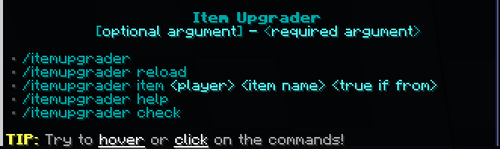
Item Upgrader
Item Upgrader is a Minecraft plugin that allows players to upgrade their items to other items.
Features
Minecraft Version Support: Compatible with Minecraft 1.8 - 1.21.4.
Supports Custom Textured Items: Compatible with Oraxen and ItemsAdder for custom item textures.
Supports EcoItems: Compatible with items from the EcoItems plugin.
Economy Integration: Supports popular economy plugins via the Vault API.
Highly Customizable: Includes fully customizable messages and settings.
Chained Upgrades: Item upgrades are dependent on other upgrades.
Required Items: Option to set a list of items required before upgrading.
Upgrade Chances: Option to set different success rates for various item upgrades.
Customizable Permissions: Set specific permissions required to open the Upgrade Menu.
Confirmation Menu: Customizable menu for confirming item upgrades.
World-Specific Access: The Upgrade Menu can only be opened in specific worlds.
Upgrade Restrictions: Option to specify which items can and cannot be upgraded.
Sound Effects: Option to play sounds for various actions, such as insufficient balance,, item breaking and more
Upgrade Pricing: Option to set prices for different item upgrades (works with economy plugins).
Customizable Upgrades: Option to set the upgraded item's name, lore, and enchantments.
Enchantments Reset: Option to remove previous item's enchantments in the upgraded item.
Item Flags and Durability: Option to set item flags for upgraded items and make them unbreakable.
Disallowed Enchantments: Option to specify enchantments that prevent an item from being upgraded. If the item contains any of these enchantments, the upgrade will be blocked.
Enchantment Merging: Previous item's enchantments can be merged with the upgraded item, applying the higher level if the same enchantments are present.
Custom Enchantment Support: Compatible with custom enchantments from other plugins, such as EcoEnchants.
Smithing Template Support: Compatible with Smithing Templates (requires Minecraft 1.20 and higher).
Hex Color Code Support: Compatible with hex color codes (requires Minecraft 1.16 and higher).
PlaceholderAPI Support: Integration with PlaceholderAPI.
- Free
- 0 Downloads
-
This plugin allows you to create custom craftings in a very unique way. Using the /ecraft command (or a configurable crafting place) you can craft epic items with custom names, lore, enchantments, but only if you have the required items or required conditions (All of this is configurable). You can create all the craftings you want and its a maximum of 15 required items per crafting.
Each of the craftings have many other configurable options, like cooldown time, permissions, actions to execute when crafted, category, one time craft, among others...
Example: You can craft an item named: Epic Sword, But you need: x15 Diamonds, x15 Gold Ingots and whatever items you want.
Utilities:
- ✓ Create and save craftings automatically using /ecraft create <name>
- ✓ Crafting inventories (Main, all categories, category menu, crafting menu, bypass cooldown menu)
- ✓ Completely configurable inventory
- ✓ Categories system
- ✓ Permissions for categories
- ✓ Automatic Page system
- ✓ Crafting places/Categorized crafting places
- ✓ Edit craftings from the game
- ✓ Previous and next craftings system
- ✓ PlaceholderAPI variables
- ✓ Block ecraft command (to only use crafting places)
- ✓ Hide craftings with permissions
- ✓ Hide one time craftings
- ✓ Hide craftings with no requirements
- ✓ Attach block to open crafting menu and categories
- ✓ Cooldown notifications
- ✓ One cooldown at the time option
- ✓ Log file
- ✓ Command to give craftings directly to a player
- ✓ Command to verify for errors
- ✓ Bypass cooldowns permission
- ✓ Reduce cooldowns time permission
- ✓ API
- ✓ HEX color support
Crafting Properties:
- ✓ Custom item
- ✓ Category
- ✓ Up to 15 required items
- ✓ Prevent required item being removed from inventory
- ✓ Cooldown
- ✓ Cooldown bypass cost
- ✓ Permission
- ✓ One time craft
- ✓ Craft with money
- ✓ Hide required items flags
- ✓ Ignore required items properties (name, lore, enchants)
- ✓ Success rate
- ✓ Actions when crafted (player command, console command, title, playsound, firework, message, close inventory)
- ✓ Give no item (craft commands/actions instead)
- ✓ Extra requirements (using PlaceholderAPI variables)
- ✓ Random craftings
Crafting Items Properties:
- ✓ Id, durability/datavalue
- ✓ Name
- ✓ Display name (for inventory and chat messages)
- ✓ Lore
- ✓ Amount
- ✓ Custom model data
- ✓ Enchantments
- ✓ Item flags
- ✓ Attributes
- ✓ Leather armor color
- ✓ Enchanted books
- ✓ Skull Data (texture, id, owner)
- ✓ Potion Data
- ✓ Banner Data
- ✓ Firework Data
- ✓ Book Data
- ✓ Armor Trim Data
- ✓ NBT
Compatibility:
- ✓ Vault + Economy plugin (To bypass cooldowns using money)
- ✓ PlaceholderAPI (To add extra requirements to craft)
- ✓ Holographic Displays (To create holograms above crafting places)
- ✓ Decent Holograms (To create holograms above crafting places)
- ✓ CMI (To create holograms above crafting places)
- ✓ Works in 1.8+
- Free
- 0 Downloads
-
20+ Default Jobs & 100+ Customizable Actions
Unlock the potential to use over 100 unique actions into customized jobs, from a lumberjack chopping logs to a farmer farming crops or a tamer engaging with animals. With more than 20 predefined jobs as your foundation, the possibilities are limitless.
Keep players engaged with customizable progress alerts. Set notifications at milestones of your choice (e.g., 10%, 25%, 50%, 75%) to celebrate achievements and motivate continuous play.
Job Slots! Limit how many jobs players can have at once with permissions.
Click here to view all the available actions:
https://wiki.advancedplugins.net/actions/introduction
Level Up Jobs
Keep players engaged with infinite leveling possibilities.
Configure every job level to fit your server's theme, using simple settings or advanced mathematical calculations.
Smart Rewards System
Automate rewards with our smart and unique system. Set it up once and let our plugin handle the complexity, ensuring players are motivated at every level.
Free & Premium Jobs: Enhance Player Experience
Inclusive Gameplay: Offer free jobs to all members, ensuring everyone enjoys the depth of your server's economy.
Monetize your server: Elevate the experience with premium jobs. Whether for sale in your store or as a perk for donors, these exclusive roles add a new level of engagement.
Bonus Rewards: Reward premium job pass holders with special bonuses, even when completing standard jobs, adding an extra incentive for players to upgrade.
Leaderboard
Display a leaderboard in-game of top achieved players from jobs
Very addictive and engaging
Intuitive In-Game GUI Jobs Editor
Fully Customizable: Edit everything from job names and points to progress and actions. Tailor each job to fit your server perfectly.
User-Friendly Design: Our editor is built for simplicity, making it easy and quick to create new jobs. No complex instructions, just straightforward editing.
It's never been easier for you to create, edit, and enjoy jobs!
Extremely Configurable
Configure all jobs, all messages
All menus and rewards are also configurable
MySQL Databases Supported
Extensive Wiki and huge community
Visit our AdvancedJobs Wiki to learn more about this plugin, find out how to create your own jobs and more.
Join our 8,000+ members Discord Server if you need assistance.
Integrates into plugins [Over 40 popular plugins supported]
All plugins listed below are supported for jobs:
AdvancedEnchantments
McMMO
ASkyblock
AuctionHouse
AutoSell
BedWars1058
KOTH
BuildBattle
ChatReaction
ChestShop
Citizens
Clans
ClueScrolls
CrateReloaded
CratesPlus
CrazyCrates
DiscordMinecraft
ExcellentCrates
Jobs
Lands
LobbyPresents
KoTH
MoneyHunters
MythicMobs
PlotSquared
ProCosmetics
ShopGuiPlus
CrazyEnvoy
Shopkeepers
SkillAPI
StrikePractice
SuperiorSkyblock2
TheLab
TokenEnchant
UltraSkyWars
uSkyBlock
Votifier
MMOCore
MMOItems
MBedwars
- Free
- 0 Downloads
-
"Deluxe Announce" is a plugin for the popular Minecraft server software, SpigotMC, created by STN Studios. The plugin allows server administrators to easily create and manage custom announcements on their servers. These announcements can include text, images (Skin in chat), and can be scheduled to play at specific intervals or triggered by events such as player joins or server restarts. Additionally, server administrators can also customize the appearance of the announcements, such as text color and more. This plugin is useful to keep your players informed about important events, news, rules, and more in an easy way and in a custom manner.
- Free
- 0 Downloads
-
In built plot downloading + cross server saving and loading.
Plot swapping / copying and cross world plot moving.
Plot merging, your own plots or between friends
Extensive flag system so you can decide what should be protected on a per world, or per plot basis
Plot entry notifications / per plot time / weather / music etc with the flag system
Add custom roads to existing maps to make them look nicer
Configure additional messages however you want
Dynamic world border to prevent excessive exploring
Mob protection and per plot mob limiting
Interactive commands such as plot listing
Plot rating, ranking, complexity analysis, and auto clearing calibration
Use javascript to add new commands or script simple things like auto merging all plots
Plot schematic saving, loading and pasting
Per player settings such as plot chat and entry notifications
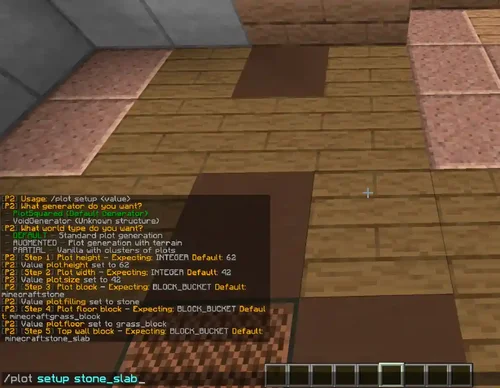
World creation either with multiverse, /plot setup, or manual yml configuration
Plot commenting and inboxes
World auto trimming which reduces the CPU and disk usage when people explore
Pistons and Sand/TNT cannons are properly restricted
Per plot redstone settings + plot redstone disablers
Restrict the use of WorldEdit to plots only.
Chunk processing to safely unload dangerous chunks (also processes WorldEdit commands)
Component setting (floor, wall, border, etc.)
Section off areas (e.g. an area for donors) with plot clusters, or add plot clusters to vanilla worlds
Plot naming (for teleportation)
Configurable command confirmation (e.g. for /plot clear)
A lot of generators, and settings to choose from
- Free
- 0 Downloads
-
By purchasing this plugin, you affirm that you have thoroughly read and comprehended the complete description of the plugin.
You are expressly prohibited from modifying, reselling, or redistributing this plugin without explicit authorization from the plugin's rights holder.
Decompiling or reverse engineering of this plugin is strictly prohibited, and you shall not engage in such activities without prior written consent from the plugin's rights holder.
It is forbidden to request support through the reviews section. Please utilize the designated channels such as the Discord server or GitHub issues page for seeking support.
By clicking on the download link, you expressly waive any right to withdraw this product as per the provisions of European Directive 2011/83/EU on Consumer Rights.
These Terms of Service are subject to modification without prior notice.
- Free
- 0 Downloads
-
Description of the Markets plugin:
Markets takes a completely new approach to traditional player stores.
Markets Plugin Commands:
A complete list of all commands and permissions that can be used in the plugin.
Team
Rights
Description
/markets
There is not
Open the main menu of the market
/markets bank
markets.command.bank
Opens your bank
/markets offers
markets.command.offers
Opens your suggestions
/markets payments
markets.command.payments
Opens payment collection
/markets search <keywords>
markets.command.search
Used to search all open markets
/markets view <player>
markets.command.view
Used to view a player's market
markets.maxalloweditems.#
The maximum number of items a player can have in their market # is the total number of items.
markets.maxallowedcategories.#
The maximum number of categories a player can have on their market # is the total amount
markets.maxallowedrequests.#
The maximum number of requests a player can have active, # - total number of requests.
Installing the Markets plugin:
Download the plugin.
Turn off the server
Move the .jar file to the /plugins/ folder of your server.
Start the server.
Done.
- Free
- 0 Downloads
-
NEW mcMMO features since 2.1+
100% Compatible with Classic/Older versions of mcMMO
New Optional Level Scaling
WorldGuard Region Support
World Blacklisting
New Skills
Large Visual Improvements
Skill Rank System
Improved Chat Alerts
Many new Sounds/Particles
Better Performance
Skill Rebalancing
Many Critical Exploits fixed
Better AFK Farming detection
Party System Improvements
Improved MySQL Support
New Admin Tools
New Commands
Frequent Updates!
...and countless other changes!
mcMMO Features
#1 RPG Mod for Minecraft of ALL TIME!
Fully featured mmo-like party system
Admins can start XP events
Localization
Robust Skills
Countless Skills and Abilities!
Custom items!
XP Bars
Competitive Skill Leaderboards
Skills that focus on fun gameplay rather than restriction
Follows an XP system like in an RPG/MMO
Extremely Addictive
Farming Skills
Combat Skills
Gathering Skills
Animal Taming Skills
Admin Chat
Party Chat
Parties can level up!
Hundreds of configuration options
MySQL Support
Custom Sounds & Visuals for skills!
WorldGuard region support
World Blacklisting
..and many more!
nossr50's Recommended Plugins
If you're looking for other high quality plugins to pair with mcMMO, the following I can personally recommend. These were made by top notch devs, experts among experts.
GriefDefender (Anti-Grief / Land Claim)
Possibly the best grief protection plugin ever made. The number of hours Bloodshot has poured into this are immeasurable, I can certify this plugin was made by someone vastly over qualified for such a task. Originally made for Sponge and now fully converted and compatible with Spigot, this is a must have for any server admin who is looking for land claim/anti grief plugins.
Are you using NoCheatPlus? (Or any other anti-cheat plugin?)
Anti-cheat plugins may conflict with mcMMO, if you're using NoCheatPlus be sure to grab the compatibility plugin CompatNoCheatPlus to solve conflicts with mcMMO.
- Free
- 0 Downloads
-
LPX plugin instructions:
The purpose of LPX is to protect your server at the batch level, and it will not affect anything related to Vanilla Machinery, so it will not protect you from lagging machines of Redstone, Dup, or illegally created items. It will also not protect you from DDoS, bot, and proxy vulnerabilities, as it only runs on instances with plugs!
Characteristics of LPX plugin:
✅ Avoid NettyCrashers to prevent Netty streams from being blocked by vulnerabilities that do not use forks;
✅ Dependency Free does not require dependencies
✅ Regularly update when new vulnerabilities are discovered;
✅ High customizability, simple and detailed anti cheating style configuration;
✅ GUI file for the latest alert;
✅ Packet logger in the console and automatic logging of heavy packets
✅ 1.8-1.20 Compatibility with paper and related plugs;
✅ Compatible with APIs or semi-automatic systems;
Why LPX plugin?
A unique solution to eliminate Netty Crashers, a vulnerability that does not affect TPS servers but affects Netty threads. NettyCasher causes Netty threads to occupy during packet decoding, resulting in the server being unable to process subsequent packets for a period of time, preventing new players from joining the server and timed out to eliminate multiple players on the network.
Smooth Package Co., Ltd. usually does not encourage the use of package restrictions for anti vulnerabilities, as this may lead to poor player connectivity issues. LPX has implemented an accurate method for counting spam sender packets and a fully functional VL system to prevent false positives when players fall behind. If false flags are detected, it is easy to edit the configuration to fix them.
Compatible with printers/Schema. Usually, package restriction plugins can cause compatibility issues with these modes, and LPX implements a very useful automated system that can determine when players start using printer mode and ensure there are no erroneous kicks. You can also use APIs. one
If your server is attacked by a packet vulnerability, you can record every packet sent by any player to understand which type of packet vulnerability they have used, and we can fix it within a few days. You can disable and configure packet loggers.
Simple and detailed settings allow you to edit almost everything when false flags are detected. You can choose to enable/disable PINK for each check, enable/disable certain checks, and change every value used in the code.
- Free
- 0 Downloads
-
If the plugin shuts down one minute after startup...
Open the plugin in the InJarTranslator program and replace the value 22 with any other number consisting of 2 to 5 characters. For example, 15241 (do not use this number, come up with your own). Then save it and use it.
Features of Spartan Anti-Cheat:
Blocking combat hacks:
KillAura/ClickAura
Aimbot
FightBot/ForceField
FastBow
AntiKnockback/Velocity (Player Combat Only)
Reach/TP-Aura
Criticals
AutoClicker
Traffic blocking:
Illegitimate Fly
Glide
Speed (12.5%+ Additional Speed)
HighJump
FastFall
NoFall
Spider/WallClimb
LongJump/BlatantHop
Jesus/WaterWalk
FastSwim
Timer (0.1 Additional)
Blink
Step (2+ Height)
SelfDamage
MiniJump
Non-Spoofed Sneak
VClip/HClip
ClickTP
FastLadder/FastClimb
Derp/NoHead
NoWeb
FastEat
BoatFly/BoatSpeed
EntitySpeed/EntityFly (Horse, Pig, Llama, Saddle-less Donkey)
Sprint
Blocking interaction with the world:
FastPlace
BlockReach
Liquids
Scaffold
Tower
X-Ray
GhostHand
FastBreak/Nuker (1.13+ Server Version)
BedF@cker
Blocking player hacks:
FastEat
Regen/FastHeal
NoSwing/NoAnimation
AutoRespawn
Inventory:
InventoryMove
InstantDrop
AutoLoot
PortalInventory
ExtraInventory
Blocking inventory hacks:
InventoryMove
InstantDrop
AutoLoot
PortalInventory
ExtraInventory
AutoTotem
Blocking exploits for hacks:
Sign Length Crasher
Rapid Building
Movement Spoof
Elytra-less Gliding
Rapid Chunk Updates
Chat Length Bypass
Dead Player Chat
Irregular Legitimate Fly Speed
- Free
- 0 Downloads
-
Shift-Right-Click to open the crate instantly.
Model crates as players / skins / mobs / blocks.
Customizable Crate Reward Previews. Everything can be customized with the in-game editor!
POPULAR Random Number Generator.
POPULAR One-Time-Only Rewards. You're able to a specific reward to only be rewarded once.
POPULAR Unique Rewards. Make rewards not repeat in the same opening.
POPULAR Special Rewards. Have a separate pool of rewards for a player to win.
POPULAR Linked Rewards. Let players to win multiple rewards if they land on a specific reward.
Reward Actions which allows you to have specific commands / messages on certain rewards.
Built-in Holograms. No need to download any external plugins.
Reward Holograms.
Animation Skipping.
Virtual & Physical Crate Keys.
Customize the amount of rewards that can be in the animation.
Customize the amount of crates (lootboxes) that can be placed at the same time.
Customize the radius of how close crates (lootboxes) can be placed to each other.
ItemsAdder Support.
Oraxen Support.
PlaceholderAPI Hook.
Citizens Support.
HeadDatabase Support.
HEX Colors & Gradient Support.
Custom Model Data Support.
- Free
- 0 Downloads














Top Downloads
No files have been downloaded yet this week.
-
Invision Community
Free
Invision Community 5 — A Fresh New Experience! Invision Community 5 brings a modern design and powerful features to energize your community: All-New Sidebar Layout Enjoy streamlined navigation with a sidebar for quick access to apps, activity streams, search, and customizable shortcuts. Versatile Forum Views Discover the new Feed view with cover photos and featured colors, plus classic table, grid, and fluid modes for flexible content display. Compact Topic Pages & Mini Profiles Focus on c- 4 Downloads
- 3 Comments
-
Quick Search
Free
Quick Search is a small application that instantly brings an intuitive search form and smart autocomplete. Results are displayed with eye-catching thumbnails, providing a seamless browsing experience across all applications. Make finding content easier and faster with Quick Search! Settings: Enable/Disable. Permissions for member groups. Max results. Search incomplete words Find results in Content titles only | Content titles and body Search Mode: OR / AND Set default search type for all- 2 Downloads
- 0 Comments
-
[OzzModz] Advanced Forms
Free
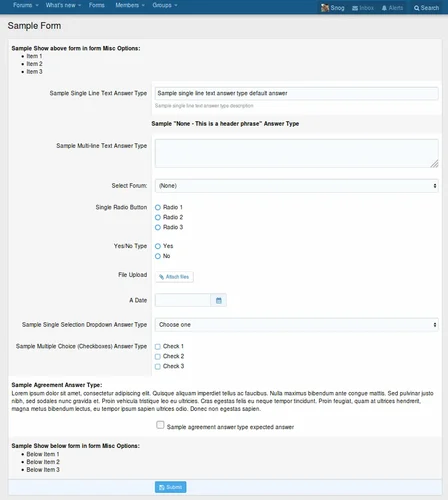
There is a 10% tax added to our products. We do not offer invoices, you need to use your PayPal Receipt for your accounting or VAT needs. Tax will be added at checkout. Advanced Forms can be used for just about any type of form you need! Full documentation is here Advanced Forms Documentation Introduction What is a form Front-End example of this addon Where to find all the options of Advanced Forms Settings User group permissions Widget Understanding the architecture Types, Forms, Questions Des- 1 Downloads
- 0 Comments
-
Invision Community-Developer Tools
Free
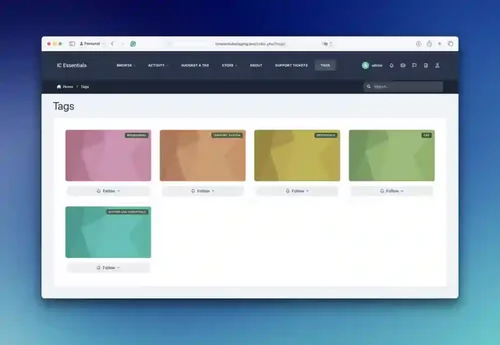
These files are necessary for using developer mode in IPS Community Suite.- 1 Downloads
- 0 Comments



-
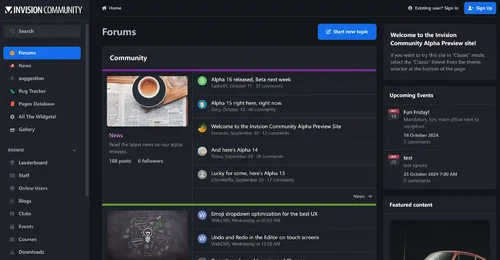
Invision Community
Free
Invision Community 5 — A Fresh New Experience! Invision Community 5 brings a modern design and powerful features to energize your community: All-New Sidebar Layout Enjoy streamlined navigation with a sidebar for quick access to apps, activity streams, search, and customizable shortcuts. Versatile Forum Views Discover the new Feed view with cover photos and featured colors, plus classic table, grid, and fluid modes for flexible content display. Compact Topic Pages & Mini Profiles Focus on c- 191 Downloads
- 3 Comments
-
Invision Community-Developer Tools
Free
These files are necessary for using developer mode in IPS Community Suite.- 42 Downloads
- 0 Comments
-
The7 - Website and eCommerce Builder for WordPress
Free
The7 features full and seamless integration with WPBakery Page Builder (formerly Visual Composer) and Ultimate Addons. Most our buyers agree that The7 is the best theme to be used with these plugins, up to date! Its 1000+ Theme Options allows to craft almost any imaginable design. And Design Wizard feature lets you create a boutique-grade website design in mere minutes. Both Wizard and advanced Theme Options can work in visual WP Theme Customizer-like and old-school backend editing modes. The7- 38 Downloads
- 0 Comments
-
MaterialXen
Free
Material design is basically a result of Google’s set of guidelines for better designing, keeping in mind mobile users. It supports better browsing by enhancing the visual and motion experience. This theme is almost Material-based to make a better user experience. RE-ME Framework Features List You don’t just get a simple theme; you’ll get settings that will change the default framework into your own. It’s your website; make it yours! Google Web font is easily configured. Node Background Avata- 34 Downloads
- 0 Comments
-
Better Statistics Pro
Free
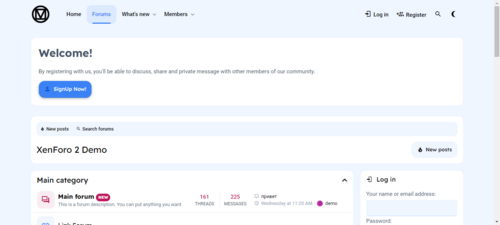
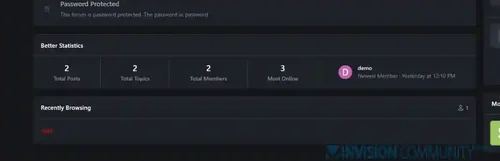
The Better Statistics application for Invision Community 5 combines the statistics from the two widgets, "Member Statistics" and "Forum Statistics," into one. The application uses the original code from both widgets.- 33 Downloads
- 0 Comments

-
Invision Community
Free
Invision Community 5 — A Fresh New Experience! Invision Community 5 brings a modern design and powerful features to energize your community: All-New Sidebar Layout Enjoy streamlined navigation with a sidebar for quick access to apps, activity streams, search, and customizable shortcuts. Versatile Forum Views Discover the new Feed view with cover photos and featured colors, plus classic table, grid, and fluid modes for flexible content display. Compact Topic Pages & Mini Profiles Focus on c- 193 Downloads
- 3 Comments
-
Invision Community-Developer Tools
Free
These files are necessary for using developer mode in IPS Community Suite.- 42 Downloads
- 0 Comments
-
The7 - Website and eCommerce Builder for WordPress
Free
The7 features full and seamless integration with WPBakery Page Builder (formerly Visual Composer) and Ultimate Addons. Most our buyers agree that The7 is the best theme to be used with these plugins, up to date! Its 1000+ Theme Options allows to craft almost any imaginable design. And Design Wizard feature lets you create a boutique-grade website design in mere minutes. Both Wizard and advanced Theme Options can work in visual WP Theme Customizer-like and old-school backend editing modes. The7- 38 Downloads
- 0 Comments
-
MaterialXen
Free
Material design is basically a result of Google’s set of guidelines for better designing, keeping in mind mobile users. It supports better browsing by enhancing the visual and motion experience. This theme is almost Material-based to make a better user experience. RE-ME Framework Features List You don’t just get a simple theme; you’ll get settings that will change the default framework into your own. It’s your website; make it yours! Google Web font is easily configured. Node Background Avata- 35 Downloads
- 0 Comments
-
Better Statistics Pro
Free
The Better Statistics application for Invision Community 5 combines the statistics from the two widgets, "Member Statistics" and "Forum Statistics," into one. The application uses the original code from both widgets.- 35 Downloads
- 0 Comments