




Flash Sale
Invision Community
57 files
-
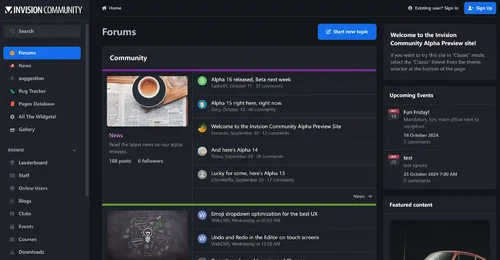
Invision Community 5 — A Fresh New Experience!
Invision Community 5 brings a modern design and powerful features to energize your community:
All-New Sidebar Layout
Enjoy streamlined navigation with a sidebar for quick access to apps, activity streams, search, and customizable shortcuts.
Versatile Forum Views
Discover the new Feed view with cover photos and featured colors, plus classic table, grid, and fluid modes for flexible content display.
Compact Topic Pages & Mini Profiles
Focus on content with a compact layout and mini profile cards for authors, making interactions easier and more engaging.
Mobile & Dark Mode Ready
Enhanced mobile UI for all devices and a native dark mode for comfortable browsing anytime.
Performance Optimized
Leaner code means faster loading and a smoother experience for everyone.
Invision Community 5 — Start your new community journey today and unlock more possibilities!
The cracking of this IPS version is very complete and secure, and now it has 100% blocked all communication to the IPS server, running completely offline.
✅ License verification completely bypassed
✅ Add a backend log deletion button
✅ All IPS products are fully activated
✅ License never expires
✅ URL verification disabled
✅ Exception report disabled (just fixed)
✅ Will not verify with IPS license server
✅ Will not send exceptions to the diagnostic server
✅ Fully offline operation
✅ All functions are fully functional and available
SystemLogs Batch Delete Button
Nexus invoice batch deletion button
The deletion operation was successfully executed and statistical information was displayed
- Free
- 195 Downloads
- 3 Comments
-
WeChatAlipay WeChat/Alipay code scanning payment plug-in
Plugin Introduction
The WeChat Alipay plugin provides convenient WeChat and Alipay scanning payment capabilities for the Intrusion Community (IPS) business system, supporting personal payment QR codes, suitable for mainland Chinese users and merchants, greatly enhancing the localized payment experience.
Main functions
Dual platform support: support WeChat and Alipay, two mainstream mobile payment methods, to meet the payment needs of most Chinese users.
Upload of personal collection code: WeChat and Alipay personal collection QR code images can be uploaded separately in the background, supporting JPG, PNG and GIF formats, up to 2MB.
Integration of checkout page: Display a QR code on the checkout page, and users can directly scan the code to complete the payment. The payment process is clear and intuitive.
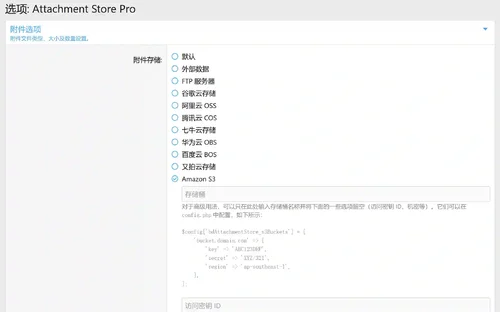
Custom gateway title and description: customizable payment method name and description to enhance brand image and user trust.
Payment confirmation process: After scanning the code to make payment, the user needs to check "I have completed payment" to confirm. The order will enter a pending status, and the administrator will manually confirm the order after verifying the receipt to ensure transaction security.
Concise backend settings: All configuration items are centralized on the plugin settings page, making the operation simple and easy to understand, without the need for complex development.
Applicable scenarios
Individual webmaster, community, content payment, member recharge, commodity sales and other IPS sites that need WeChat/Alipay payment.
No enterprise qualification required, supports personal QR code payment.
Technical highlights
Compatible with IPS 5. x and above versions.
Pure front-end scanning, no need to interface with official payment APIs, no need for filing or enterprise certification.
Supports multiple languages, user-friendly interface, and easy localization.
Usage tips:You can upload your other payment QR codes on the image upload page of the gateway, instead of having to upload Alipay and WeChat.
- 50.00 USD
- 1 Downloads
-
- Free
- 0 Downloads
-
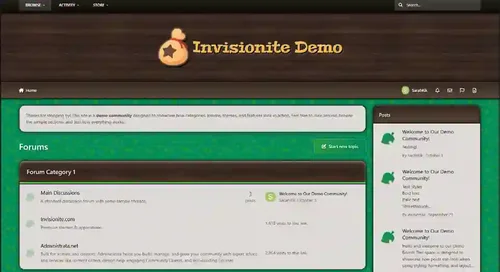
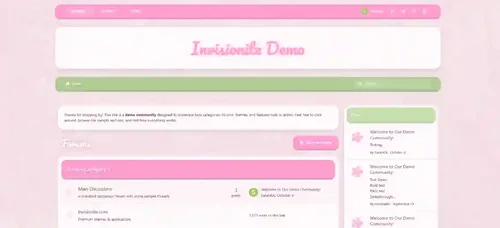
Animal Crossing is inspired by the friendly neighbourhood series of the same name, and could pair well with town roleplays or other farming/village games!
Highlights
Nice Mediums
This theme offers a "day" and "night" version that are both simple and easy on the eyes, neither are too bright nor too dark, for a relaxing feel.
Inspired without overwhelm
Even if you're unfamiliar with the series, this theme can be used to provide a comfy homey aesthetic that's easy to navigate.
Built for Invision Community v5
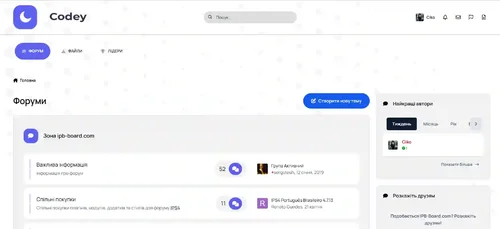
Developed using v5’s updated template structure, ensuring modern design standards, improved responsiveness, and compatibility with all core apps.
What’s Included
Complete Invision Community v5 theme
Styled widgets and forum containers
Custom backgrounds, forum icons and accents
- Free
- 0 Downloads
-
The anti spam feature of Invasion Community can protect your website from spam senders and spam bots.
- Free
- 2 Downloads
-
Theme Selection – If the theme already has similar functionality, you can now choose where to activate the plugin.
Icon selection — Choose from 5 "standard icons" or use a Font Awesome icon of your choice.
Color, size, transparency, and position can also be freely chosen.
New feature: You can now choose custom colors for Dark Mode.
- Free
- 0 Downloads
-
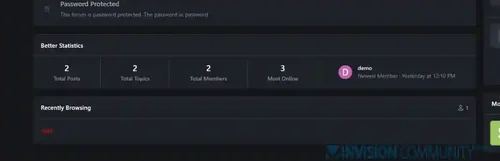
The Better Statistics application for Invision Community 5 combines the statistics from the two widgets, "Member Statistics" and "Forum Statistics," into one. The application uses the original code from both widgets.
- Free
- 35 Downloads
-
Chatbox+ is an application that uses Ajax calls to the server to retrieve new messages. It supports room chat , club chat , and private one-two-one chat . Chat windows can be displayed in a widget, on a new page, or floating at the bottom right so that participants can easily communicate with each other.
Private one-two-one chat:
The chat windows displayed at the bottom right allow participants to communicate with each other.
Multiple chats at the same time.
Permission for who can use private chat.
Ability to choose a skin for each box.
Load more messages by scrolling up (or down).
It's easy to find a participant's name to start a chat.
Sound notification of a new message.
Report notification.
User status online.
Minimize and close chat windows.
Ban settings.
Supports pure text input with emoji, Youtube, URLs, images, audio files, GIPHY
Supports Lazyload images.
Interval in milliseconds.
Fighting floods.
Message length limit.
Permission to edit/delete messages.
Fully responsive - adapts to mobile devices, tablets, computers.
Group chat
This feature is an extension of Member Chat, allowing users to create groups and invite people to chat.
Ability to set the maximum number of users in a group.
Users can leave the group whenever they want.
Display a list of users in the group.
System notification when a user joins or leaves a group.
The group owner can rename the group.
Permissions for who can invite people to the group.
Chat rooms and clubs
The administrator can create multiple rooms, display rooms in widgets or a new page.
The club owner can create a room.
Announcements and rules for each room.
List of online users.
Allow a guest to join and chat with their own nickname and random avatar.
Show online users in a panel or pop-up window.
Automatic idle mode after X minutes.
Automatic Schedule: You can now set a specific time to automatically open and close your room.
Global Chat:
Show the room in a floating pop-up at the bottom of pages so users can chat anywhere.
Toggle showing/hiding the pop-up window.
Ability to hide the chat pop-up window on mobile.
User controls:
Turn on/off the sound notification.
Open chat in a pop-up window.
Select skins.
Moderator control:
Edit ad.
User blocking system:
Show the moderator who blocked the user.
Ability to add a reason.
Automatically unblock the user after X minutes.
Clean room (delete all messages).
Quick edit/delete message.
System messages to notify you when:
New content published from third-party apps supports:
Forums (new topic, new reply)
Upload (new file, new comment, new review)
Pages (new article, new comment, new review)
Gallery (new image, new comment)
Blogs (new post, new comment)
Calendar (new event, new comment)
Status updates, status replies
New registration.
Videobox (new video, new comment, new review)
Musicbox (new song, new comment)
Textbooks (new article, new comment)
New ad.
A new sacrifice.
User joined/left the room.
Automated messages (chatbot)
Create multiple messages with a cycle time in seconds.
Select a member as a bot to automatically post messages every X seconds.
Automatic messages triggered on the client side will not be stored in the database for best performance and database conservation.
Message archive:
Permission for who can view archived messages.
Search for messages by participant name, guest name, content, time.
Sorting messages by time, content, conversation title.
Edit/Delete/Report message.
Other features:
Incoming message:
Plain text : only supports URL, image URL, Youtube URL, GIF from GIPHY , uploaded image
Editor : You can use full formatting from the Editor: color, bold, size, emoticons...
Many stylish designs are available:
Standard
Bubbles
Consolidated
Donations and SuperChat (requires IPS Commerce)
Allow users to make donations directly in the room.
After the payment is made, the message will be highlighted in a different color.
Ability to choose permission for those who can make donations.
Select a donation goal in Commerce.
Easily customize the color for SuperChat based on the donation amount.
Send a system notification when someone donates to a room.
Administrator tools:
Delete all system messages
Delete all room messages
Delete entire conversation
Import messages from Chatbox for FREE
Additional features:
Report center integration allows users to report bad messages.
Automatically loads old messages when scrolling down (or up).
Highlight the message line if someone mentions you.
Flood control, maximum number of messages, character limit, message sorting...
Show the number of online users in the chat menu.
Show character counter while typing a message.
IPS Link Filter support for banned/allowed links.
Ignored users.
Delayed image loading.
Fully responsive.with on the right so participants can easily communicate with each other.
- Free
- 5 Downloads
-
- Free
- 0 Downloads
-
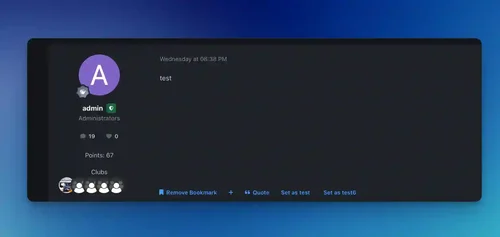
This shows the last 5 clubs the publisher joined in the postbit authors panel.
- Free
- 1 Downloads
-
- Free
- 6 Downloads
- 1 Comments
-
- Free
- 12 Downloads
-
Improve your experience with Invision Community through this powerful program that easily integrates your company with Discord.
- Free
- 3 Downloads
-
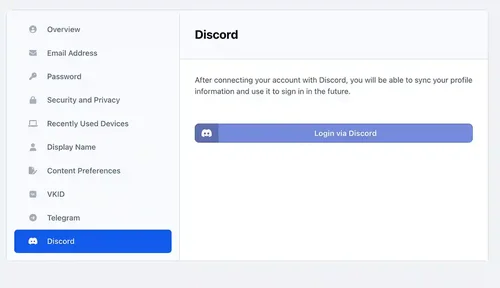
Discord Login - an application that allows your members to register using their own discord account. It can:
Login via Discord account;
Use Discord.com photo as profile photo of registering member.
- Free
- 4 Downloads
-
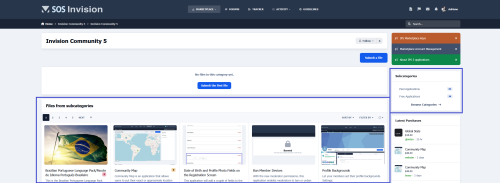
This application will display files from subcategories when the category you're browsing hasn't files.
It is compatible with the layout chosen for the categories (table or grid).
- Free
- 0 Downloads
-
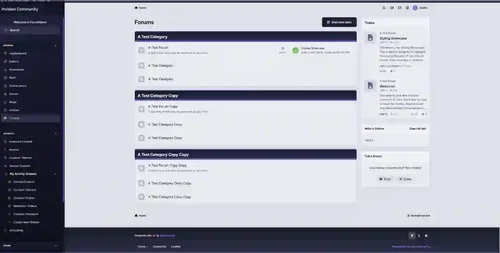
Dusk , a twilight-inspired theme for Invision Community v5 that wraps your forum in deep blue, cool purple, and smooth gradients. Designed for those who prefer sophistication over noise, Dusk retains minimalism but at the same time impresses.
- Free
- 0 Downloads
-
EasyPopup offers a powerful, customizable solution for creating eye-catching popups on your website. Configure everything from size, position, and transitions to timing, content, and audience targeting. With IPS Member Filters, you can tailor popups to suit specific groups and boost user engagement effortlessly.
Features:
Width/Height.
Transition open/close: FadeIn/FadeOut, SlideIn, SlideUp, SlideDown, SlideBack.
Transition speed.
Positions: Top Left, Top Center, Top Right, Middle Left, Middle Center, Middle Right, Bottom Left, Bottom Center, Bottom Right
Background color.
Compose popup content using the Editor or HTML, or simply upload an image.
Supports advertisement tag in the HTML code: {advertisement="key"}
Auto close and show timer on popup.
Showing popups every page loads or every X minutes.
Waiting for X miliseconds to show.
Easily set specific URLs for popup display.
IPS Member Filter System to show popups. (filter by groups, content count, joined date, last posted, last visited, reputation, member of the day....)
- Free
- 5 Downloads
-
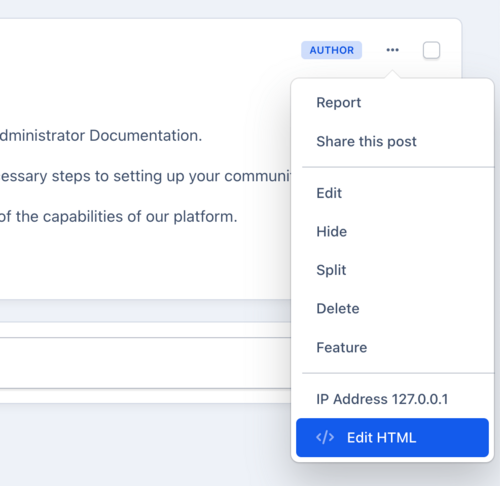
This application allows selected users or groups to change the HTML code of forum posts.
- Free
- 2 Downloads
-
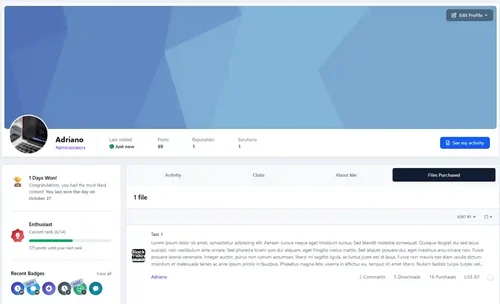
It allows faster access to all files purchased by a particular participant while visiting its profile. The profile tab will only be displayed for administrators.
- Free
- 0 Downloads









Top Downloads
No files have been downloaded yet this week.
-
Invision Community
Free
Invision Community 5 — A Fresh New Experience! Invision Community 5 brings a modern design and powerful features to energize your community: All-New Sidebar Layout Enjoy streamlined navigation with a sidebar for quick access to apps, activity streams, search, and customizable shortcuts. Versatile Forum Views Discover the new Feed view with cover photos and featured colors, plus classic table, grid, and fluid modes for flexible content display. Compact Topic Pages & Mini Profiles Focus on c- 4 Downloads
- 3 Comments
-
Quick Search
Free
Quick Search is a small application that instantly brings an intuitive search form and smart autocomplete. Results are displayed with eye-catching thumbnails, providing a seamless browsing experience across all applications. Make finding content easier and faster with Quick Search! Settings: Enable/Disable. Permissions for member groups. Max results. Search incomplete words Find results in Content titles only | Content titles and body Search Mode: OR / AND Set default search type for all- 2 Downloads
- 0 Comments
-
[OzzModz] Advanced Forms
Free
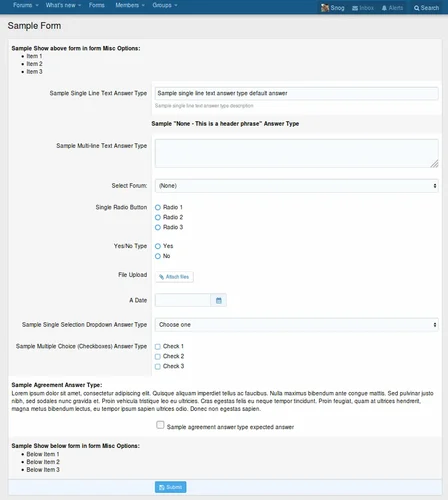
There is a 10% tax added to our products. We do not offer invoices, you need to use your PayPal Receipt for your accounting or VAT needs. Tax will be added at checkout. Advanced Forms can be used for just about any type of form you need! Full documentation is here Advanced Forms Documentation Introduction What is a form Front-End example of this addon Where to find all the options of Advanced Forms Settings User group permissions Widget Understanding the architecture Types, Forms, Questions Des- 1 Downloads
- 0 Comments
-
Invision Community-Developer Tools
Free
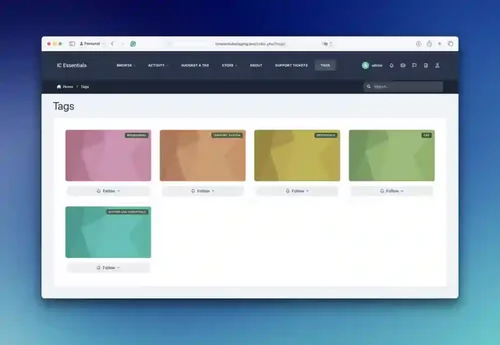
These files are necessary for using developer mode in IPS Community Suite.- 1 Downloads
- 0 Comments



-
Invision Community
Free
Invision Community 5 — A Fresh New Experience! Invision Community 5 brings a modern design and powerful features to energize your community: All-New Sidebar Layout Enjoy streamlined navigation with a sidebar for quick access to apps, activity streams, search, and customizable shortcuts. Versatile Forum Views Discover the new Feed view with cover photos and featured colors, plus classic table, grid, and fluid modes for flexible content display. Compact Topic Pages & Mini Profiles Focus on c- 191 Downloads
- 3 Comments
-
Invision Community-Developer Tools
Free
These files are necessary for using developer mode in IPS Community Suite.- 42 Downloads
- 0 Comments
-
The7 - Website and eCommerce Builder for WordPress
Free
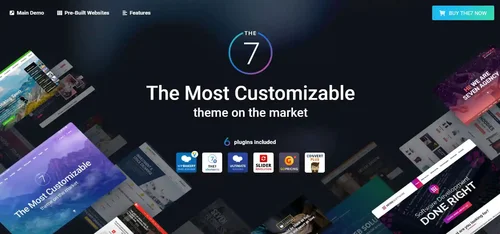
The7 features full and seamless integration with WPBakery Page Builder (formerly Visual Composer) and Ultimate Addons. Most our buyers agree that The7 is the best theme to be used with these plugins, up to date! Its 1000+ Theme Options allows to craft almost any imaginable design. And Design Wizard feature lets you create a boutique-grade website design in mere minutes. Both Wizard and advanced Theme Options can work in visual WP Theme Customizer-like and old-school backend editing modes. The7- 38 Downloads
- 0 Comments
-
MaterialXen
Free
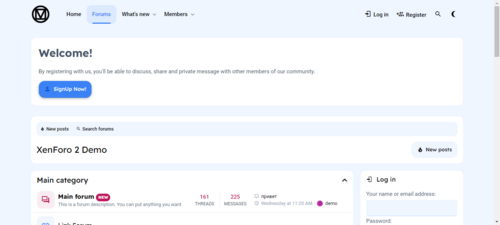
Material design is basically a result of Google’s set of guidelines for better designing, keeping in mind mobile users. It supports better browsing by enhancing the visual and motion experience. This theme is almost Material-based to make a better user experience. RE-ME Framework Features List You don’t just get a simple theme; you’ll get settings that will change the default framework into your own. It’s your website; make it yours! Google Web font is easily configured. Node Background Avata- 34 Downloads
- 0 Comments
-
Better Statistics Pro
Free
The Better Statistics application for Invision Community 5 combines the statistics from the two widgets, "Member Statistics" and "Forum Statistics," into one. The application uses the original code from both widgets.- 33 Downloads
- 0 Comments
-
Invision Community
Free
Invision Community 5 — A Fresh New Experience! Invision Community 5 brings a modern design and powerful features to energize your community: All-New Sidebar Layout Enjoy streamlined navigation with a sidebar for quick access to apps, activity streams, search, and customizable shortcuts. Versatile Forum Views Discover the new Feed view with cover photos and featured colors, plus classic table, grid, and fluid modes for flexible content display. Compact Topic Pages & Mini Profiles Focus on c- 193 Downloads
- 3 Comments
-
Invision Community-Developer Tools
Free
These files are necessary for using developer mode in IPS Community Suite.- 42 Downloads
- 0 Comments
-
The7 - Website and eCommerce Builder for WordPress
Free
The7 features full and seamless integration with WPBakery Page Builder (formerly Visual Composer) and Ultimate Addons. Most our buyers agree that The7 is the best theme to be used with these plugins, up to date! Its 1000+ Theme Options allows to craft almost any imaginable design. And Design Wizard feature lets you create a boutique-grade website design in mere minutes. Both Wizard and advanced Theme Options can work in visual WP Theme Customizer-like and old-school backend editing modes. The7- 38 Downloads
- 0 Comments
-
MaterialXen
Free
Material design is basically a result of Google’s set of guidelines for better designing, keeping in mind mobile users. It supports better browsing by enhancing the visual and motion experience. This theme is almost Material-based to make a better user experience. RE-ME Framework Features List You don’t just get a simple theme; you’ll get settings that will change the default framework into your own. It’s your website; make it yours! Google Web font is easily configured. Node Background Avata- 35 Downloads
- 0 Comments
-
Better Statistics Pro
Free
The Better Statistics application for Invision Community 5 combines the statistics from the two widgets, "Member Statistics" and "Forum Statistics," into one. The application uses the original code from both widgets.- 35 Downloads
- 0 Comments