




Flash Sale
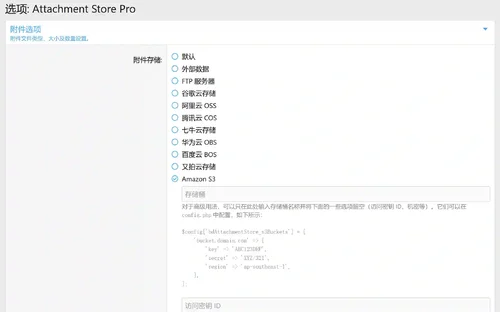
Invision Community
57 files
-
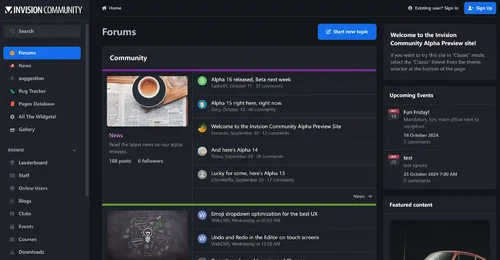
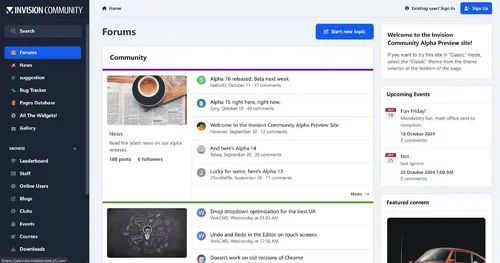
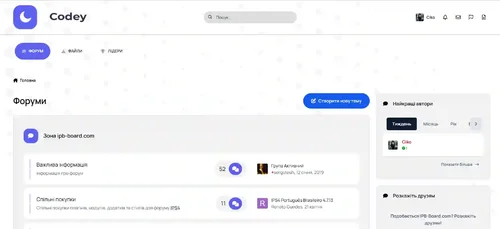
Invision Community 5 — A Fresh New Experience!
Invision Community 5 brings a modern design and powerful features to energize your community:
All-New Sidebar Layout
Enjoy streamlined navigation with a sidebar for quick access to apps, activity streams, search, and customizable shortcuts.
Versatile Forum Views
Discover the new Feed view with cover photos and featured colors, plus classic table, grid, and fluid modes for flexible content display.
Compact Topic Pages & Mini Profiles
Focus on content with a compact layout and mini profile cards for authors, making interactions easier and more engaging.
Mobile & Dark Mode Ready
Enhanced mobile UI for all devices and a native dark mode for comfortable browsing anytime.
Performance Optimized
Leaner code means faster loading and a smoother experience for everyone.
Invision Community 5 — Start your new community journey today and unlock more possibilities!
The cracking of this IPS version is very complete and secure, and now it has 100% blocked all communication to the IPS server, running completely offline.
✅ License verification completely bypassed
✅ Add a backend log deletion button
✅ All IPS products are fully activated
✅ License never expires
✅ URL verification disabled
✅ Exception report disabled (just fixed)
✅ Will not verify with IPS license server
✅ Will not send exceptions to the diagnostic server
✅ Fully offline operation
✅ All functions are fully functional and available
SystemLogs Batch Delete Button
Nexus invoice batch deletion button
The deletion operation was successfully executed and statistical information was displayed
- Free
- 195 Downloads
- 3 Comments
-
WeChatAlipay WeChat/Alipay code scanning payment plug-in
Plugin Introduction
The WeChat Alipay plugin provides convenient WeChat and Alipay scanning payment capabilities for the Intrusion Community (IPS) business system, supporting personal payment QR codes, suitable for mainland Chinese users and merchants, greatly enhancing the localized payment experience.
Main functions
Dual platform support: support WeChat and Alipay, two mainstream mobile payment methods, to meet the payment needs of most Chinese users.
Upload of personal collection code: WeChat and Alipay personal collection QR code images can be uploaded separately in the background, supporting JPG, PNG and GIF formats, up to 2MB.
Integration of checkout page: Display a QR code on the checkout page, and users can directly scan the code to complete the payment. The payment process is clear and intuitive.
Custom gateway title and description: customizable payment method name and description to enhance brand image and user trust.
Payment confirmation process: After scanning the code to make payment, the user needs to check "I have completed payment" to confirm. The order will enter a pending status, and the administrator will manually confirm the order after verifying the receipt to ensure transaction security.
Concise backend settings: All configuration items are centralized on the plugin settings page, making the operation simple and easy to understand, without the need for complex development.
Applicable scenarios
Individual webmaster, community, content payment, member recharge, commodity sales and other IPS sites that need WeChat/Alipay payment.
No enterprise qualification required, supports personal QR code payment.
Technical highlights
Compatible with IPS 5. x and above versions.
Pure front-end scanning, no need to interface with official payment APIs, no need for filing or enterprise certification.
Supports multiple languages, user-friendly interface, and easy localization.
Usage tips:You can upload your other payment QR codes on the image upload page of the gateway, instead of having to upload Alipay and WeChat.
- 50.00 USD
- 1 Downloads
-
These files are necessary for using developer mode in IPS Community Suite.
- Free
- 42 Downloads
-
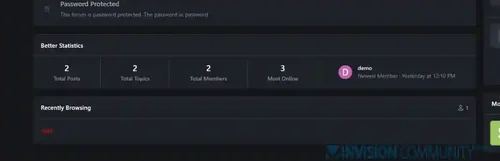
The Better Statistics application for Invision Community 5 combines the statistics from the two widgets, "Member Statistics" and "Forum Statistics," into one. The application uses the original code from both widgets.
- Free
- 35 Downloads
-
NOWPayments is a non custodial cryptocurrency payment processing platform. Accept payments in various cryptocurrencies and immediately convert them into the currency of your choice and send them to your wallet.
Added debug mode setting.
Added setting for setting cryptocurrency for payment.
Other improvements.
- Free
- 13 Downloads
-
- Free
- 12 Downloads
-
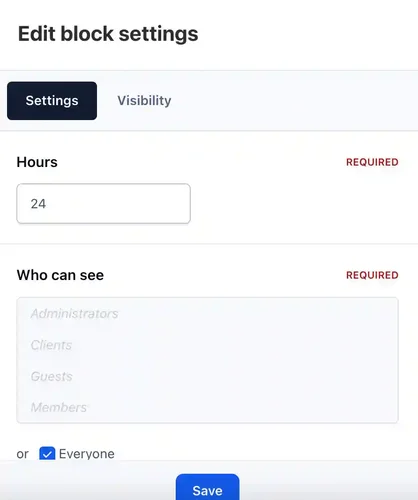
Who was online - widget that adds statistics of users who have been online for the last X hours.
- Free
- 12 Downloads
-
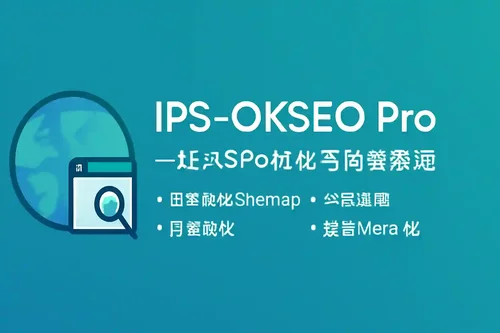
IPS-OKSEO Pro is a professional SEO optimization and content management extension designed specifically for Invision Community (IPS). It integrates multiple features including broken link monitoring, content suggestions, automatic Sitemap submission, bulk Meta optimization, SEO scoring, and backend internationalization, helping websites efficiently improve search engine indexing and content quality.
Main Features
Broken Link Monitoring and Bulk Fixing
Automatically logs 404 broken links and supports one-click redirection fixes, improving user experience and site authority.
Content Suggestions
Smart analysis of page structure, automatically suggesting H2/H3 subheadings and content optimization directions, making content easier to index.
Sitemap Management and Automatic Submission
Automatically generates and periodically submits sitemaps (sitemap.php) to major search engines like Google, Bing, Baidu, 360, Sogou, Yandex, Seznam, DuckDuckGo, Naver, Yahoo Japan, etc., without manual intervention, greatly improving the efficiency of new content indexing. Push logs are automatically recorded in uploads/logs/okseo_autopush.log for easy tracking of each push result.
Bulk Meta Optimization
Supports bulk detection and suggestions for page Title, Description, and Keywords to enhance overall site SEO performance.
SEO Scoring
Automatically analyzes page SEO scores and provides targeted optimization suggestions to help site owners quickly identify issues.
Consistent Backend Interface
The backend pages maintain a consistent design with the official IPS style, supporting multilingual internationalization for an enhanced experience.
Suitable For
IPS site administrators aiming for efficient SEO and content management
Community, portal, or corporate websites that require automated indexing, broken link repair, and content structure optimization
Operators seeking to improve site authority and search engine friendliness
Application Advantages
Fully automated submission with minimal configuration, ready to use right after installation
Compatible with IPS's official task scheduling and permission system
Highly efficient code, optimized performance, and traceable logs
Multi-language support, aesthetically pleasing interface, and easy maintenance
- Free
- 11 Downloads
- 1 Comments
-
The Hide it application allows hiding content from posts in Forums, Pages and Downloads. It supports selectively hiding specific sections or entire posts.
This application does not work on IPS Cloud because it requires editing PHP files.
Features:
Select databases and categories for hidden content.
Specify user groups for hidden content.
Options for hiding specific content: links, images, attachments, code, or the entire post.
Options to unhide content:
Give a reaction
Leave a comment
Reaction or comment
Reaction and comment
Reload content in ajax after giving reaction to unhide content without reloading page.
- Free
- 9 Downloads
- 1 Comments
-
- Free
- 9 Downloads
-
StopForumSpam - application to prevent spammers from registering on the forum. When registering a new user, the application checks the email, IP address and/or username, and if this data is in the spam database of the service https://www.stopforumspam.com/ - it bans the account.
- Free
- 7 Downloads
-
Description:
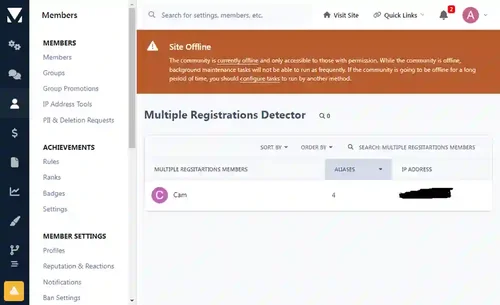
This app scans the database to detect members who have multiple accounts at your forum, and it will list the results. You can also auto ban new multiple registrations of members who have previously registered an account and/or accounts at your forum. The auto banning is done on basis of ip addresses and devices. You can also exclude ip addresses and devices from being auto banned when registering multiple accounts.
Detection Method:
The detection method is being done in 4 ways.
1) Registration Method:
This method is based on scanning the members table for members who have registered more than one account at your forum from the same ip. The ip address in question will be displayed with the latest multiple account. When the ip address is clicked upon, it will display all the other aliases of that member.
2) Posting Method:
This method is based on scanning the posts table for members who have posted from more than one account at your forum from the same ip. The ip address in question will be displayed with the latest multiple account. When the ip address is clicked upon, it will display all the other aliases of that member as well as the posts and topics that they have posted.
3) Ip Login Method:
This method is based on scanning members known ip addresses, i.e. their last used ips, during the login and if a member has logged in to different accounts from the same ip, the action will be logged and displayed.
4) Device Detection Method:
This is the most accurate method imo. Ipb adds a unique cookie to members devices when they log in to the forum. The cookie expiration date is set to one year and its unique string is associated with the users device and stored in the device table. This means if someone logs in to your forum, logs out and then logs in using another account and a different ip address, then it can tell that it was the same person. It means that person has to use same machine, same browser irrespective of the ip address he/she is using.
Search:
All 4 multiple accounts detection methods have a quick search option where you can search the results based on members names.
Auto Banning:
All users who will try to register multiple accounts using the same ip address or device can be banned automatically upon registrations. Admins can exclude ip address(es) and device(s) from being banned.
Compatibility:
This app is compatible with Ipb 5 only. If you are using the Ipb 4.7. version of the app you will have to uninstall it first. Then you can install this one. No data will be lost as the app doesn't add a table of its own to the database, but queries the relevant Ipb tables.
Core Feature Summary for This Update: This enhanced update has been further developed by our site.
🆕 4 New Detection Systems
Email Pattern Detection – Identifies temporary emails, Gmail aliases, and sequential email patterns
Registration Time Clustering – Uses DBSCAN algorithm for bot registration detection
Behavior Similarity Analysis – Detects overlapping online activity, posting patterns, and content fingerprints
Enhanced Browser Fingerprinting – 40+ dimensions with anti-spoofing detection
🎯 Intelligent Scoring System
Comprehensive risk score (0–100)
Automatic actions: Ban (≥80) / Verify (60–79) / Allow (<60)
Configurable threshold settings
📊 2 New Admin Interfaces
User Risk Scoring Report – Real-time monitoring and detailed analysis
Enhanced Detection Settings – Flexible configuration for all detection modules
🗄️ 3 New Data Tables
Fingerprint Storage Table
Behavior Pattern Table
Risk Scoring Table
📈 Performance Improvements
Accuracy: 60% → 95%+
False Positive Rate: 10% → <1%
VPN Resistance: Weak → Strong
- Free
- 6 Downloads
-
This is not the NULLED version, but the original version of the Invasion Community
- Free
- 6 Downloads
-
- Free
- 6 Downloads
- 1 Comments
-
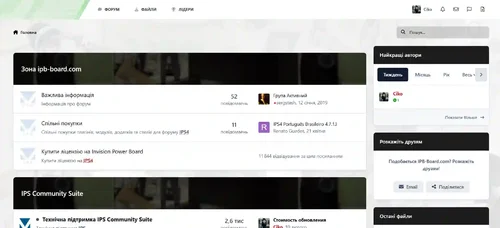
This will display the country flag of the publisher according to the IP address of the publication.
Requirements:
Forum plugin.
IPS Geolocation is the advantage of an active license, so you need an active license to choose countries from an IP address.
Configuration:
Show country name
Show geolocation for certain groups
- Free
- 5 Downloads
-
Chatbox+ is an application that uses Ajax calls to the server to retrieve new messages. It supports room chat , club chat , and private one-two-one chat . Chat windows can be displayed in a widget, on a new page, or floating at the bottom right so that participants can easily communicate with each other.
Private one-two-one chat:
The chat windows displayed at the bottom right allow participants to communicate with each other.
Multiple chats at the same time.
Permission for who can use private chat.
Ability to choose a skin for each box.
Load more messages by scrolling up (or down).
It's easy to find a participant's name to start a chat.
Sound notification of a new message.
Report notification.
User status online.
Minimize and close chat windows.
Ban settings.
Supports pure text input with emoji, Youtube, URLs, images, audio files, GIPHY
Supports Lazyload images.
Interval in milliseconds.
Fighting floods.
Message length limit.
Permission to edit/delete messages.
Fully responsive - adapts to mobile devices, tablets, computers.
Group chat
This feature is an extension of Member Chat, allowing users to create groups and invite people to chat.
Ability to set the maximum number of users in a group.
Users can leave the group whenever they want.
Display a list of users in the group.
System notification when a user joins or leaves a group.
The group owner can rename the group.
Permissions for who can invite people to the group.
Chat rooms and clubs
The administrator can create multiple rooms, display rooms in widgets or a new page.
The club owner can create a room.
Announcements and rules for each room.
List of online users.
Allow a guest to join and chat with their own nickname and random avatar.
Show online users in a panel or pop-up window.
Automatic idle mode after X minutes.
Automatic Schedule: You can now set a specific time to automatically open and close your room.
Global Chat:
Show the room in a floating pop-up at the bottom of pages so users can chat anywhere.
Toggle showing/hiding the pop-up window.
Ability to hide the chat pop-up window on mobile.
User controls:
Turn on/off the sound notification.
Open chat in a pop-up window.
Select skins.
Moderator control:
Edit ad.
User blocking system:
Show the moderator who blocked the user.
Ability to add a reason.
Automatically unblock the user after X minutes.
Clean room (delete all messages).
Quick edit/delete message.
System messages to notify you when:
New content published from third-party apps supports:
Forums (new topic, new reply)
Upload (new file, new comment, new review)
Pages (new article, new comment, new review)
Gallery (new image, new comment)
Blogs (new post, new comment)
Calendar (new event, new comment)
Status updates, status replies
New registration.
Videobox (new video, new comment, new review)
Musicbox (new song, new comment)
Textbooks (new article, new comment)
New ad.
A new sacrifice.
User joined/left the room.
Automated messages (chatbot)
Create multiple messages with a cycle time in seconds.
Select a member as a bot to automatically post messages every X seconds.
Automatic messages triggered on the client side will not be stored in the database for best performance and database conservation.
Message archive:
Permission for who can view archived messages.
Search for messages by participant name, guest name, content, time.
Sorting messages by time, content, conversation title.
Edit/Delete/Report message.
Other features:
Incoming message:
Plain text : only supports URL, image URL, Youtube URL, GIF from GIPHY , uploaded image
Editor : You can use full formatting from the Editor: color, bold, size, emoticons...
Many stylish designs are available:
Standard
Bubbles
Consolidated
Donations and SuperChat (requires IPS Commerce)
Allow users to make donations directly in the room.
After the payment is made, the message will be highlighted in a different color.
Ability to choose permission for those who can make donations.
Select a donation goal in Commerce.
Easily customize the color for SuperChat based on the donation amount.
Send a system notification when someone donates to a room.
Administrator tools:
Delete all system messages
Delete all room messages
Delete entire conversation
Import messages from Chatbox for FREE
Additional features:
Report center integration allows users to report bad messages.
Automatically loads old messages when scrolling down (or up).
Highlight the message line if someone mentions you.
Flood control, maximum number of messages, character limit, message sorting...
Show the number of online users in the chat menu.
Show character counter while typing a message.
IPS Link Filter support for banned/allowed links.
Ignored users.
Delayed image loading.
Fully responsive.with on the right so participants can easily communicate with each other.
- Free
- 5 Downloads
-
This app will display a popup or redirect user to a page reminding them to update their information before browsing the website.
Features:
Enable/Disable the feature.
Select user groups required to fill in the information.
Choose required information fields, including:
Profile photo
Cover photo
Signature
Profile fields
- Free
- 5 Downloads
-
EasyPopup offers a powerful, customizable solution for creating eye-catching popups on your website. Configure everything from size, position, and transitions to timing, content, and audience targeting. With IPS Member Filters, you can tailor popups to suit specific groups and boost user engagement effortlessly.
Features:
Width/Height.
Transition open/close: FadeIn/FadeOut, SlideIn, SlideUp, SlideDown, SlideBack.
Transition speed.
Positions: Top Left, Top Center, Top Right, Middle Left, Middle Center, Middle Right, Bottom Left, Bottom Center, Bottom Right
Background color.
Compose popup content using the Editor or HTML, or simply upload an image.
Supports advertisement tag in the HTML code: {advertisement="key"}
Auto close and show timer on popup.
Showing popups every page loads or every X minutes.
Waiting for X miliseconds to show.
Easily set specific URLs for popup display.
IPS Member Filter System to show popups. (filter by groups, content count, joined date, last posted, last visited, reputation, member of the day....)
- Free
- 5 Downloads
-
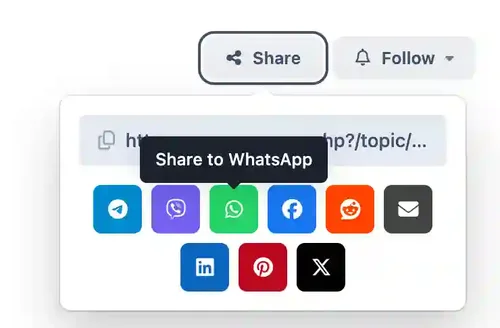
The app adds additional buttons to share services - Telegram, Viber, WhatsApp.
- Free
- 5 Downloads
-
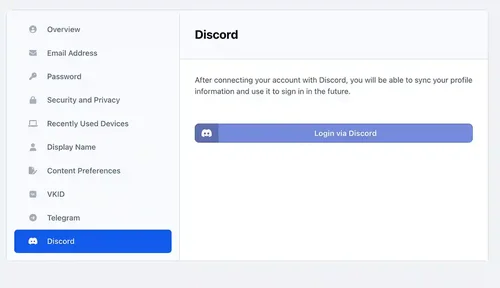
Discord Login - an application that allows your members to register using their own discord account. It can:
Login via Discord account;
Use Discord.com photo as profile photo of registering member.
- Free
- 4 Downloads








Top Downloads
No files have been downloaded yet this week.
-
Invision Community
Free
Invision Community 5 — A Fresh New Experience! Invision Community 5 brings a modern design and powerful features to energize your community: All-New Sidebar Layout Enjoy streamlined navigation with a sidebar for quick access to apps, activity streams, search, and customizable shortcuts. Versatile Forum Views Discover the new Feed view with cover photos and featured colors, plus classic table, grid, and fluid modes for flexible content display. Compact Topic Pages & Mini Profiles Focus on c- 4 Downloads
- 3 Comments
-
Quick Search
Free
Quick Search is a small application that instantly brings an intuitive search form and smart autocomplete. Results are displayed with eye-catching thumbnails, providing a seamless browsing experience across all applications. Make finding content easier and faster with Quick Search! Settings: Enable/Disable. Permissions for member groups. Max results. Search incomplete words Find results in Content titles only | Content titles and body Search Mode: OR / AND Set default search type for all- 2 Downloads
- 0 Comments
-
[OzzModz] Advanced Forms
Free
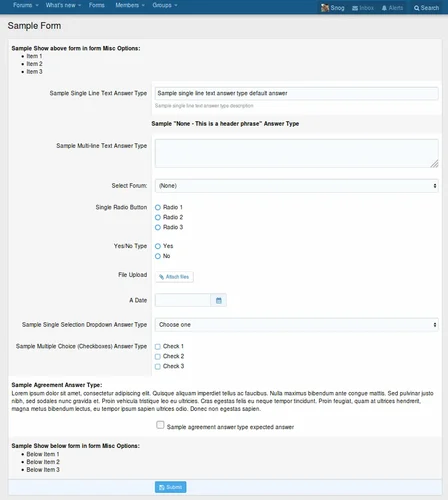
There is a 10% tax added to our products. We do not offer invoices, you need to use your PayPal Receipt for your accounting or VAT needs. Tax will be added at checkout. Advanced Forms can be used for just about any type of form you need! Full documentation is here Advanced Forms Documentation Introduction What is a form Front-End example of this addon Where to find all the options of Advanced Forms Settings User group permissions Widget Understanding the architecture Types, Forms, Questions Des- 1 Downloads
- 0 Comments
-
Invision Community-Developer Tools
Free
These files are necessary for using developer mode in IPS Community Suite.- 1 Downloads
- 0 Comments


-
Invision Community
Free
Invision Community 5 — A Fresh New Experience! Invision Community 5 brings a modern design and powerful features to energize your community: All-New Sidebar Layout Enjoy streamlined navigation with a sidebar for quick access to apps, activity streams, search, and customizable shortcuts. Versatile Forum Views Discover the new Feed view with cover photos and featured colors, plus classic table, grid, and fluid modes for flexible content display. Compact Topic Pages & Mini Profiles Focus on c- 191 Downloads
- 3 Comments
-
Invision Community-Developer Tools
Free
These files are necessary for using developer mode in IPS Community Suite.- 42 Downloads
- 0 Comments
-
The7 - Website and eCommerce Builder for WordPress
Free
The7 features full and seamless integration with WPBakery Page Builder (formerly Visual Composer) and Ultimate Addons. Most our buyers agree that The7 is the best theme to be used with these plugins, up to date! Its 1000+ Theme Options allows to craft almost any imaginable design. And Design Wizard feature lets you create a boutique-grade website design in mere minutes. Both Wizard and advanced Theme Options can work in visual WP Theme Customizer-like and old-school backend editing modes. The7- 38 Downloads
- 0 Comments
-
MaterialXen
Free
Material design is basically a result of Google’s set of guidelines for better designing, keeping in mind mobile users. It supports better browsing by enhancing the visual and motion experience. This theme is almost Material-based to make a better user experience. RE-ME Framework Features List You don’t just get a simple theme; you’ll get settings that will change the default framework into your own. It’s your website; make it yours! Google Web font is easily configured. Node Background Avata- 34 Downloads
- 0 Comments
-
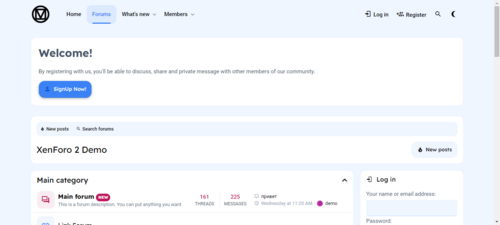
Better Statistics Pro
Free
The Better Statistics application for Invision Community 5 combines the statistics from the two widgets, "Member Statistics" and "Forum Statistics," into one. The application uses the original code from both widgets.- 33 Downloads
- 0 Comments
-
Invision Community
Free
Invision Community 5 — A Fresh New Experience! Invision Community 5 brings a modern design and powerful features to energize your community: All-New Sidebar Layout Enjoy streamlined navigation with a sidebar for quick access to apps, activity streams, search, and customizable shortcuts. Versatile Forum Views Discover the new Feed view with cover photos and featured colors, plus classic table, grid, and fluid modes for flexible content display. Compact Topic Pages & Mini Profiles Focus on c- 193 Downloads
- 3 Comments
-
Invision Community-Developer Tools
Free
These files are necessary for using developer mode in IPS Community Suite.- 42 Downloads
- 0 Comments
-
The7 - Website and eCommerce Builder for WordPress
Free
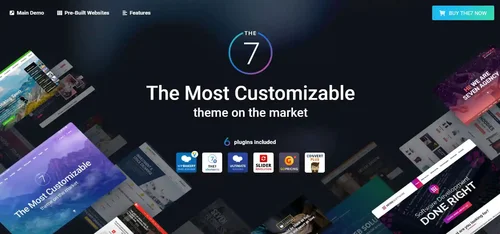
The7 features full and seamless integration with WPBakery Page Builder (formerly Visual Composer) and Ultimate Addons. Most our buyers agree that The7 is the best theme to be used with these plugins, up to date! Its 1000+ Theme Options allows to craft almost any imaginable design. And Design Wizard feature lets you create a boutique-grade website design in mere minutes. Both Wizard and advanced Theme Options can work in visual WP Theme Customizer-like and old-school backend editing modes. The7- 38 Downloads
- 0 Comments
-
MaterialXen
Free
Material design is basically a result of Google’s set of guidelines for better designing, keeping in mind mobile users. It supports better browsing by enhancing the visual and motion experience. This theme is almost Material-based to make a better user experience. RE-ME Framework Features List You don’t just get a simple theme; you’ll get settings that will change the default framework into your own. It’s your website; make it yours! Google Web font is easily configured. Node Background Avata- 35 Downloads
- 0 Comments
-
Better Statistics Pro
Free
The Better Statistics application for Invision Community 5 combines the statistics from the two widgets, "Member Statistics" and "Forum Statistics," into one. The application uses the original code from both widgets.- 35 Downloads
- 0 Comments